
Browne Attends ECCB-IMF Meeting in St Kitts

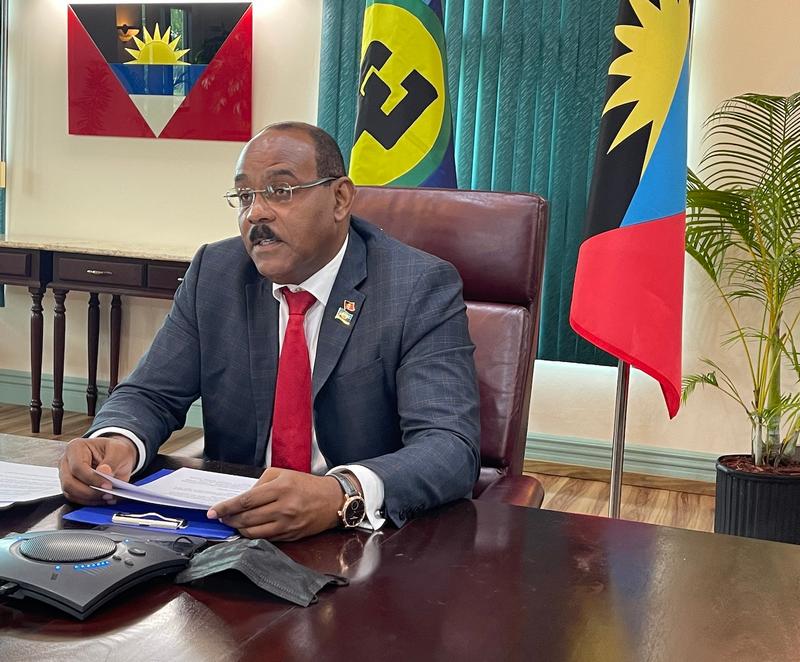
Today, Prime Minister Gaston Browne left the island to attend a series of crucial meetings in St. Kitts, one of which is a meeting between the Eastern Caribbean Central Bank Monetary Council and the International Monetary Fund (IMF).
This meeting is scheduled to take place on Thursday and Friday and is preceded by a meeting of the OECS Authority, which is the highest decision-making body of the sub-regional group.
The 74th Meeting of the OECS Authority is scheduled from February 14 to 15 in Saint Kitts and Nevis.
During this meeting, Prime Minister Browne will join his fellow OECS Heads to discuss various important matters such as the Regional Transportation, the work of the OECS Commission, outcomes of COP 28, and further Regional Integration amongst OECS Member States.
Besides attending the OECS Authority meeting, the Prime Minister will also attend the 107th Meeting of the Monetary Council of the Eastern Caribbean Central Bank while in Saint Kitts and Nevis.
The ECCB Monetary Council comprises finance members from the grouping, who will meet for dinner with the IMF’s Deputy Director, Bo Li on Thursday evening, followed by a formal meeting on Friday morning.
The Monetary Council Chairman will commence the meeting with introductory remarks, followed by a response from Director Li, after which both sides will sit down for a more in-depth discussion.

According to the latest ECCB report, the economies of the OECS have been performing well, and as such, it is not expected that any country within the OECS would be seeking budgetary support from the IMF anytime soon.
Furthermore, one commentator has noted that the economies of the OECS states are heavily dependent on tourism, and the industry is currently experiencing a boom, which is fueling expansion and growth in their countries.
Accompanying Prime Minister Browne is Senior Foreign Service officer, Kurt Williams.
This story was first published by Antigua News on : antigua.news/2024/02/14/browne-attends-eccb-imf-meeting-in-st-kitts. © 2024 Antigua News. Republication without permission is not allowed.

About the author
The Editorial Staff refers to all reporters employed by Antigua.news. When an article is not an original creation of Antigua.news—such as when it is based on a press release, other media articles, letters to the editor, or court decisions—one of our staff members is responsible for overseeing its publication.
Read our editorial standards and corrections policy. Spotted an error? Contact the newsroom.
More from Antigua and Barbuda
View section
Freeland Challenges Qualifier Schedule as College Commitments Complicate Team Selection
Basketball president says the timing of another qualifying round created difficulties for overseas players and added financial pressure
By Shermain Bique-Charles

School League Referee Calls for Investigation Into Alleged Verbal Abuse by Grammar School Coach
Devon Ollivere is seeking a public apology and safeguards for match officials following an alleged confrontation with Chesley Browne at Radio Range Football Field.
By Editorial Staff

Janica Adams Earns Special Recognition at Regional Tourism Youth Congress
Antigua and Barbuda’s Junior Minister of Tourism impressed with a creative destination pitch highlighting culture, adventure and bun and cheese ice cream.
By Shermain Bique-Charles

Dr Benjamin Calls for Community-Based Mental Health Care to Replace Clarevue Model
The consultant psychiatrist says meaningful reform must include housing, family support and direct involvement from people living with mental health conditions
By Shermain Bique-Charles
Comments (1)
Donna February 14, 2024, 3:44 PM