
Parliament passes Money Services Business Transfer Levy Bill, 2023.

By Aabigayle McIntosh
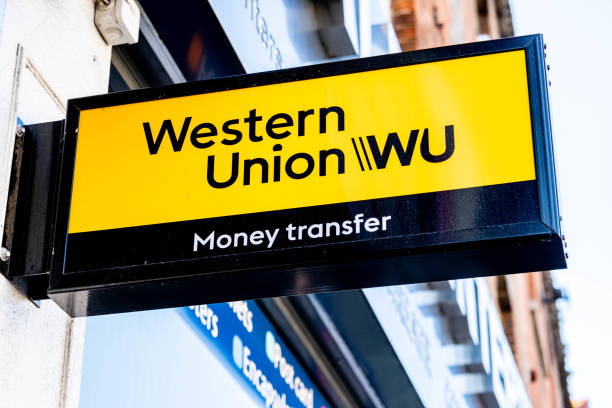
As of April 1, people sending monies to their loved ones abroad will be required to pay a bit more to complete those transactions.
The Lower House on Thursday approved the Money Services Business Transfer Levy Bill, 2023.
It introduces a money services business (transfer) levy which will become payable to the Commissioner of the Inland Revenue Department (IRD) within thirty days of the end of the month during which the payment was received.
Failure to pay the outstanding amounts will result in interest and a penalty that may be imposed under the Tax Administration and Procedure Act.
Prime Minister Gaston Browne said,” This is one of the adjustments that we would have made last year to our taxes during the last budget debate to increase the yield. My understanding is that these transfers are significant and are expected this year to be in the region of 100 million dollars which is a significant amount of money leaving our shores,” Browne said.

Government MPs including Member of Parliament for St John’s Rural East the Hon Melford Nicholas supported the bill.
“This increase on an incremental basis may not result in more than a $7 or so. And you are saying that for a country that accommodates people to be able to provide them with housing, and education. To ask them to make this contribution while we do not put any restrictions on them to remit monies to their families overseas”, said Information Minister Melford Nicholas.
The opposition party is, however, not in agreement. St John’s Rural West MP Richard Lewis stated that any additional percentage is an added burden upon all the other taxes. He believes this is going to hurt the money transfer businesses and the people.
This story was first published by Antigua News on : antigua.news/2024/02/23/parliament-passes-money-services-business-transfer-levy-bill-2023. © 2024 Antigua News. Republication without permission is not allowed.

About the author
The Editorial Staff refers to all reporters employed by Antigua.news. When an article is not an original creation of Antigua.news—such as when it is based on a press release, other media articles, letters to the editor, or court decisions—one of our staff members is responsible for overseeing its publication.
Read our editorial standards and corrections policy. Spotted an error? Contact the newsroom.
More from Antigua and Barbuda
View section
Freeland Challenges Qualifier Schedule as College Commitments Complicate Team Selection
Basketball president says the timing of another qualifying round created difficulties for overseas players and added financial pressure
By Shermain Bique-Charles

School League Referee Calls for Investigation Into Alleged Verbal Abuse by Grammar School Coach
Devon Ollivere is seeking a public apology and safeguards for match officials following an alleged confrontation with Chesley Browne at Radio Range Football Field.
By Editorial Staff

Janica Adams Earns Special Recognition at Regional Tourism Youth Congress
Antigua and Barbuda’s Junior Minister of Tourism impressed with a creative destination pitch highlighting culture, adventure and bun and cheese ice cream.
By Shermain Bique-Charles

Dr Benjamin Calls for Community-Based Mental Health Care to Replace Clarevue Model
The consultant psychiatrist says meaningful reform must include housing, family support and direct involvement from people living with mental health conditions
By Shermain Bique-Charles
Comments
Be the first to comment.