
PM Browne praises Brazil’s efforts to reduce global poverty

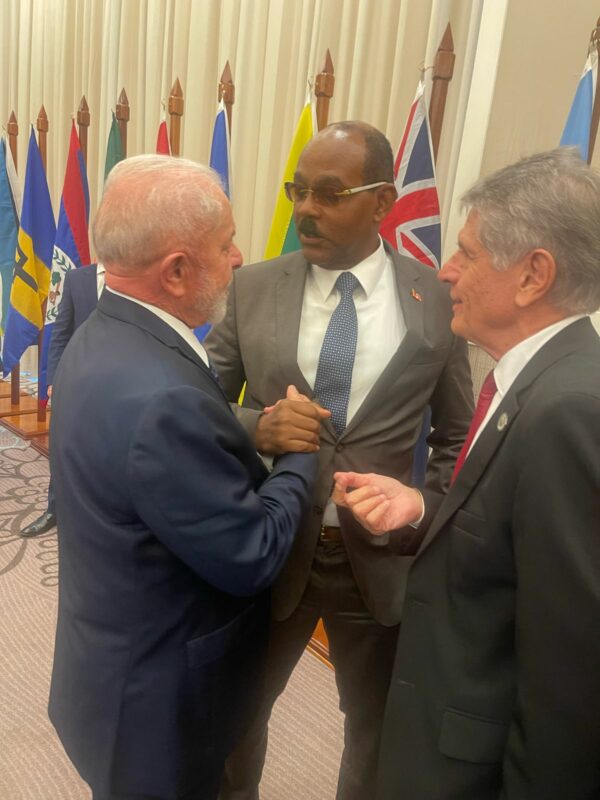
The recently concluded 46th Heads of Government Meeting of the Caribbean Community (CARICOM) was a significant event that saw a number of special invitations being issued to heads of state and other dignitaries and officials.
Among the notable invitees was the President of the Federative Republic of Brazil, Luiz Inácio Lula da Silva.
During the summit, the Brazilian president held one-on-one meetings with several Caribbean leaders, one of whom was the Prime Minister of Antigua and Barbuda, Gaston Browne.
During their meeting, Prime Minister Browne commended Brazil’s efforts to end hunger throughout the Americas and lauded President Lula for his global leadership in lifting many Brazilians out of poverty and reducing inequality.
The Prime Minister also took the opportunity to request that Brazil use its position within the G20 to advocate on behalf of CARICOM Member States in a number of critical areas, including climate change, access to concessional financing, and the plight of Small Island Developing States (SIDS).

In addition, the Prime Minister suggested that both CARICOM and Brazil should establish an effective trade and investment framework to enhance cooperation between Brazil and the Caribbean region.
He further highlighted that significant trade between Brazil and the region could lead to the reduction of the cost of living for CARICOM States.
Moreover, Prime Minister Browne expressed his gratitude to Brazil for its support for the establishment of a global Loss and Damage Fund, which is a significant step towards helping developing countries cope with the effects of climate change.
He also took the opportunity to invite President Lula to attend the 4th International Conference on Small Island Developing States, which is scheduled to take place from May 27 to 30, 2024, in St. Johns, Antigua.
This story was first published by Antigua News on : antigua.news/2024/02/29/pm-browne-praises-brazils-efforts-to-reduce-global-poverty. © 2024 Antigua News. Republication without permission is not allowed.

About the author
The Editorial Staff refers to all reporters employed by Antigua.news. When an article is not an original creation of Antigua.news—such as when it is based on a press release, other media articles, letters to the editor, or court decisions—one of our staff members is responsible for overseeing its publication.
Read our editorial standards and corrections policy. Spotted an error? Contact the newsroom.
More from Antigua and Barbuda
View section
Freeland Challenges Qualifier Schedule as College Commitments Complicate Team Selection
Basketball president says the timing of another qualifying round created difficulties for overseas players and added financial pressure
By Shermain Bique-Charles

School League Referee Calls for Investigation Into Alleged Verbal Abuse by Grammar School Coach
Devon Ollivere is seeking a public apology and safeguards for match officials following an alleged confrontation with Chesley Browne at Radio Range Football Field.
By Editorial Staff

Janica Adams Earns Special Recognition at Regional Tourism Youth Congress
Antigua and Barbuda’s Junior Minister of Tourism impressed with a creative destination pitch highlighting culture, adventure and bun and cheese ice cream.
By Shermain Bique-Charles

Dr Benjamin Calls for Community-Based Mental Health Care to Replace Clarevue Model
The consultant psychiatrist says meaningful reform must include housing, family support and direct involvement from people living with mental health conditions
By Shermain Bique-Charles
Comments
Be the first to comment.