
MP Richard Lewis accuses PM Browne of misleading the public about rental agreement for son’s property

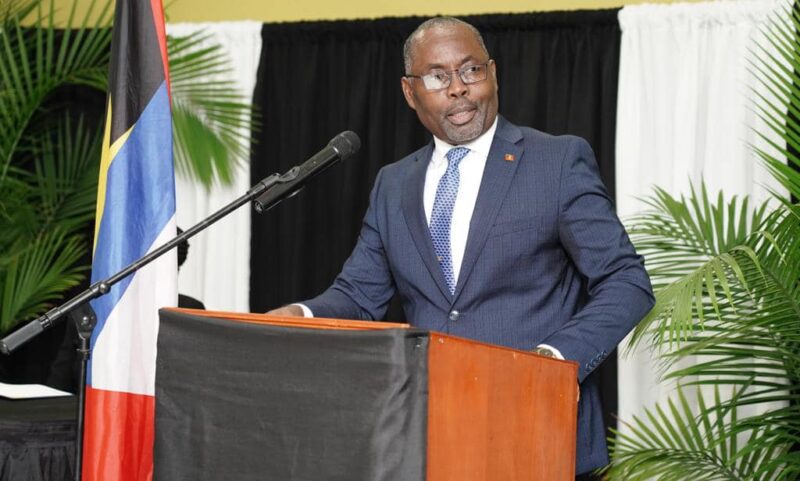
The Parliamentary Representative for St Johns Rural West, Richard Lewis, Prime Minister Gaston Browne, urging him to be transparent and truthful with the people of Antigua and Barbuda regarding the agreement to rent his son’s property at Friars Hill Road.
Lewis has expressed his concerns that the Prime Minister has once again deliberately attempted to deceive the public.
He revealed that his checks at the Office of Intellectual Property have confirmed that the Prime Minister’s son is the sole owner of the property currently occupied by government offices on Friars Hill Road, through his directorship of “investment group” IF Antigua Inc.
The Prime Minister, in his response to Lewis’s questions on the property, referred to his son’s company as an “investment group,” which Mr. Lewis pointed out was misleading.
Lewis has also raised questions about the true ownership of the property and why the Prime Minister would try to mislead the public about it.
He has also expressed his concerns about the lack of verifiable information on the Government’s future plans for the property, the real costs of the arrangement, and the absence of figures on exactly how much has been spent to improve his son’s property thus far.
The Lease Agreement commits the Government to paying rent at a rate of $1 per month and authorizes repairs and additions to the building and Lewis, said it is not clear if there are plans to make additions to the property as permitted by the Lease Agreement.
Lewis says the taxpayers of Antigua and Barbuda currently lack any evidence that this agreement is cost-effective, causing understandable concern.
According to Lewis, it would be highly unethical to witness another Browne family enrichment scheme while citizens struggle with high taxes and living expenses.

This story was first published by Antigua News on March 11, 2024: antigua.news/2024/03/11/mp-richard-lewis-accuses-pm-browne-of-misleading-the-public-about-rental-agreement-for-sons-property. © 2024 Antigua News. Republication without permission is not allowed.

About the author
The Editorial Staff refers to all reporters employed by Antigua.news. When an article is not an original creation of Antigua.news—such as when it is based on a press release, other media articles, letters to the editor, or court decisions—one of our staff members is responsible for overseeing its publication.
Read our editorial standards and corrections policy. Spotted an error? Contact the newsroom.
More from Antigua and Barbuda
View section
Freeland Challenges Qualifier Schedule as College Commitments Complicate Team Selection
Basketball president says the timing of another qualifying round created difficulties for overseas players and added financial pressure
By Shermain Bique-Charles

School League Referee Calls for Investigation Into Alleged Verbal Abuse by Grammar School Coach
Devon Ollivere is seeking a public apology and safeguards for match officials following an alleged confrontation with Chesley Browne at Radio Range Football Field.
By Editorial Staff

Janica Adams Earns Special Recognition at Regional Tourism Youth Congress
Antigua and Barbuda’s Junior Minister of Tourism impressed with a creative destination pitch highlighting culture, adventure and bun and cheese ice cream.
By Shermain Bique-Charles

Dr Benjamin Calls for Community-Based Mental Health Care to Replace Clarevue Model
The consultant psychiatrist says meaningful reform must include housing, family support and direct involvement from people living with mental health conditions
By Shermain Bique-Charles
Comments
Be the first to comment.