
National security minister praises regional security cooperation.

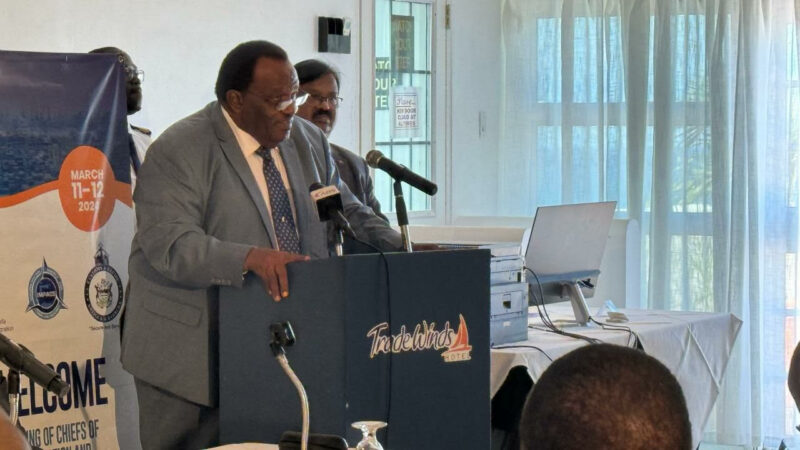
Caribbean countries are demonstrating a remarkable commitment to work together towards national and regional security, with the efforts being lauded by Sir Steadroy Benjamin, the National Security Minister.
In a specially convened meeting in Antigua on Monday, Sir Steadroy addressed regional security officials, including representatives from several regional security agencies, as well as Immigration Chiefs and Comptrollers of Customs from the six countries across the region that will host matches in the ICT Cricket World Cup T20 series.
During his address, Sir Steadroy commended the level of cooperation being promoted amongst the various departments in the region.
He expressed his delight at the desire to work together as a well-coordinated team to develop harmonized plans and strategies that will be applied uniformly across CARICOM.
The meeting is an indication of the necessity to be adequately prepared to meet any challenges that any country may be confronted with during the staging of T20 Cricket series matches.
However, Sir Steadroy also highlighted the fact that regional security is a costly undertaking that requires significant investments in modernization, implementation of new technologies, the use of disruptive technologies to fight cross-border crimes, and securely sharing information in real-time.

He emphasized the need for CARICOM nations to pool their resources instead of individually bearing the burden of resource mobilization.
Furthermore, he implored the officials to remain steadfast and continue the good work they are presently engaged in the region. Regional security is paramount in protecting society, and the benefits of their efforts are felt by each individual state.
The meeting of regional security officials will conclude on Tuesday, and it is expected that common processes will be agreed upon to handle the influx of visitors to the region, occasioned by the T20 cricket matches.
The six host countries, namely Antigua and Barbuda, Barbados, St Lucia, Guyana, St. Vincent and the Grenadines, and Trinidad and Tobago, have a vital role to play in ensuring the safety and security of all visitors to the region.
This story was first published by Antigua News on March 12, 2024: antigua.news/2024/03/12/national-security-minister-praises-regional-security-cooperation. © 2024 Antigua News. Republication without permission is not allowed.

About the author
The Editorial Staff refers to all reporters employed by Antigua.news. When an article is not an original creation of Antigua.news—such as when it is based on a press release, other media articles, letters to the editor, or court decisions—one of our staff members is responsible for overseeing its publication.
Read our editorial standards and corrections policy. Spotted an error? Contact the newsroom.
More from Antigua and Barbuda
View section
Freeland Challenges Qualifier Schedule as College Commitments Complicate Team Selection
Basketball president says the timing of another qualifying round created difficulties for overseas players and added financial pressure
By Shermain Bique-Charles

School League Referee Calls for Investigation Into Alleged Verbal Abuse by Grammar School Coach
Devon Ollivere is seeking a public apology and safeguards for match officials following an alleged confrontation with Chesley Browne at Radio Range Football Field.
By Editorial Staff

Janica Adams Earns Special Recognition at Regional Tourism Youth Congress
Antigua and Barbuda’s Junior Minister of Tourism impressed with a creative destination pitch highlighting culture, adventure and bun and cheese ice cream.
By Shermain Bique-Charles

Dr Benjamin Calls for Community-Based Mental Health Care to Replace Clarevue Model
The consultant psychiatrist says meaningful reform must include housing, family support and direct involvement from people living with mental health conditions
By Shermain Bique-Charles
Comments
Be the first to comment.