
Cabinet focused on Haiti and Ukrainian conflict

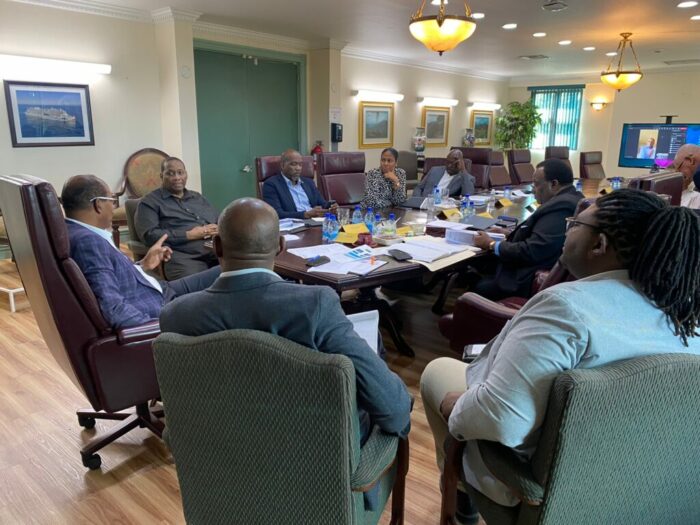
During the weekly Cabinet meeting on Wednesday, the members discussed two significant issues of conflict that require attention – the ongoing instability in Haiti and the prolonged war between Russia and Ukraine.
The meeting commenced with a discussion on Haiti, where Prime Minister Dr. Ariel Henry has agreed to step down as per the arrangement negotiated by CARICOM Heads of Government.
As per the Cabinet Notes, Prime Minister Henry indicated that Antigua and Barbuda’s position on Haiti was clear, and it was communicated during the previous meeting of Heads of Government in March 2024 in Guyana.
At that meeting, the Prime Minister made it clear that Antigua and Barbuda would like to see Prime Minister Henry of Haiti resign.
Prime Minister Gaston Browne stated that until Dr. Henry steps down, it would not be possible to negotiate a settlement.

A virtual meeting of CARICOM leaders was scheduled for Wednesday night to continue discussions on Haiti.
The meeting also touched upon the two-year-old war between Russia and Ukraine, where Prime Minister Browne reiterated his call for Ukraine to seek peace.
The Prime Minister’s stance on the matter aligns with Pope Francis, who has urged Ukraine to “raise the white flag” and make peace with Russia.
It was also noted that Henry Kissinger, the former U.S. Secretary of State, proposed a year before his death that Ukraine should seek out peace with Russia in a war it cannot win to end the human suffering.
To conclude, the Prime Minister’s views on both Haiti and Ukraine are consistent with those of thought-provoking leaders worldwide who deem war to be ultimately harmful to civilians and soldiers.
This story was first published by Antigua News on March 13, 2024: antigua.news/2024/03/13/cabinet-focused-on-haiti-and-ukrainian-conflict. © 2024 Antigua News. Republication without permission is not allowed.

About the author
The Editorial Staff refers to all reporters employed by Antigua.news. When an article is not an original creation of Antigua.news—such as when it is based on a press release, other media articles, letters to the editor, or court decisions—one of our staff members is responsible for overseeing its publication.
Read our editorial standards and corrections policy. Spotted an error? Contact the newsroom.
More from Antigua and Barbuda
View section
Freeland Challenges Qualifier Schedule as College Commitments Complicate Team Selection
Basketball president says the timing of another qualifying round created difficulties for overseas players and added financial pressure
By Shermain Bique-Charles

School League Referee Calls for Investigation Into Alleged Verbal Abuse by Grammar School Coach
Devon Ollivere is seeking a public apology and safeguards for match officials following an alleged confrontation with Chesley Browne at Radio Range Football Field.
By Editorial Staff

Janica Adams Earns Special Recognition at Regional Tourism Youth Congress
Antigua and Barbuda’s Junior Minister of Tourism impressed with a creative destination pitch highlighting culture, adventure and bun and cheese ice cream.
By Shermain Bique-Charles

Dr Benjamin Calls for Community-Based Mental Health Care to Replace Clarevue Model
The consultant psychiatrist says meaningful reform must include housing, family support and direct involvement from people living with mental health conditions
By Shermain Bique-Charles
Comments
Be the first to comment.