
RSS helping Antigua and Barbuda with SIDS4 conference

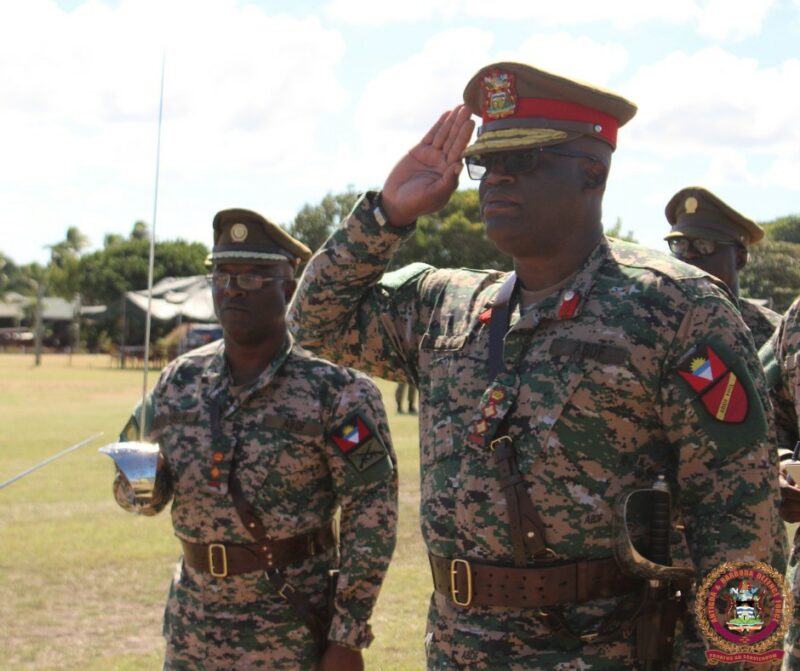
Antigua and Barbuda is preparing to host the Fourth Conference of Small Island Developing States (SIDS4) from May 27-30, and the authorities are taking necessary steps to ensure the safety and security of the delegates who are expected to attend the event.
The Head of Defence Staff, Col. Telbert Benjamin, has revealed that Antigua and Barbuda has reached out to its Regional Security System (RSS) colleagues for assistance in staging the conference.
The RSS territories and Trinidad and Tobago have assured that they will provide the personnel and resources necessary for the successful hosting of SIDS4.
At a recent meeting of security chiefs from the RSS territories and Trinidad and Tobago, the discussions revolved around not just the SIDS4 conference but also the hosting of the T20 Cricket World Cup matches in six Caribbean territories in June.
The security chiefs from all the countries in attendance gave their assurances that they would provide the necessary resources for the successful hosting of both events.
The security arrangements for the SIDS4 conference are comprehensive and include the sharing of resources among the island-nations and Guyana for the Cricket World Cup.
The security chiefs discussed how best to move personnel and other resources around within the single space created for all the host-nations.

They also discussed the handling of hazardous materials, including EOD (Explosive Ordinance Disposal) or bomb disposal, for both SIDS4 and Cricket World Cup.
The head of the Caribbean Public Health Agency (CARPHA) briefed the security chiefs on health issues that may arise from delegates or host country personnel, while the head of the Caribbean Disaster Emergency Management Agency (CDEMA) provided an update on the ongoing situation in Haiti and the unresolved dispute between Guyana and Venezuela.
The security chiefs are meeting again this month and in May to fine-tune their planning for the hosting of these events.
The SIDS4 conference in Antigua and Barbuda in May and the T20 Cricket matches in Antigua and Barbuda, Barbados, St. Lucia, St. Vincent and the Grenadines, Trinidad and Tobago, and Guyana. Trinidad and Tobago is not a member of the RSS.
Earlier last month, chiefs of immigration and customs comptrollers met in Antigua to craft a set of modalities to operationalize the single space to facilitate T20 Cricket World Cup.
The authorities are leaving no stone unturned to ensure that these events are successful and safe.
This story was first published by Antigua News on April 2, 2024: antigua.news/2024/04/02/rss-helping-antigua-and-barbuda-with-sids4-conference. © 2024 Antigua News. Republication without permission is not allowed.

About the author
The Editorial Staff refers to all reporters employed by Antigua.news. When an article is not an original creation of Antigua.news—such as when it is based on a press release, other media articles, letters to the editor, or court decisions—one of our staff members is responsible for overseeing its publication.
Read our editorial standards and corrections policy. Spotted an error? Contact the newsroom.
More from Antigua and Barbuda
View section
LETTER (VIDEO): Fitches Creek Pond Is Not a Dumping Ground
A concerned Fitches Creek resident condemns the dumping of a dead dog into a recently restored pond, calling for stronger enforcement and greater respect for the environment.
By Editorial Staff

LETTER: Antigua and Barbuda Deserves Better: A Government Without Effective Opposition Is a Danger to Democracy
A concerned citizen calls for stronger political leadership, greater government accountability and urgent opposition reform, warning that weak democratic oversight threatens Antigua and Barbuda’s future.
By Editorial Staff

Police and DPP Strengthen Partnership to Improve Criminal Case Preparation
Two-day PACE Justice workshop promotes earlier consultation, stronger evidence and better coordination between investigators and prosecutors.
By Shermain Bique-Charles

‘They Can’t Dictate That’: Freeland Rejects Player Pressure Over National Coach
Freeland defends the coaching staff and says players should demonstrate their value through training and performance.
By Shermain Bique-Charles
Comments
Be the first to comment.