
Education Minister pleased with CXC decision to retain subjects


By Aabigayle McIntosh
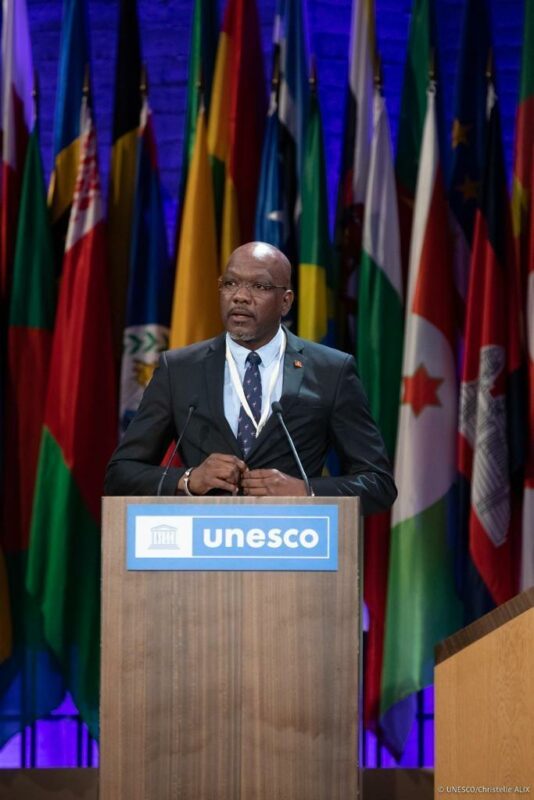
Education Minister Daryll Mathew expressed his satisfaction that the Caribbean Examination Council (CXC) has reversed its decision to suspend four subjects from its syllabus.
This decision came after a meeting of Education Ministers from across the region, convened to address mounting concerns following CXC’s decision, which had been prematurely leaked. In a state media interview, Mathew mentioned that the ministers had “frank and open discussions” with CXC, emphasizing the need for consultations before issuing directives.
“A lot of our countries, including Antigua and Barbuda, have decided that the technical and vocational areas will form an important part of our national development. So when the CXC, without consultation, decided to cancel these subjects, it was almost like a slap in the face,” Mathew said.
He highlighted the importance of technical subjects for national progress, citing a significant need for skilled individuals in these areas and substantial government investment. The subjects initially considered for suspension were Agricultural Science (Double Award), Mechanical Engineering Technology (CSEC), Green Engineering, and Electrical and Electronic Engineering (CAPE).

Beyond retaining these subjects, CXC has introduced a range of new technology and science syllabuses. Regional heads have agreed to collaborate with CXC to build demand for these new programs, ensuring their cost viability.
Mathew concluded by expressing his pleasure that the Barbados-based institution acknowledged the unacceptability of the initial move and appreciated that all ministers had the opportunity to voice their concerns.Bottom of Form
It was also outlined that CXC will communicate more effectively with the regional stakeholders before a decision is made.
This story was first published by Antigua News on June 5, 2024: antigua.news/2024/06/05/education-minister-pleased-with-cxc-decision-to-retain-subjects. © 2024 Antigua News. Republication without permission is not allowed.

About the author
The Editorial Staff refers to all reporters employed by Antigua.news. When an article is not an original creation of Antigua.news—such as when it is based on a press release, other media articles, letters to the editor, or court decisions—one of our staff members is responsible for overseeing its publication.
Read our editorial standards and corrections policy. Spotted an error? Contact the newsroom.
More from Antigua and Barbuda
View section
Joseph Warns Climate Crisis Threatens Island Communities and Sovereignty Following Tuvalu Visit
Antigua and Barbuda’s Environment Minister Michael Joseph draws on the experiences of Tuvalu and Barbuda to demand urgent climate action and greater financial support for vulnerable island nations.
By Cory Wayland

Relief for Vulnerable Residents as Cabinet Raises People's Benefit Programme Payments to $300 Monthly
Nearly 1,500 beneficiaries will receive an additional EC$85 monthly following Cabinet's approval of the first major adjustment to the longstanding assistance programme in approximately two decades.
By Cory Wayland

One Million Gallon Dam Under Construction in Bethesda as Government Moves to Strengthen Food Security
Agriculture officials are accelerating dam and pond development across Antigua to improve water access for farmers and expand domestic food production.
By Cory Wayland

Government Promises Fuel Dealers Margin Increase Before Year End as Cabinet Pushes for Three New WIOC Stations
Cabinet maintains that service station operators deserve higher profit margins but says rising international fuel prices make an immediate adjustment difficult.
By Cory Wayland
Comments
Be the first to comment.