
Prime Minister Browne welcomes new Methodist Connexional President to Antigua and Barbuda

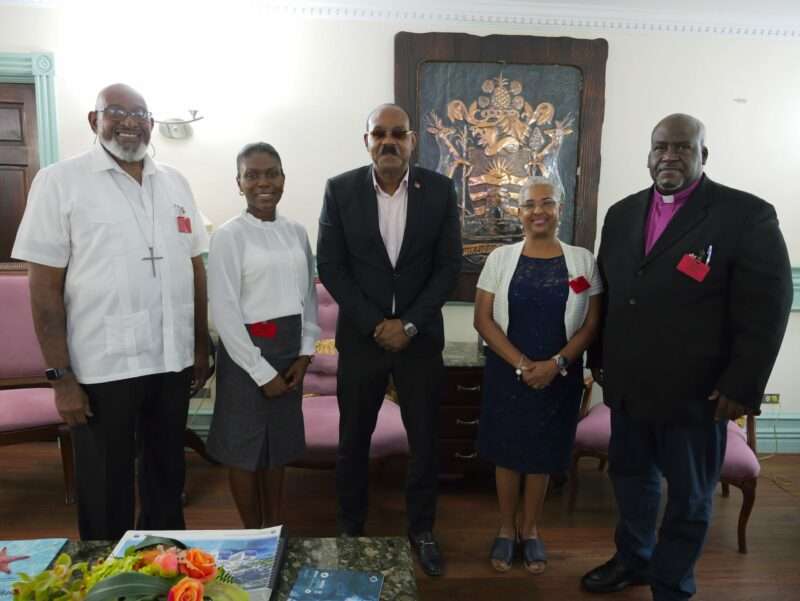
Prime Minister the Hon. Gaston Browne has welcomed to Antigua and Barbuda the newly elected Connexional President of the Methodist Church in the Caribbean and the Americas, headquartered in St. John’s.
During a visit to the Office of the Prime Minister, the country’s leader welcomed Bishop, the Rev’d Juan Miguel Simpson Bennett and pledged his government’s continued support of the work of the church, particularly among the nation’s youth.
Bishop Simpson, a native of Panama, replaces Bishop Everald Leeanah Galbraith, who served as Connexional President from May 2018 to May 2024.
Prime Minister Browne thanked Bishop Galbraith for his work in Antigua and Barbuda and wished him the best as he takes up his new post in Montserrat on 1st September.

Bishop Simpson thanked Prime Minister Browne for his words of welcome and outlined that he looks forward to continued close working relations with the government of Antigua and Barbuda and other countries within the region.
He says the work of the Church is intrinsically aligned with that of governments as they are both focused on taking care of God’s people.
The Methodist Church in the Caribbean and the Americas, a regional organisation that is headquartered in Antigua, commenced in Antigua in 1760.
The Church is now present in 27 countries, including Guyana, Panama, Bahamas, Haiti, Barbados, Anguilla, BVI, Aruba, Jamaica Honduras, Holland.
Sis. Petra Payne, Circuit Steward of the Antigua Circuit, was the chaperone during the courtesy call on the Prime Minister. Mrs. Gena Simpson, wife of the Connexional President accompanied her husband.
This story was first published by Antigua News on June 5, 2024: antigua.news/2024/06/05/prime-minister-browne-welcomes-new-methodist-connexional-president-to-antigua-and-barbuda. © 2024 Antigua News. Republication without permission is not allowed.

About the author
The Editorial Staff refers to all reporters employed by Antigua.news. When an article is not an original creation of Antigua.news—such as when it is based on a press release, other media articles, letters to the editor, or court decisions—one of our staff members is responsible for overseeing its publication.
Read our editorial standards and corrections policy. Spotted an error? Contact the newsroom.
More from Antigua and Barbuda
View section
Joseph Warns Climate Crisis Threatens Island Communities and Sovereignty Following Tuvalu Visit
Antigua and Barbuda’s Environment Minister Michael Joseph draws on the experiences of Tuvalu and Barbuda to demand urgent climate action and greater financial support for vulnerable island nations.
By Cory Wayland

Relief for Vulnerable Residents as Cabinet Raises People's Benefit Programme Payments to $300 Monthly
Nearly 1,500 beneficiaries will receive an additional EC$85 monthly following Cabinet's approval of the first major adjustment to the longstanding assistance programme in approximately two decades.
By Cory Wayland

One Million Gallon Dam Under Construction in Bethesda as Government Moves to Strengthen Food Security
Agriculture officials are accelerating dam and pond development across Antigua to improve water access for farmers and expand domestic food production.
By Cory Wayland

Government Promises Fuel Dealers Margin Increase Before Year End as Cabinet Pushes for Three New WIOC Stations
Cabinet maintains that service station operators deserve higher profit margins but says rising international fuel prices make an immediate adjustment difficult.
By Cory Wayland
Comments
Be the first to comment.