
Colonel Telbert Benjamin Honored in King’s Birthday Honours List

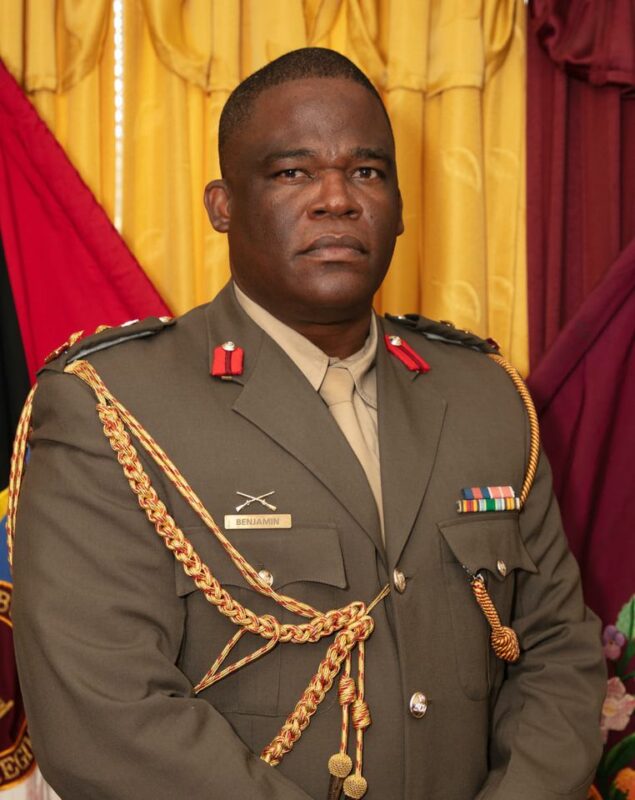
Colonel Telbert Benjamin, Chief of Defence Staff of the Antigua and Barbuda Defence Force, has been honored with a prestigious accolade in His Majesty King Charles III’s 2024 King’s Birthday Honours List.
In recognition of his steadfast service to the Antigua and Barbuda Defence Force, Colonel Benjamin has been appointed a Companion of the Most Distinguished Order of St. Michael and St. George.
The announcement was officially conveyed in a letter from His Excellency Sir Rodney Williams, Governor General of Antigua and Barbuda, who expressed heartfelt congratulations and gratitude on behalf of the nation. The letter praised Colonel Benjamin’s exemplary service and conveyed best wishes for his continued success.
By receiving this esteemed honor, Colonel Benjamin joins a distinguished cohort celebrated for their significant contributions to national defense and public service. The award includes all associated rights and privileges of the esteemed order.

The formal notification of the award was published in the London Gazette Supplement No. 10 of June 2024, solidifying its place in official records.
Colonel Benjamin now has the choice of conducting his investiture ceremony in Antigua and Barbuda or in the United Kingdom. The Governor General’s letter also indicated that further details regarding the readiness of the insignia would follow in due course.
This honor not only celebrates Colonel Benjamin’s personal accomplishments but also underscores the critical role of the Antigua and Barbuda Defence Force in safeguarding national security and resilience.
The people of Antigua and Barbuda, along with Lady Williams and His Excellency, extend their heartfelt appreciation to Colonel Benjamin for his unwavering dedication and service to the nation.
This story was first published by Antigua News on : antigua.news/2024/06/17/colonel-telbert-benjamin-honored-in-kings-birthday-honours-list. © 2024 Antigua News. Republication without permission is not allowed.

About the author
The Editorial Staff refers to all reporters employed by Antigua.news. When an article is not an original creation of Antigua.news—such as when it is based on a press release, other media articles, letters to the editor, or court decisions—one of our staff members is responsible for overseeing its publication.
Read our editorial standards and corrections policy. Spotted an error? Contact the newsroom.
More from Antigua and Barbuda
View section
HIGH SCHOOL STUDENTS CONTINUE TO BENEFIT FROM SANDALS FOUNDATION’S CARE FOR KIDS SCHOLARSHIP PROGRAMME
Kyrah Edwards and Erwin Christopher receive third annual scholarship payments, supporting their education while encouraging community service.
By Shermain Bique-Charles

Chinese Embassy Welcomes Caribbean Youth Parliamentarians for Cultural Exchange
Ambassador Jiang Wei calls for greater understanding through dialogue, while House Speaker Osbert Frederick praises the young leaders.
By Shermain Bique-Charles

LETTER: A Safe Reunion Should Not End Questions About a Child’s Welfare
Delores Harris calls for greater accountability and child protection measures following the safe reunion of a young child found wandering alone.
By Editorial Staff

Browne Demands Climate Finance and Action to Protect Small Island States
Speaking in Australia, the Prime Minister urged major emitters and financial institutions to turn climate commitments into practical support for vulnerable nations.
By Shermain Bique-Charles
Comments (1)
Anonymous June 17, 2024, 3:53 PM