
Gov’t to employ 150 summer interns

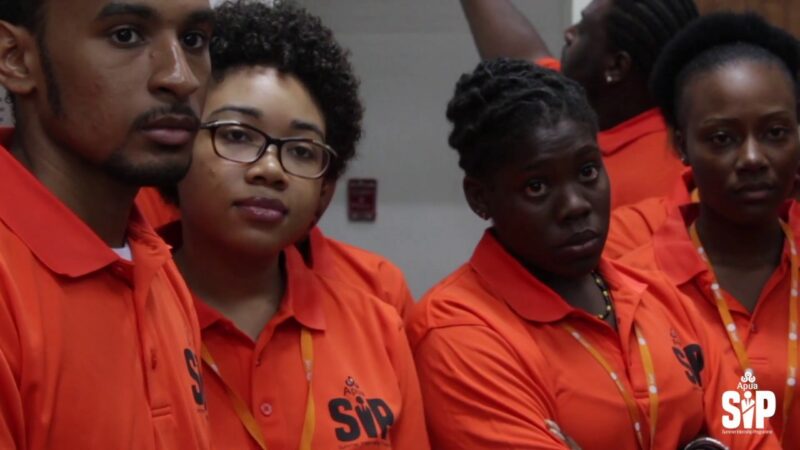
The Cabinet has agreed to initiate a Summer Internship Program for the year 2024 with the aim of employing 150 interns between the ages of 17 to 19.
Following this decision, instructions have been dispatched to the Permanent Secretaries, who have been entrusted with managing this program.
There has been significant interest from numerous young individuals regarding the prospect of participating in this internship.
The process for inclusion in the program will be communicated soon to facilitate this interest.

Meanwhile, interested individuals are advised to prepare their curriculum vitae and provide evidence of their academic achievements.
This is essential as candidates should expect interviews due to the expected high number of applications in comparison to available positions. It is also imperative for applicants to demonstrate their enthusiasm and readiness to work.
This story was first published by Antigua News on : antigua.news/2024/06/20/govt-to-employ-150-summer-interns. © 2024 Antigua News. Republication without permission is not allowed.

About the author
The Editorial Staff refers to all reporters employed by Antigua.news. When an article is not an original creation of Antigua.news—such as when it is based on a press release, other media articles, letters to the editor, or court decisions—one of our staff members is responsible for overseeing its publication.
Read our editorial standards and corrections policy. Spotted an error? Contact the newsroom.
More from Antigua and Barbuda
View section
Chinese Embassy Welcomes Caribbean Youth Parliamentarians for Cultural Exchange
Ambassador Jiang Wei calls for greater understanding through dialogue, while House Speaker Osbert Frederick praises the young leaders.
By Shermain Bique-Charles

LETTER: A Safe Reunion Should Not End Questions About a Child’s Welfare
Delores Harris calls for greater accountability and child protection measures following the safe reunion of a young child found wandering alone.
By Editorial Staff

Browne Demands Climate Finance and Action to Protect Small Island States
Speaking in Australia, the Prime Minister urged major emitters and financial institutions to turn climate commitments into practical support for vulnerable nations.
By Shermain Bique-Charles

Three-Year-Old Girl Found in Nut Grove Safely Reunited with Family
Police thank the public for responding to an appeal and urge parents and guardians to remain vigilant.
By Shermain Bique-Charles
Comments
Be the first to comment.