
CBH Warns of Anticipated Surge in Mosquito Population

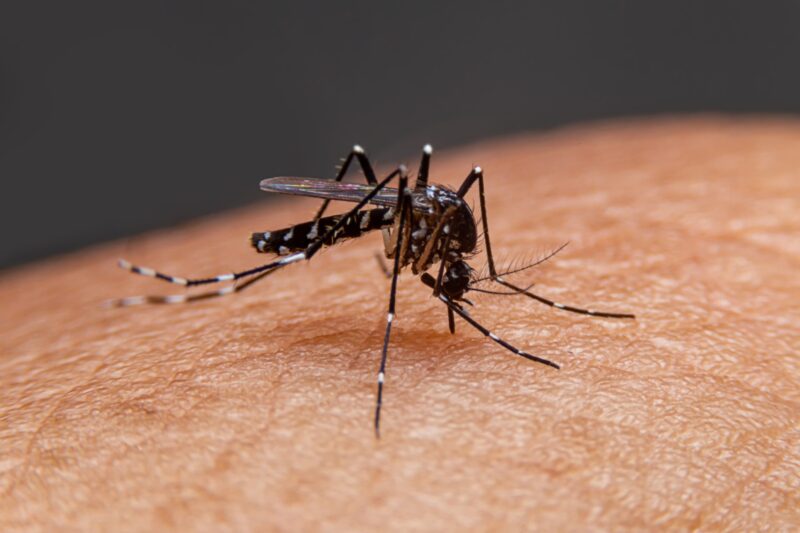
Due to heavy showers in certain areas of the country over the past week, there is likely to be a significant increase in the mosquito population.
Principal Public Health Inspector Julienne Mannix has indicated that the breeding cycle for most types of mosquitoes is approximately seven days.
With the heavy rains starting last week Saturday, residents can anticipate a surge in the mosquito population.
Of particular concern are the Aedes Taeniorhynchus or Black Salt Marsh Mosquitoes, which thrive in stagnant water on the ground and in various catchments around homes, such as car tires, cans, and old drums.
Mannix emphasized that due to the breeding cycle, there will likely be a notable increase in these and other mosquitoes over the next week, especially with the saturated ground creating pools of water around many homes.

Following persistent heavy rains, it is common for the Vector Control Unit of the CBH to receive requests for assistance in addressing mosquito outbreaks.
It’s important to note that the black salt marsh mosquito is not associated with the dangerous diseases linked to the aedes aegypti mosquito. However, it is considered a nuisance due to its tendency to cling to clothing and move in large groups.
The department is planning to intensify its vector control measures, which will include treating stagnant waters around homes and addressing areas in some communities where large pools of water accumulate on the ground.
Furthermore, fogging exercises will be ongoing in communities affected by heavy rains and where water remains on the ground.
Involvement from homeowners is crucial, as they can contribute to the effort by eliminating all stagnant water around their homes and covering catchments such as blue plastic drums.
This story was first published by Antigua News on : antigua.news/2024/06/21/cbh-warns-of-anticipated-surge-in-mosquito-population. © 2024 Antigua News. Republication without permission is not allowed.

About the author
The Editorial Staff refers to all reporters employed by Antigua.news. When an article is not an original creation of Antigua.news—such as when it is based on a press release, other media articles, letters to the editor, or court decisions—one of our staff members is responsible for overseeing its publication.
Read our editorial standards and corrections policy. Spotted an error? Contact the newsroom.
More from Antigua and Barbuda
View section
Chinese Embassy Welcomes Caribbean Youth Parliamentarians for Cultural Exchange
Ambassador Jiang Wei calls for greater understanding through dialogue, while House Speaker Osbert Frederick praises the young leaders.
By Shermain Bique-Charles

LETTER: A Safe Reunion Should Not End Questions About a Child’s Welfare
Delores Harris calls for greater accountability and child protection measures following the safe reunion of a young child found wandering alone.
By Editorial Staff

Browne Demands Climate Finance and Action to Protect Small Island States
Speaking in Australia, the Prime Minister urged major emitters and financial institutions to turn climate commitments into practical support for vulnerable nations.
By Shermain Bique-Charles

Three-Year-Old Girl Found in Nut Grove Safely Reunited with Family
Police thank the public for responding to an appeal and urge parents and guardians to remain vigilant.
By Shermain Bique-Charles
Comments
Be the first to comment.