
ABWU Partners with Townhouse Mega Store to Bring Relief to Workers

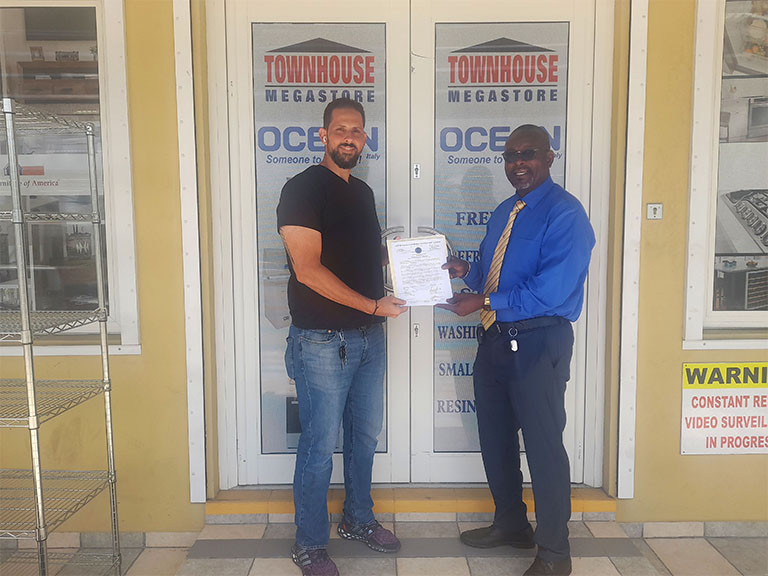
Members of the Antigua and Barbuda Workers’ Union
(ABWU) can now benefit from exclusive discounts on purchases at Townhouse Megastore, one of the country’s largest department stores.
Both entities recently formalized an agreement which
aims to bring relief to workers amid the spiraling cost of living.
Cardholding members of the ABWU will be eligible for discounts of up to 10% on items not already discounted, however, some exceptions may apply.
ABWU General Secretary, Sen. David Massiah, said the Union remains committed to the overall well-being of its members.
“We’re not only concerned about our members on the job, we also
want to know that they are able to maintain a decent standard of living and can afford the basic necessities of life,” Massiah shared.” Wherever possible, we try to leverage relationships with our
corporate partners to maximize benefits for our members,” Massiah continued.
General Manager of the Townhouse Mega Store, Edward Mansoor, expressed delight at the partnership.

He noted that the company values the contributions of workers to the society and was pleased to extend the discount to members of the Union.
The family-owned department store was established in 1959 and carries a wide range of furniture, kitchenware, electrical goods and other miscellaneous items.
The Antigua and Barbuda Workers’ Union is the largest private-sector Union on the island and represents workers across multiple sectors.
The Union launched its membership card program in 2017 with a vision to develop and expand the complement of benefits offered to members.
To date, several corporate entities have partnered with the Union to offer a range of discounts on products and services.
For our full list of corporate partners and information on joining the Union, visit abwunion.com/membership.
This story was first published by Antigua News on : antigua.news/2024/08/07/abwu-partners-with-townhouse-mega-store-to-bring-relief-to-workers. © 2024 Antigua News. Republication without permission is not allowed.

About the author
The Editorial Staff refers to all reporters employed by Antigua.news. When an article is not an original creation of Antigua.news—such as when it is based on a press release, other media articles, letters to the editor, or court decisions—one of our staff members is responsible for overseeing its publication.
Read our editorial standards and corrections policy. Spotted an error? Contact the newsroom.
More from Antigua and Barbuda
View section
Browne Places Youth and Women’s Opportunities at Centre of Commonwealth Agenda
Scholarships, research partnerships and digital access feature in the Prime Minister’s call for inclusive growth.
By Shermain Bique-Charles

Greenaway to Represent Antigua and Barbuda on UN Governance Panel in Baku
The Permanent Secretary will discuss partnerships to improve public service delivery at the UN Governance Innovation Summit.
By Shermain Bique-Charles

OPINION: From Commonwealth connections to economic opportunity: Expanding
Commonwealth, Afreximbank and ITC leaders call for stronger transport links, accessible finance and simpler payments to unlock Africa–Caribbean trade.
By Editorial Staff

Royal Visit Ends After Week of Independence Celebrations and Commonwealth Engagements
King Charles III and Queen Camilla departed Antigua and Barbuda this morning following national, community and diplomatic events.
By Shermain Bique-Charles
Comments (2)
ANNA August 7, 2024, 12:19 PM
WAY TO GO August 7, 2024, 12:23 PM