
Sir Richie Richardson to Serve as Commissioner of Sports

PRESS RELEASE
Date: September 1, 2024
FOR IMMEDIATE RELEASE
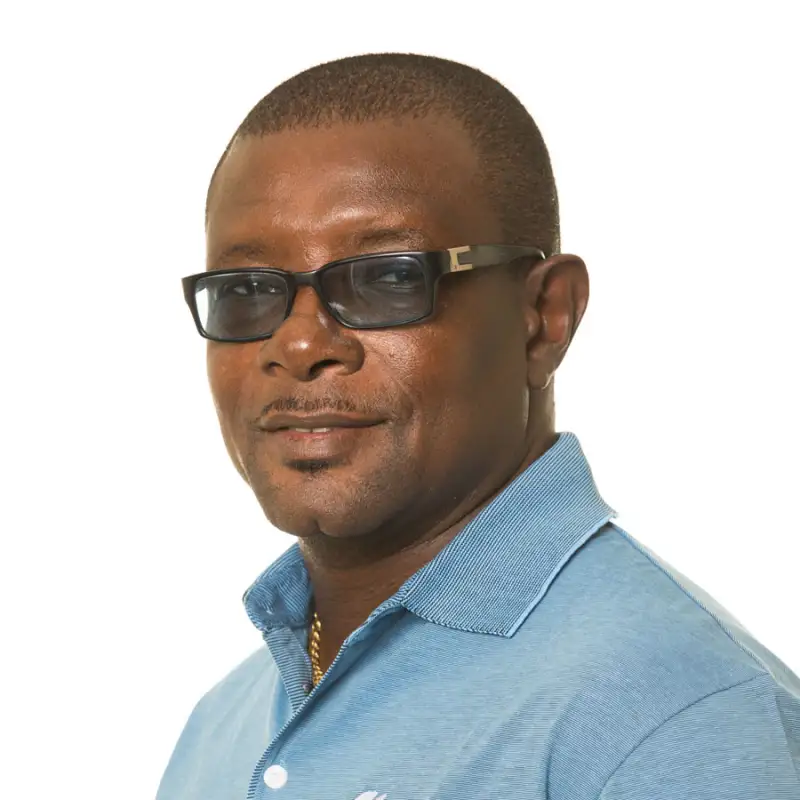
The Government of Antigua and Barbuda, in consultation with Sir Richie Richardson, is pleased to announce that Sir Richie has agreed to take on the role of Commissioner of Sports.
This appointment is a significant step in the Government’s ongoing efforts to strengthen the nation’s sporting infrastructure and enhance the development of sports in Antigua and Barbuda.
Due to Sir Richie’s ongoing commitments with the International Cricket Council (ICC), he is unable to accept a ministerial position within the Ministry of Sports at this time.
However, in recognition of his profound dedication to the development of sports and his unwavering commitment to the advancement of our nation, Sir Richie has agreed to contribute his expertise and leadership as the Commissioner of Sports.
In this capacity, Sir Richie will work closely with the Ministry of Sports to spearhead initiatives aimed at fostering talent, promoting physical education, and enhancing the development of sports within the communities.
His experience and international standing will undoubtedly be invaluable in guiding the strategic direction of sports in Antigua and Barbuda.
The Government of Antigua and Barbuda expresses its gratitude to Sir Richie Richardson for his continued dedication to the nation. His involvement in this critical role underscores the importance placed on the development of sports as a key element of nation-building.
We look forward to the positive impact Sir Richie’s leadership will bring to our sporting programs and the opportunities it will create for our young athletes and communities.
-END-

This story was first published by Antigua News on : antigua.news/2024/09/02/sir-richie-richardson-to-serve-as-commissioner-of-sports. © 2024 Antigua News. Republication without permission is not allowed.

About the author
The Editorial Staff refers to all reporters employed by Antigua.news. When an article is not an original creation of Antigua.news—such as when it is based on a press release, other media articles, letters to the editor, or court decisions—one of our staff members is responsible for overseeing its publication.
Read our editorial standards and corrections policy. Spotted an error? Contact the newsroom.
More from Antigua and Barbuda
View section
National Youth Ambassador Kristine Louisa and Barbados’ Ashley Lashley Donate Essential Supplies to Sir Lester Bird Medical Centre
The Hopeful Hearts Foundation and Ashley Lashley Foundation have provided clothing, blankets, diapers and a television to support the hospital’s Paediatrics and Social Services Departments.
By Cory Wayland

Young Fencer Zuri Alfred Ventures Into Technology, Fashion and Entrepreneurship
After earning international recognition in fencing, the young athlete is turning her attention to innovative projects aimed at making the sport more accessible while exploring opportunities in business.
By Cory Wayland

Solid Waste Authority Warns Coconut Vendor of Possible Penalties Over Improper Waste Disposal
The National Solid Waste Management Authority says business operators must take responsibility for their commercial waste following a viral video in which a coconut vendor called for the Authority to clean up his business location.
By Cory Wayland

Michael Joseph Selected to Lead CARICOM Climate Finance and Science Negotiations at COP31
Antigua and Barbuda's Environment Minister will take on two major negotiating responsibilities as Caribbean countries push for stronger climate financing, scientific action and protection of the 1.5°C temperature goal.
By Cory Wayland
Comments
Be the first to comment.