
High Surf Advisory Issued as 10-Foot Waves Threaten Coastlines

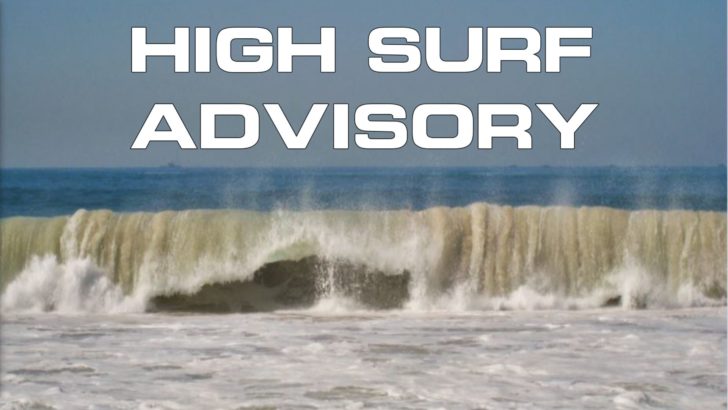
The Antigua and Barbuda Meteorological Service has issued an urgent high surf advisory for Antigua and Barbuda and other Caribbean islands.
“Moderate long-period swells are reaching the area and causing hazardous conditions along mainly northern and north-facing coastlines,” the advisory stated.
The conditions will run until Saturday night for Barbuda and Anguilla and until Sunday night for the British Virgin Islands. It will begin from Thursday midnight until Saturday morning for Antigua.
The weather message warns of “a moderate threat level to the life, livelihood, property and infrastructure of those using the affected coastlines.” The advisory specifically targets reefs and exposed northern and north-facing coastlines with relatively shallow, gently to moderately sloping nearshore areas.
The high surf advisory will remain in effect “until midnight for Antigua (will be upgraded to a warning thereafter), until Sunday midnight for Montserrat, and until Monday night for St. Kitts and Nevis.”
The marine conditions are significant. “A high surf advisory means that dangerous surfs of 2 to 3 metres or 6 to 10 feet will affect some coastlines in the advisory area, producing hazardous conditions.” The seas will experience “significant wave heights of 1.8 to 2.4 metres (6 to 8 feet), occasionally or locally reaching near 3.1 metres (10 feet).”
Potential impacts are severe and wide-ranging. The advisory warns of “loss of life–strong currents that can carry even the strongest swimmers out to sea; injuries to beachgoers; beach erosion; sea water splashing onto low-lying coastal roads; beach closures; localised disruptions to marine recreation and businesses; financial losses; damage to coral reefs; saltwater intrusion and disruptions to potable water from desalination.”
The meteorological service provides critical safety guidance. “Beachgoers, especially to the mainly affected coastlines, should be extremely cautious; bathe only where lifeguards are present or on the sheltered, less affected beaches, mainly to the south.”
For those potentially caught in dangerous conditions, the advisory offers specific advice about rip currents. Rip currents are powerful channels of water flowing quickly away from shore, which occur most often at low spots or breaks in the sandbar and near structures such as groins, jetties and piers.
“If caught in a rip current, relax and float. Don’t swim against the current. If able, swim in a direction following the shoreline. If unable to escape, face the shore and call or wave for help.”
The public is urged to continue to monitor these hazardous, life-threatening marine conditions.

This story was first published by Antigua News on : antigua.news/2024/10/31/high-surf-advisory-issued-as-10-foot-waves-threaten-coastlines. © 2024 Antigua News. Republication without permission is not allowed.

About the author
The Editorial Staff refers to all reporters employed by Antigua.news. When an article is not an original creation of Antigua.news—such as when it is based on a press release, other media articles, letters to the editor, or court decisions—one of our staff members is responsible for overseeing its publication.
Read our editorial standards and corrections policy. Spotted an error? Contact the newsroom.
More from Antigua and Barbuda
View section
Former Booby Alley Homeowners to Receive EC$350,000 Condos Without Extra Payment
Browne outlines replacement-home arrangements and subsidised mortgages as Pelican Court prepares for occupancy.
By Shermain Bique-Charles

Chinese Ambassador to Take Perry Bay Housing Request to Beijing
Jiang Wei promises to convey Browne’s proposal for 300 homes while confirming preparations for another 100 units are underway.
By Shermain Bique-Charles

“Transformational Leadership”: Maria Browne Praises PM’s Pelican Court Vision
Housing Minister says the completed development reflects years of work and a commitment to improving the circumstances of vulnerable residents.
By Shermain Bique-Charles

Maria Browne: China Has Never Been a “Fair-Weather Friend”
Housing Minister says the Pelican Court grant demonstrates a partnership built on reliability, respect and support for Antigua and Barbuda.
By Shermain Bique-Charles
Comments
Be the first to comment.