
Government Unveils New Policy Framework for Electric and Hybrid Vehicles

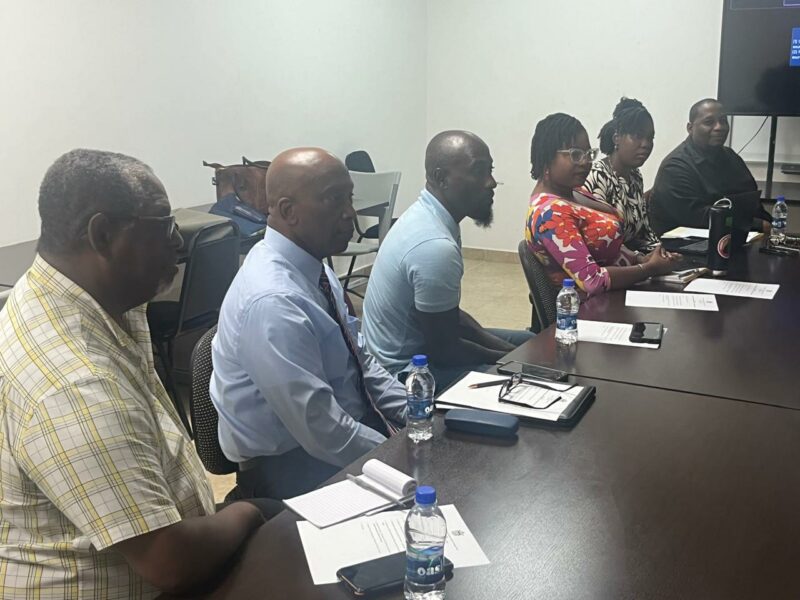
The Working Group established by the Cabinet for the Development of Electric Vehicle (EV) and Hybrid Vehicle Policy in Antigua and Barbuda held its inaugural meeting last week, chaired by Ambassador Clarence Pilgrim, the Permanent Secretary in the Ministry of Trade.
To set the meeting’s tone, Ambassador Pilgrim emphasized that the transportation sector significantly contributes to greenhouse gas emissions, and transitioning to cleaner, more energy-efficient options is essential rather than optional.
He said as a small island developing state, Antigua and Barbuda is especially vulnerable to the consequences of climate change.
“This working group is a vital step towards fulfilling our commitments under international climate agreements while protecting our environment for future generations,” he stated.
He said with approximately 45,000 fossil fuel-powered vehicles registered in Antigua and Barbuda, it’s not surprising that the ongoing wear and tear on our roads is a persistent issue, mainly due to the cumulative weight of all these vehicles.
PS Pilgrim also highlighted that this initiative is directly aligned with Sustainable Development Goal 7 (SDG 7): ensuring access to affordable, reliable, sustainable, and modern energy for everyone.
Throughout the meeting, various members presented information representing diverse stakeholders.
The Antigua and Barbuda Transport Board representative, Arif Jonas, provided insights on Electric and Hybrid vehicles.
Meanwhile, Dwight Laviscount from the Ministry of Energy gave a presentation on identifying key challenges for the adaptation of EVs and Hybrids in Antigua and Barbuda.
Additional discussions centered around the Electric Vehicle duty waiver and the Environment Levy, as well as potential policy, regulatory frameworks, and policy targets.

This story was first published by Antigua News on : antigua.news/2024/11/25/government-unveils-new-policy-framework-for-electric-and-hybrid-vehicles. © 2024 Antigua News. Republication without permission is not allowed.

About the author
The Editorial Staff refers to all reporters employed by Antigua.news. When an article is not an original creation of Antigua.news—such as when it is based on a press release, other media articles, letters to the editor, or court decisions—one of our staff members is responsible for overseeing its publication.
Read our editorial standards and corrections policy. Spotted an error? Contact the newsroom.
More from Antigua and Barbuda
View section
Health Minister Michael Joseph Showcases Gray’s Green Eye Care Unit to Bloomberg Representative
Adrienne Pizatella and her team toured the community-based facility as Antigua and Barbuda continues efforts to expand access to essential vision care services.
By Cory Wayland

New Commonwealth Insurance Proposal Aims to Protect Nations Against Hurricanes and Climate Disasters
The Sustainable Markets Initiative has unveiled plans for a shared reinsurance system that could provide faster disaster payouts and more affordable protection for vulnerable Commonwealth countries.
By Cory Wayland

Health Minister Michael Joseph Calls for Greater Climate Financing and Renewable Energy Investment Ahead of COP31
Antigua and Barbuda is pushing for stronger financial support for vulnerable nations, regional energy cooperation and a fair transition away from fossil fuels.
By Cory Wayland

Ministry of Health PRO J’noure Smith-Kellman Earns MBA with Merit from Edinburgh Napier University
Health Minister Michael Joseph praises Smith-Kellman’s commitment to professional development as she dedicates her academic achievement to her late grandmother.
By Cory Wayland
Comments
Be the first to comment.