
RYA Dinghy Instructor Training Spaces Available at the NSA

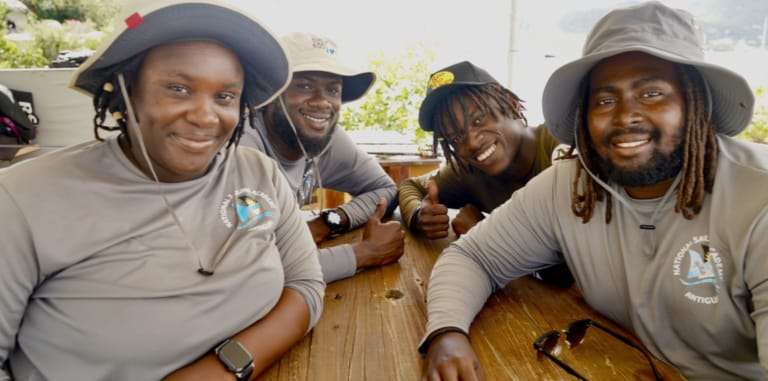
Are you passionate about sailing and eager to share your knowledge with others? The National Sailing Academy (NSA) is offering an exciting opportunity for aspiring instructors through the RYA Dinghy Instructor course.
This internationally recognized certification enables individuals to teach the fundamentals of sailing and help others develop their skills on the water.
To support candidates in achieving this qualification, the NSA is providing training to prepare them for the course. No prior experience is necessary, and interested individuals must be at least 16 years old. Upon successful completion of the training, candidates will be able to take the Dinghy Instructor course.
Upon successful completion of the instructor course, candidates will be certified to teach:
RYA Sailing Scheme: Levels 1, 2, and 3
Advanced Modules: Day Sailing, Seamanship Skills, and Sailing with Spinnakers (for those with suitable experience and approval from the Principal or Chief Instructor)

RYA Youth Sailing Scheme: Stages 1, 2, 3, and 4
This certification qualifies instructors specifically to teach dinghy sailing. However, it is important to note that RYA Dinghy Instructors are not assessed on their ability to manage a training center independently and must always work under the supervision of an RYA-qualified Principal or Chief Instructor.
This is a fantastic opportunity for young sailors and experienced enthusiasts to turn their passion into a rewarding role, helping to inspire the next generation of sailors. If you are interested in joining this program, register here: https://forms.gle/FMfFapDfu9r4PCML9.
For more information, contact the NSA via email: [email protected] or Call/WhatsApp us at: +1268 562-8060 or +1268 736-1345 for more details on training schedules and course dates.
Set sail on your instructing journey today with the NSA!
This story was first published by Antigua News on : antigua.news/2025/02/11/rya-dinghy-instructor-training-spaces-available-at-the-nsa. © 2025 Antigua News. Republication without permission is not allowed.

About the author
The Editorial Staff refers to all reporters employed by Antigua.news. When an article is not an original creation of Antigua.news—such as when it is based on a press release, other media articles, letters to the editor, or court decisions—one of our staff members is responsible for overseeing its publication.
Read our editorial standards and corrections policy. Spotted an error? Contact the newsroom.
More from Antigua and Barbuda
View section
VIDEO: Victory Centre Pleads for Public Help as Thieves Target Special Needs School Again
Just hours after celebrating the handover of a hydroponics project, Victory Centre was dealt another setback when an individual was captured on camera uprooting lettuce grown by students.
By Cory Wayland

Victory Centre and Cedar Grove Primary Mark Handover of Hydroponics System and Nursery
School gardening project brings students and teachers together to develop practical agricultural skills following a journey that began in 2024.
By Shermain Bique-Charles

Remove Abandoned Vessels by October 28 or Face Cleanup Costs, Fisheries Division Warns
Final notice gives owners two weeks to clear derelict boats, vehicles and fishing gear from the Point Wharf Fisheries Complex.
By Shermain Bique-Charles

VIDEO: Senator Jamilla Kirwan Breaks Silence on Childhood Sexual Abuse During Senate Debate
Independent Senator Jamilla Kirwan shares a painful childhood experience while urging stronger penalties and greater support for survivors of sexual abuse.
By Cory Wayland
Comments (1)
Juju Bee February 11, 2025, 7:36 PM