
NODS Marks International Day for Disaster Risk Reduction with Week of Activities

By Cory Wayland
The National Office of Disaster Services (NODS) has joined the rest of the world in marking International Day for Disaster Risk Reduction (IDDRR), which is being observed today under the theme “Fund Resilience, Not Disasters.”
The annual observance, designated by the United Nations, is aimed at raising awareness about the importance of reducing disaster risks and building resilience, especially as communities worldwide face growing challenges from natural and man-made hazards.
This year’s theme calls for governments, institutions and individuals to prioritize funding for disaster preparedness and resilience rather than reacting after disasters strike.
To mark the occasion, NODS has organized a week of events designed to engage communities and strengthen national preparedness efforts.
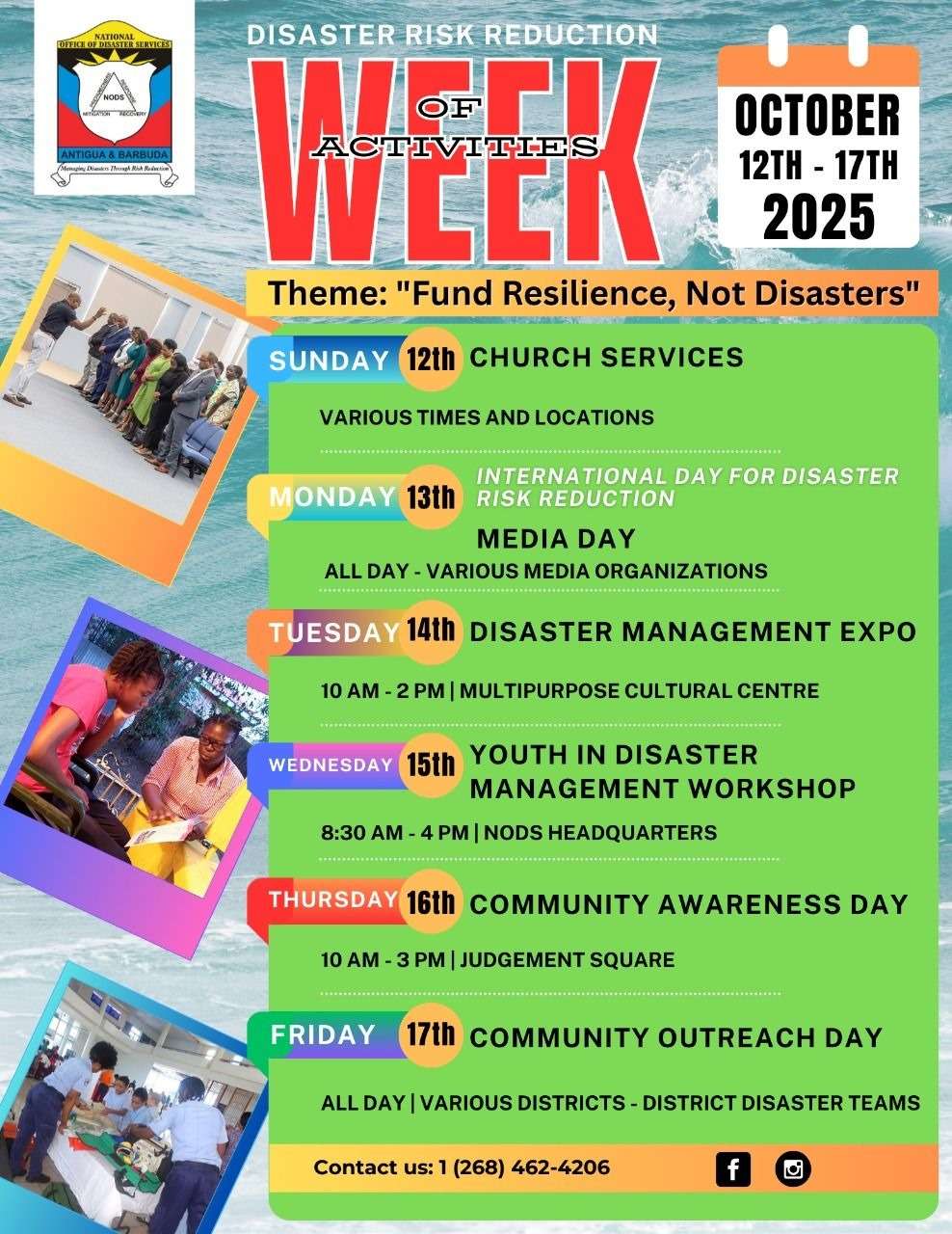
On Sunday, several district disaster teams partnered with churches across Antigua and Barbuda to deliver short presentations on disaster readiness and the work of community response groups.
Today, dubbed Media Day, representatives from NODS and key partner agencies, including the Meteorological Office, Department of Environment, Development Control Authority, Central Board of Health, and the UN Office for Disaster Risk Reduction are making the media rounds on local radio and television programmes to discuss the country’s ongoing risk reduction efforts.
Activities continue on Tuesday with a Disaster Management Expo at the Multi-Purpose Centre from 10 a.m. to 2 p.m., where the public can view demonstrations, displays and interact with first responders and partner organizations.
The spotlight turns to youth on Wednesday with a Disaster Management Training Session for secondary school students at the NODS headquarters. On Thursday, the focus shifts to lifesaving skills with a CPR demonstration at Judgement Square, organized in collaboration with the Emergency Medical Services (EMS).
The week will wrap up on Friday with a Community Awareness Day, featuring walk-throughs by district disaster teams in various communities to share preparedness tips and engage residents directly.
NODS officials say the weeklong observance is a reminder that disaster resilience begins with awareness, planning and investment before a crisis occurs.
This story was first published by Antigua News on : antigua.news/2025/10/13/nods-marks-international-day-for-disaster-risk-reduction-with-week-of-activities. © 2025 Antigua News. Republication without permission is not allowed.

About the author
Cory Wayland is the Social Media Co-ordinator at Antigua.News, where he manages digital content strategy, audience engagement, and real-time news publications across social platforms. With a keen eye for trending topics and a commitment to factual storytelling, Cory plays a key role in shaping the online voice of Antigua.News.
Read our editorial standards and corrections policy. Spotted an error? Contact the newsroom.
More from Antigua and Barbuda
View section
Antigua and Barbuda First in Eastern Caribbean to Sign UN Development Framework for 2027–2031
The agreement will guide cooperation on economic diversification, climate resilience, social protection and other development priorities.
By Shermain Bique-Charles

Parker Defends Call for Age of Consent at 18 in Response to ASPIRE
Senator calls for stronger protection against sexual exploitation alongside adolescent healthcare, education and safeguards for relationships between young people close in age.
By Shermain Bique-Charles

Greene Says CHOGM Could Open Doors for UWI Five Islands
Foreign minister identifies international student recruitment and academic connections as potential longer-term opportunities. Meta description: Greene says CHOGM could help UWI Five Islands promote its programmes and build connections with Commonwealth countries.
By Shermain Bique-Charles

West Indies Oil Seeks Coordination on Fuel Deliveries During CHOGM
Police ask the company to provide delivery dates and times so movements can be coordinated with security arrangements.
By Cory Wayland
Comments (1)
Apex Jones October 13, 2025, 2:14 PM