
Consumer Affairs Division, Bureau of Standards to Host Public Webinar on Consumer Rights

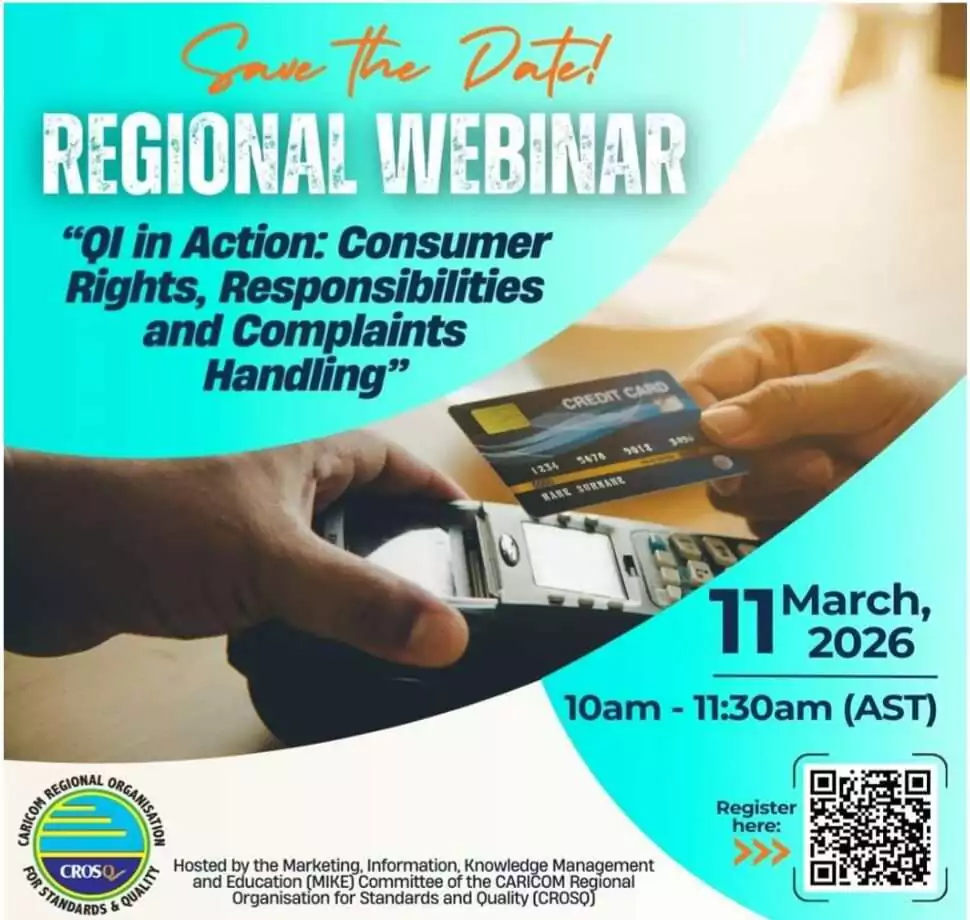
Consumers and businesses in Antigua and Barbuda will soon have an opportunity to learn more about their rights and responsibilities when purchasing and selling goods and services.
The Prices and Consumer Affairs Division, in collaboration with the Antigua and Barbuda Bureau of Standards, will host an online webinar on March 11, 2026, from 10:00 a.m. to 11:30 a.m.
The session is intended to strengthen public confidence in goods and services, particularly as it relates to imports and trade within the region. Organizers say the webinar will highlight how standards help protect consumers while ensuring that businesses meet acceptable levels of quality and safety.
During the session, representatives from the Bureau of Standards will explain the role the organization plays in consumer protection and maintaining confidence in the marketplace. Participants will also learn how national standards contribute to fair trade and improved product quality.
The webinar will further focus on educating consumers and businesses about their rights and responsibilities. Officials say increasing awareness in these areas is key to fostering a more transparent and accountable marketplace.
Another important component of the discussion will be the complaint process, including how consumers can raise concerns about products or services that do not meet required standards.
Members of the public who are interested in attending the webinar are encouraged to register using the QR code provided on the promotional flyer.
Organizers say the initiative forms part of ongoing efforts to empower consumers, support businesses, and promote greater understanding of standards and consumer protection systems across the country.
This story was first published by Antigua News on : antigua.news/2026/03/07/consumer-affairs-division-bureau-of-standards-to-host-public-webinar-on-consumer-rights. © 2026 Antigua News. Republication without permission is not allowed.

About the author
The Editorial Staff refers to all reporters employed by Antigua.news. When an article is not an original creation of Antigua.news—such as when it is based on a press release, other media articles, letters to the editor, or court decisions—one of our staff members is responsible for overseeing its publication.
Read our editorial standards and corrections policy. Spotted an error? Contact the newsroom.
More from Antigua and Barbuda
View section
19-Year-Old Shaquan Boyle Found Hiding Under Vehicle After Escaping Police at Hospital
The Fort Road teenager was recaptured in the parking lot of Sir Lester Bird Medical Centre hours after reportedly escaping police custody while using the emergency department restroom.
By Cory Wayland

Police Launch Search at Sir Lester Bird Medical Centre After Suspect Escapes Custody
A man detained during a police operation in Fort Road reportedly disappeared after requesting to use the restroom while receiving medical attention at the hospital.
By Cory Wayland

P&O Cruises Secures Replacement Flights to Antigua After Norse Suspends Services
Two charter flights from the UK are scheduled to bring passengers to Antigua on Saturday to join Arvia.
By Shermain Bique-Charles

Social Protection Board Honours Seniors at Annual Tea Party
Under the theme “Ageing with Dignity, Living with Purpose,” the gathering celebrated the contributions of older citizens and called on younger generations to spend more time with them.
By Shermain Bique-Charles
Comments (3)
Interested March 7, 2026, 7:58 PM
Apex Jones March 7, 2026, 9:25 PM
Informed citizen March 7, 2026, 9:55 PM