
Antigua and Barbuda, Bangladesh Move to Strengthen Bilateral Cooperation at Commonwealth Meeting

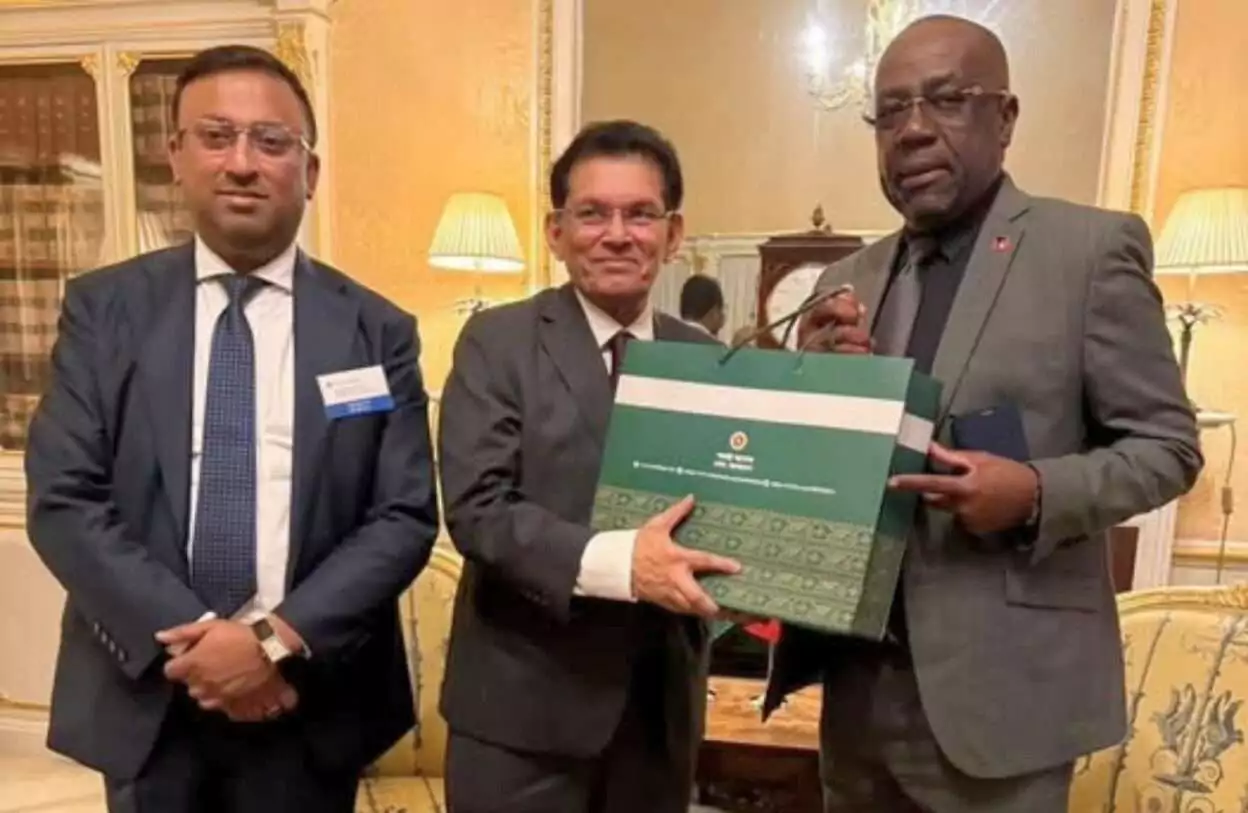
Antigua and Barbuda and Bangladesh have reaffirmed their commitment to strengthening bilateral relations following a high-level meeting between their foreign ministers on the margins of the Commonwealth Foreign Ministers Meeting in London.
Minister of Foreign Affairs, Trade and Barbuda Affairs, E.P. Chet Greene, held discussions with Bangladesh’s Foreign Minister Dr. Hasan Mahmud Rahman, where both sides explored opportunities to expand cooperation between the two Commonwealth member states.
During the meeting, Minister Rahman underscored the continued importance of the Commonwealth as a platform for collaboration among developing nations. He also expressed Bangladesh’s commitment to deepening partnerships within the organization.
Rahman indicated that Bangladesh is prepared to assist Antigua and Barbuda through several capacity-building initiatives, including training opportunities in close protection and security support.
Minister Greene welcomed the offer and highlighted Antigua and Barbuda’s preparations to host the Commonwealth Heads of Government Meeting (CHOGM) in St. John’s from November 1 to 4, 2026.
He emphasized that technical cooperation and partnerships among Commonwealth member states will be critical to ensuring the successful staging of the major international summit.
Both ministers also reaffirmed their commitment to maintaining dialogue and working together on matters of mutual interest within the Commonwealth and other multilateral forums.
Greene was accompanied at the meeting by Antigua and Barbuda’s High Commissioner to the United Kingdom, Karen-Mae Hill, and Minister Counsellor Chantal Phillip.
This story was first published by Antigua News on : antigua.news/2026/03/10/antigua-and-barbuda-bangladesh-move-to-strengthen-bilateral-cooperation-at-commonwealth-meeting. © 2026 Antigua News. Republication without permission is not allowed.

About the author
The Editorial Staff refers to all reporters employed by Antigua.news. When an article is not an original creation of Antigua.news—such as when it is based on a press release, other media articles, letters to the editor, or court decisions—one of our staff members is responsible for overseeing its publication.
Read our editorial standards and corrections policy. Spotted an error? Contact the newsroom.
More from World
View section
Democrats Win Congress in Major Setback for Donald Trump
Victories in Republican strongholds hand Democrats control of the House and Senate.
By Shermain Bique-Charles

Nine Killed as Learjet 60 Crashes Into Florida Neighbourhood
The Learjet 60 crashed near Cresthaven in Palm Beach County while travelling from Texas to the Bahamas, prompting mass evacuations and an investigation by US aviation authorities.
By Cory Wayland

Spain Train Crash: 68 Dead, 77 Injured as Safety Decisions Face Scrutiny
At least 15 people are seriously injured after an AVE hit a stationary Iryo train near Urda. Spain announces national mourning as officials examine the order to restart after a safety-system failure.
By Dario Item

Spain Train Crash: At Least 30 Dead and Dozens Injured in Toledo
Regional authorities confirm a higher death toll and the evacuation of injured passengers after the Renfe–Iryo collision, nine months after Adamuz and 32 days before Spain’s election.
By Dario Item
Comments (1)
Graham March 10, 2026, 9:20 PM