
Rotary Club Donates 32 Laptops to Strengthen Digital Access at National Public Library

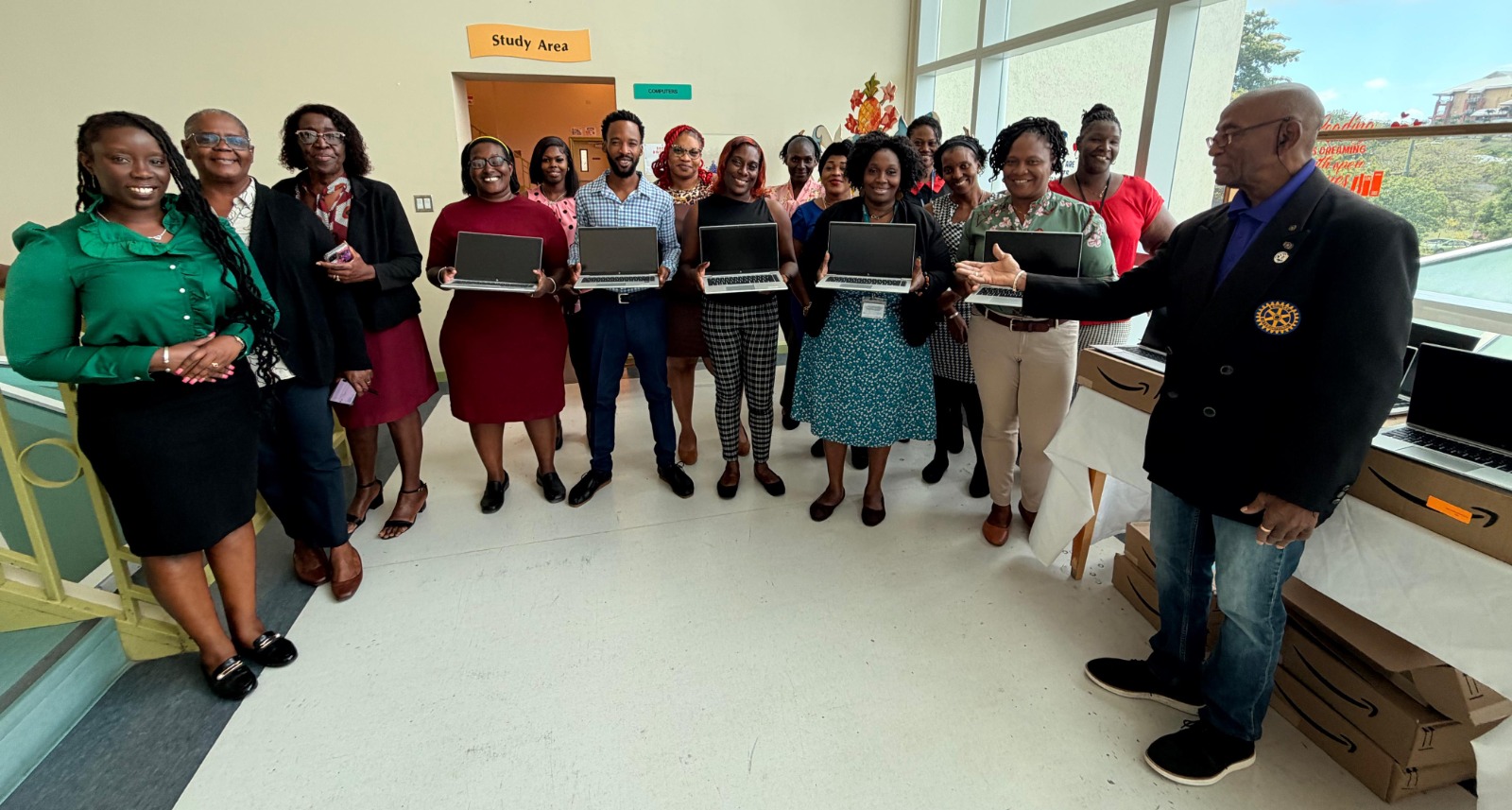
The Rotary Club of Antigua has made a significant contribution to education and digital inclusion with the donation of 32 HP EliteBook laptops to the National Public Library of Antigua and Barbuda.
The presentation, which took place on Thursday, March 19, 2026, forms part of the Club’s ongoing Education Through Technology Programme, an initiative designed to bridge the digital divide and expand access to learning tools across the country.
Past President of the Rotary Club and local coordinator of the programme, Cordell Josiah, underscored the importance of the initiative, noting that it goes beyond simply providing devices.
“Access to technology is essential in today’s world. This programme is about creating real opportunities—empowering individuals with the tools they need to learn, grow, and succeed,” Josiah said.
President of the Rotary Club of Antigua, Elisa Graham, highlighted the critical role of the library as a cornerstone of national development.
“The National Public Library serves as a vital hub for education and community engagement. By strengthening its technical capacity, we are helping to ensure it remains a space for knowledge, innovation, and digital inclusion,” Graham stated.
Director of the National Public Library, Ryllis Mannix, welcomed the donation, describing it as timely and impactful.
“These laptops will greatly enhance our ability to serve the public, particularly students and researchers who depend on the library for access to information and technology,” Mannix said.
The Rotary Club of Antigua continues to play a leading role in advancing education, youth development, and community empowerment, with initiatives aimed at equipping citizens with the resources needed to thrive in an increasingly digital world.
This story was first published by Antigua News on March 23, 2026: antigua.news/2026/03/23/rotary-club-donates-32-laptops-to-strengthen-digital-access-at-national-public-library. © 2026 Antigua News. Republication without permission is not allowed.

About the author
Shermain Bique-Charles is an accomplished journalist with over 24 years of dynamic experience in the industry. Renowned for her exceptional storytelling and investigative skills, she has garnered numerous awards that highlight her commitment to journalistic integrity and excellence. Her work not only informs but also inspires, making her a respected voice in the field.
Read our editorial standards and corrections policy. Spotted an error? Contact the newsroom.
More from Antigua and Barbuda
View section
Freeland Challenges Qualifier Schedule as College Commitments Complicate Team Selection
Basketball president says the timing of another qualifying round created difficulties for overseas players and added financial pressure
By Shermain Bique-Charles

School League Referee Calls for Investigation Into Alleged Verbal Abuse by Grammar School Coach
Devon Ollivere is seeking a public apology and safeguards for match officials following an alleged confrontation with Chesley Browne at Radio Range Football Field.
By Editorial Staff

Janica Adams Earns Special Recognition at Regional Tourism Youth Congress
Antigua and Barbuda’s Junior Minister of Tourism impressed with a creative destination pitch highlighting culture, adventure and bun and cheese ice cream.
By Shermain Bique-Charles

Dr Benjamin Calls for Community-Based Mental Health Care to Replace Clarevue Model
The consultant psychiatrist says meaningful reform must include housing, family support and direct involvement from people living with mental health conditions
By Shermain Bique-Charles
Comments (4)
Rotary club for the win March 23, 2026, 9:31 AM
Sean Casten March 23, 2026, 11:00 AM
Apex Jones March 23, 2026, 1:24 PM
Informed citizen March 23, 2026, 10:26 PM