
VIDEO: Aftermath of St. John’s Shooting that Wounded Four

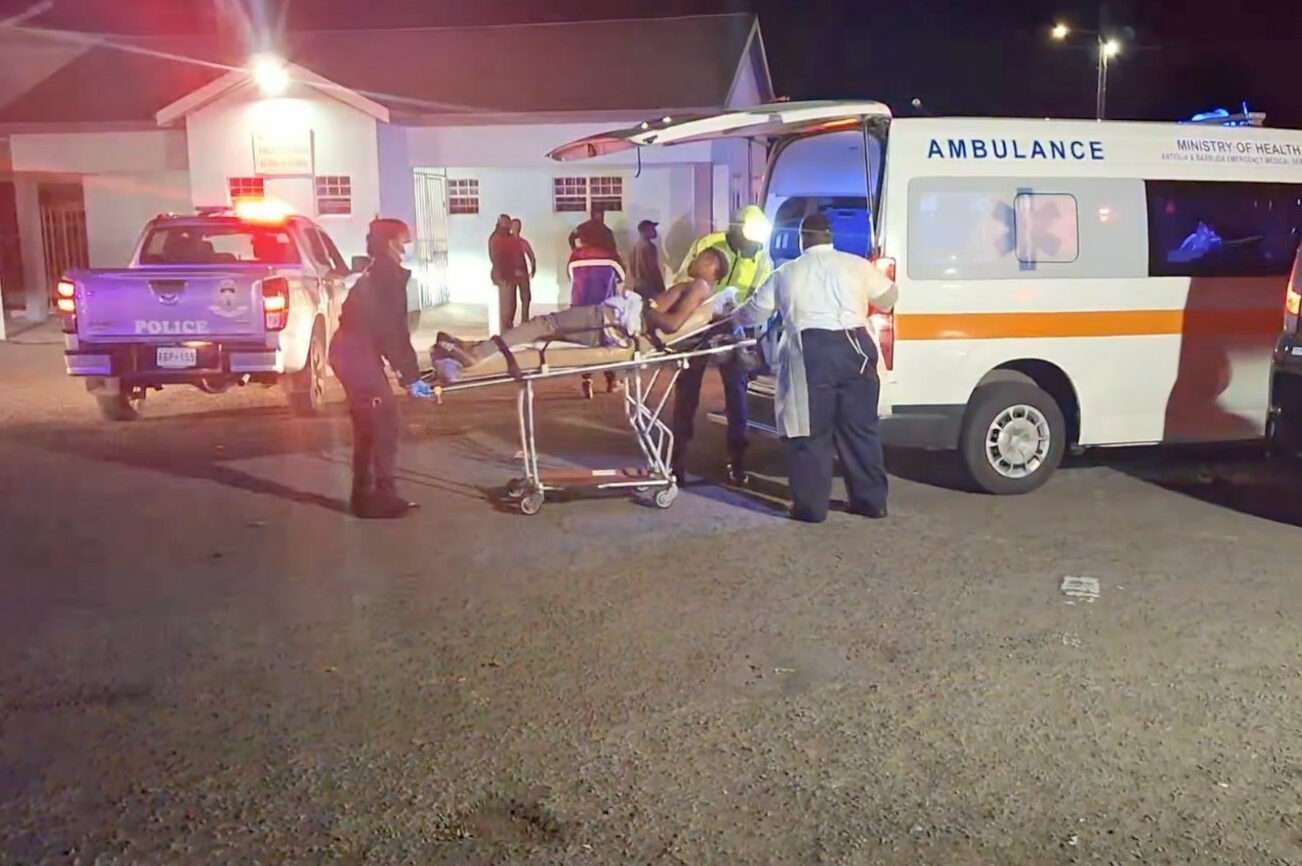
Police searched the area for clues as emergency teams took four young people, ages 16 to 20, to the hospital after a late-night shooting near Joe Mikes between Corn Alley and Nevis Street.
Early reports say the group was walking when gunfire erupted, leaving them with wounds to the hand, side and leg. All are stable as police continue their investigation.
This story was first published by Antigua News on : antigua.news/2026/04/05/video-aftermath-of-st-johns-shooting-that-wounded-four. © 2026 Antigua News. Republication without permission is not allowed.

About the author
The Editorial Staff refers to all reporters employed by Antigua.news. When an article is not an original creation of Antigua.news—such as when it is based on a press release, other media articles, letters to the editor, or court decisions—one of our staff members is responsible for overseeing its publication.
Read our editorial standards and corrections policy. Spotted an error? Contact the newsroom.
More from Antigua and Barbuda
View section
Scottish Bagpipers and Caribbean Steelpan Musicians to Unite for One Commonwealth Night
A unique musical collaboration featuring Scottish bagpipers, Caribbean steelpan performers and an orchestra will highlight cultural unity during the November 2 celebration in Antigua and Barbuda.
By Cory Wayland

Antigua and Barbuda and Panama Sign Air Services Agreement
New aviation agreement opens opportunities for expanded air travel, tourism and trade between Antigua and Barbuda, Panama and destinations across Central and South America.
By Shermain Bique-Charles

Antigua and Barbuda Records 12 Heatwaves in 2026 as Hotter and Drier Conditions Loom
Climatologist Orvin Paige warns that rising temperatures, prolonged heatwaves and persistent drought could worsen as El Niño conditions extend into 2027.
By Cory Wayland

Sandals Grande Antigua Supervisor Earns Prestigious Hotel Management Diploma in Switzerland
Engineering and Maintenance Supervisor Ariel Joseph celebrates a major academic milestone after completing studies at Les Roches International School of Hotel Management through a Sandals Corporate University scholarship.
By Cory Wayland
Comments (2)
Juju Bee April 5, 2026, 11:42 AM
Biscuit April 7, 2026, 12:36 PM