
UPP Signals Unity and Reset After Heavy Election Loss

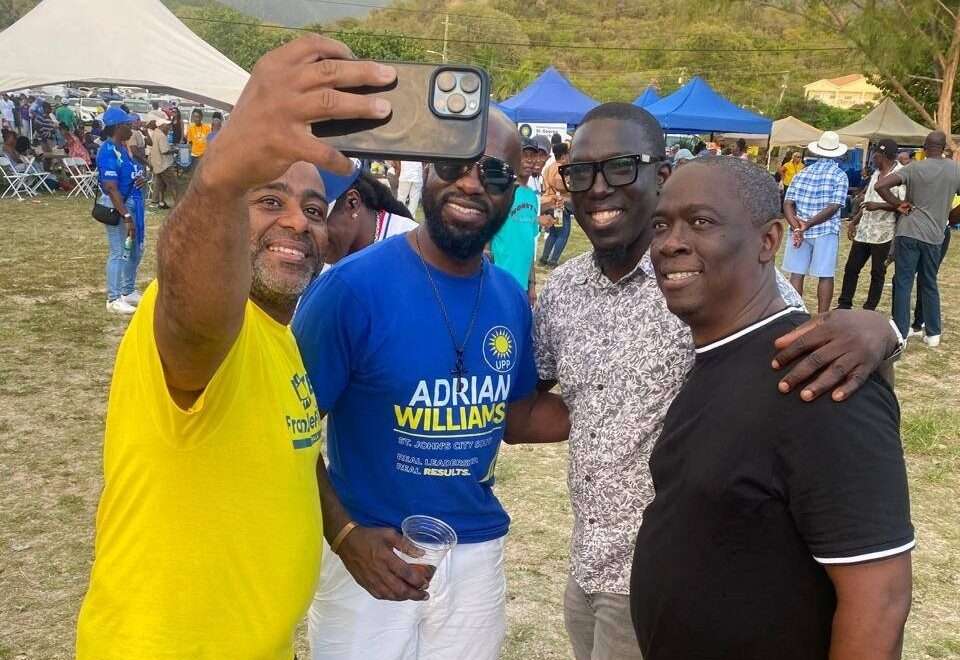
The opposition United Progressive Party (UPP) is attempting to project unity and resilience in the aftermath of last Thursday’s general election, where the party was reduced to a single parliamentary seat in one of its most significant electoral setbacks in recent history.
In a brief but pointed message circulated to supporters, the party struck a tone of determination rather than defeat, declaring: “Our work has only begun! Regroup, recharge and ready for the challenge!! #UPPwillrise #StrongerTogether.”
The statement reflects an early effort by the party to stabilize its base and signal that internal rebuilding is already underway, despite the scale of the loss.
The UPP’s showing at the polls has triggered widespread discussion among supporters and within political circles about the need for renewal, including the possibility of structural changes and the emergence of new leadership voices. However, the party’s initial public posture has focused firmly on cohesion and collective effort.
Senior figures within the UPP have not yet outlined a detailed roadmap for rebuilding, but the emphasis on regrouping and re-energizing supporters suggests that internal consultations are likely to follow in the coming weeks.
The message also appears aimed at reassuring the party’s core supporters that, despite the electoral outcome, the UPP intends to remain an active and relevant force in national politics.
With the Antigua and Barbuda Labour Party securing a dominant majority in Parliament, the UPP now faces the challenge of redefining its role as a significantly diminished opposition. How effectively it can unify its base, rebuild public confidence, and present a credible alternative will likely determine its political trajectory in the months and years ahead.
This story was first published by Antigua News on : antigua.news/2026/05/05/upp-signals-unity-and-reset-after-heavy-election-loss. © 2026 Antigua News. Republication without permission is not allowed.

About the author
Shermain Bique-Charles is an accomplished journalist with over 24 years of dynamic experience in the industry. Renowned for her exceptional storytelling and investigative skills, she has garnered numerous awards that highlight her commitment to journalistic integrity and excellence. Her work not only informs but also inspires, making her a respected voice in the field.
Read our editorial standards and corrections policy. Spotted an error? Contact the newsroom.
More from Antigua and Barbuda
View section
UPDATE: Fire Contained After Gutting Christ the King High School Library
Firefighters brought the blaze under control at the Old Parham Road campus. The cause remains unknown.
By Shermain Bique-Charles

BREAKING: Firefighters Respond to Blaze at Christ the King High School
Crews are at the school on Old Parham Road, while a separate fire has been reported on Friars Hill Road.
By Shermain Bique-Charles

Antigua Rejected $100 Million Royal Caribbean Plan Over Fort James Beach Access
The prime minister says the cruise company sought exclusive access to the proposed development area. The government is drawing up plans for a public beach park at Fort James.
By Shermain Bique-Charles

Antigua Eyes New Air Routes but Sees Hotel Capacity as a Hurdle
Turkish Airlines, Qatar Airways and Emirates are among the carriers the government would like to attract.
By Shermain Bique-Charles
Comments (6)
Anonymous May 5, 2026, 10:28 AM
Lolita May 5, 2026, 1:23 PM
Informed citizen May 5, 2026, 1:29 PM
Glen May 5, 2026, 1:42 PM
Nyahrie May 6, 2026, 6:15 AM
Apex Jones May 6, 2026, 10:02 AM