
Airport Rehabilitation Advances with New LED Airfield Lighting at V.C. Bird International

By Cory Wayland
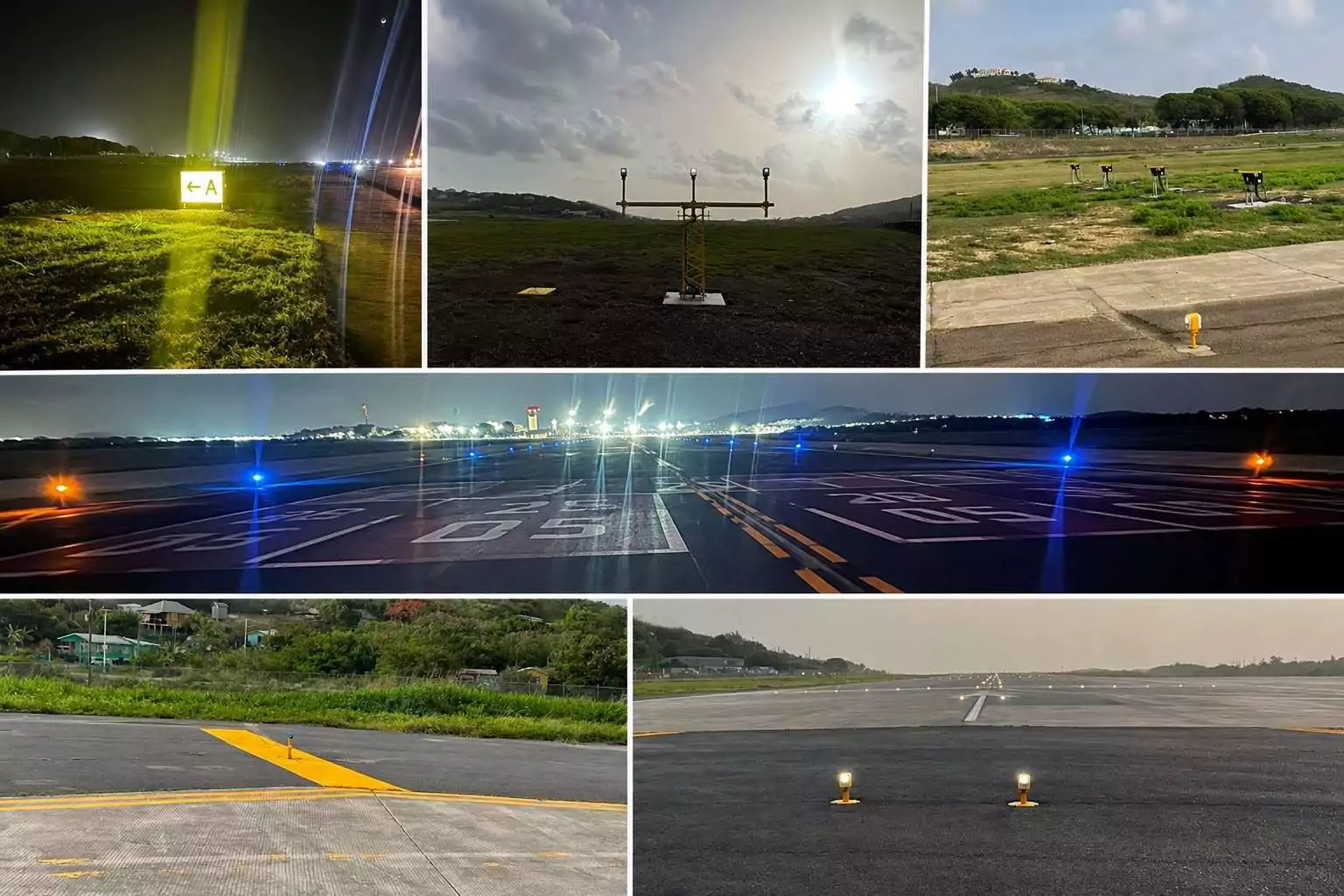

V.C. Bird International Airport has completed the transition to a new LED airfield lighting system, marking another major step in the ongoing rehabilitation and modernisation of Antigua and Barbuda’s main international airport.
The new system replaces the airport’s legacy Airfield Ground Lighting (AGL) system and follows a comprehensive process of integration, testing, verification and operational commissioning.

Several critical components of the aerodrome’s lighting and visual aids infrastructure were included in the switchover, among them the Approach Lighting System, Runway Threshold Identification Lights, Runway Edge and End Lights and Runway Turn Pad Lights.
Precision Approach Path Indicators, or PAPI, which provide pilots with visual guidance during their approach to the runway, were also incorporated into the upgraded system.


Other improvements include wind indicators, mandatory instruction and information signs, the VOR Aerodrome Checkpoint Sign, Runway Guard Lights and solar-powered Taxiway Edge Lights.
The airport said its technical team conducted testing and verification to ensure the newly commissioned system is safe, reliable, compliant and ready to support aircraft operations.

The successful transition represents the latest milestone in the wider rehabilitation of the airfield, as work continues to upgrade infrastructure and modernise operations at V.C. Bird International.
Airport officials praised those involved in completing the latest phase of the project and said the improvements form part of the broader effort to modernise the country’s primary international gateway.

The rehabilitation programme is continuing, with the LED lighting upgrade expected to provide improved and more modern visual guidance to support aircraft operating at the airport.
This story was first published by Antigua News on : antigua.news/2026/08/13/airport-rehabilitation-advances-with-new-led-airfield-lighting-at-v-c-bird-international. © 2026 Antigua News. Republication without permission is not allowed.

About the author
Cory Wayland is the Social Media Co-ordinator at Antigua.News, where he manages digital content strategy, audience engagement, and real-time news publications across social platforms. With a keen eye for trending topics and a commitment to factual storytelling, Cory plays a key role in shaping the online voice of Antigua.News.
Read our editorial standards and corrections policy. Spotted an error? Contact the newsroom.
More from Antigua and Barbuda
View section
Multimillion-Dollar Potters Transformation to Deliver Major Sporting and Community Hub
Renamed Harrison Potters Sports Centre will feature an Olympic-sized pool, expanded sporting facilities and new opportunities for students, athletes and small businesses.
By Shermain Bique-Charles

Commonwealth Countries Offered Space-Based Data Storage Under New SMI and Lonestar Partnership
Announced during CHOGM 2026 in Antigua and Barbuda, the collaboration will explore storing important records in orbit, with a commitment to provide one terabyte of data storage to each Commonwealth country.
By Cory Wayland

Prime Minister Dickon Mitchell Secures Historic Second Term as NDC Wins 14 of Grenada’s 15 Seats
The National Democratic Congress expands its parliamentary majority from nine to 14 seats, leaving the opposition New National Party with just one constituency.
By Cory Wayland

Jennings Residents Benefit from Free Eye Screenings and Reading Glasses Under Prime Minister’s Vision Initiative
The community-based programme is providing free vision screenings and reading glasses to qualifying residents, with services continuing until Friday, November 6.
By Cory Wayland
Comments (2)
P. Thomass August 13, 2026, 11:11 PM
Apex Jones August 14, 2026, 9:24 AM