
Missing Ocean-Monitoring Buoy Recovered in Barbuda as Met Office Warns Against Tampering

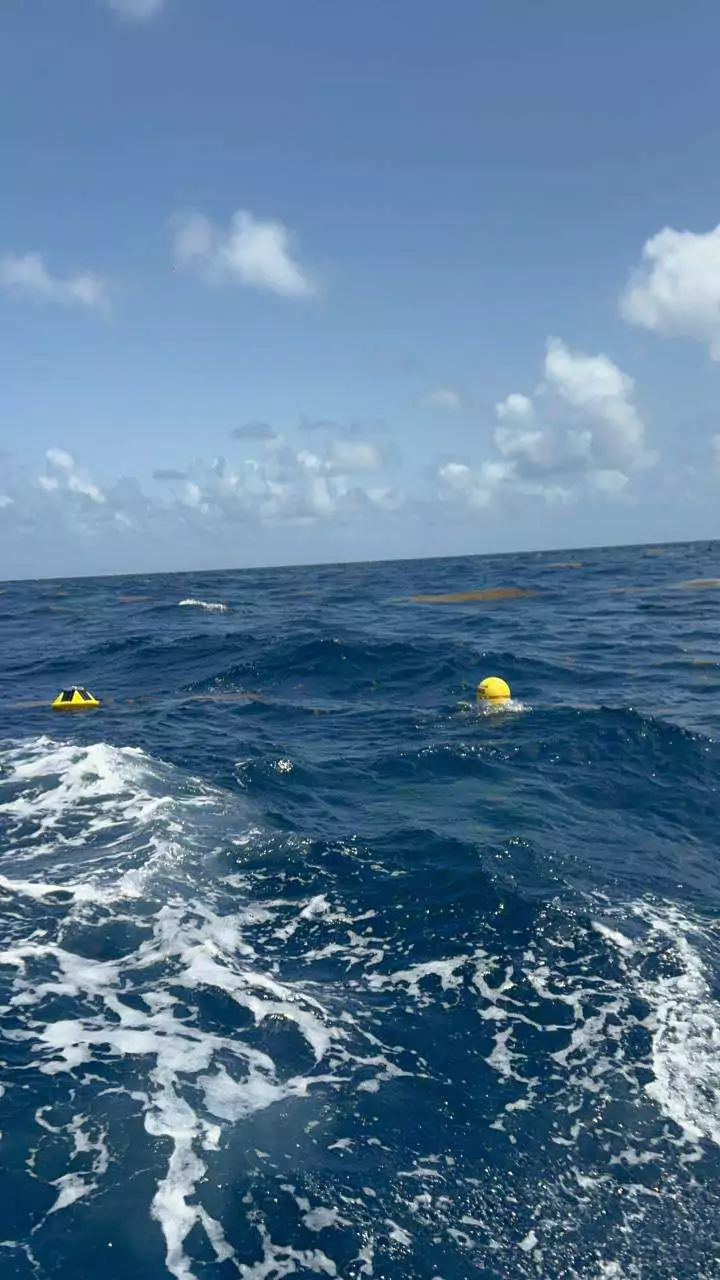
One of three ocean-monitoring buoys recently deployed around Antigua and Barbuda has been recovered after going missing over the weekend.
The Antigua and Barbuda Meteorological Service said the buoy was located in Barbuda and retrieved virtually intact.
The equipment was among three Sofar Ocean monitoring buoys deployed last week to collect real-time information on marine conditions, including waves, ocean temperature, currents and wind.
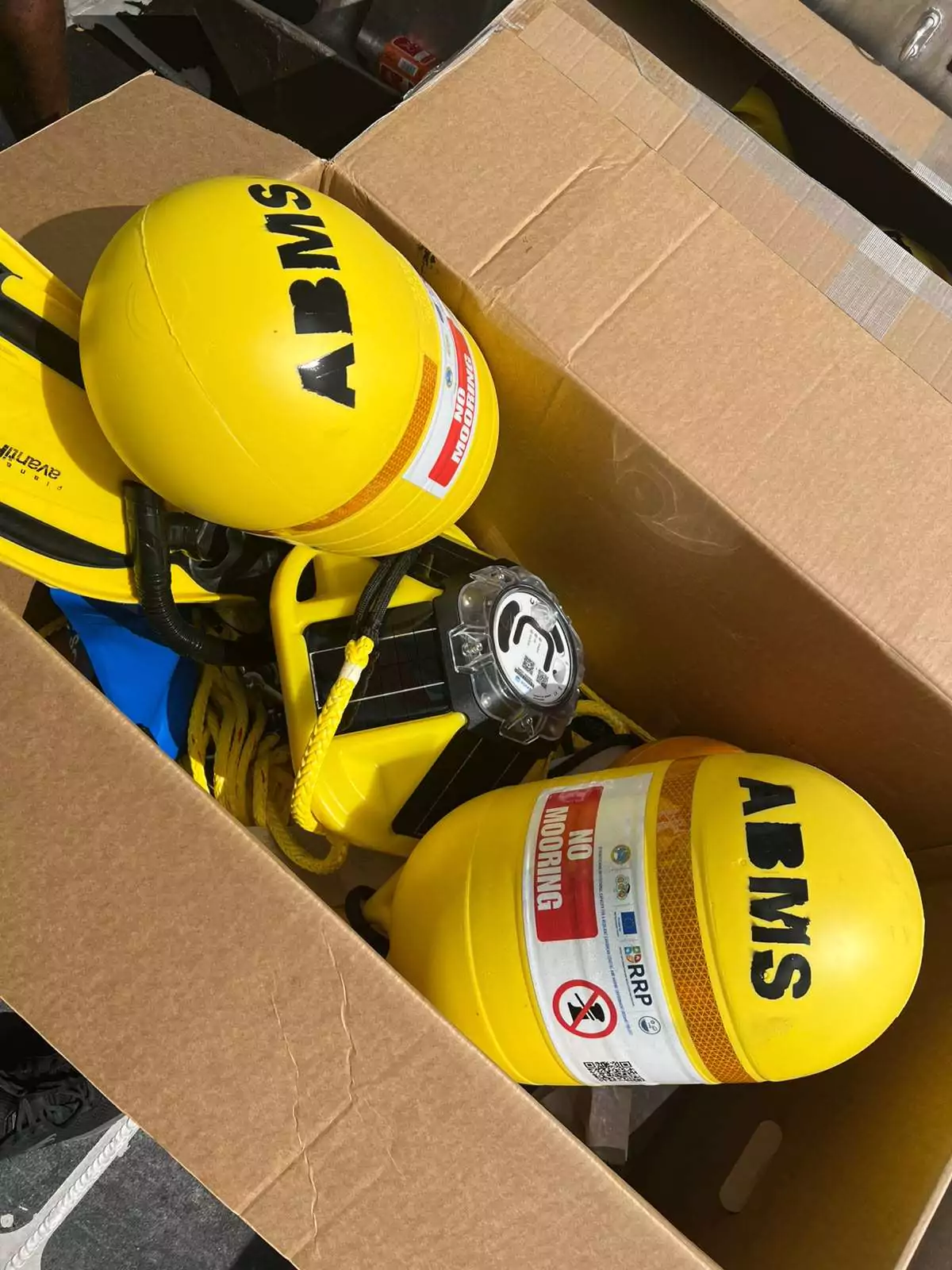
The data gathered by the devices are expected to improve understanding of conditions at sea while strengthening the accuracy and reliability of weather and marine forecasts.
Officials are now appealing to mariners, fishers and other members of the public to recognise the buoys as important national assets and avoid moving, damaging or tampering with them.
“These buoys are there to serve you and to help keep you safe,” the Meteorological Service said.
The agency stressed that the devices are specifically designed to operate in the marine environment and should be left undisturbed if encountered.
Information collected by the buoys can support safer marine operations, enhance early-warning systems and strengthen the country’s ability to respond to extreme weather and climate-related risks.
The Meteorological Service also advised vessels to avoid passing too close to the equipment, noting that interference could affect the reliability of the data and place lives at risk.
Anyone who encounters a buoy or observes suspicious or unusual activity involving the equipment is being asked to contact the Antigua and Barbuda Meteorological Service.
Officials are encouraging the public to help protect the buoys so they can continue providing critical information for more accurate forecasts, improved warnings and greater safety at sea.
This story was first published by Antigua News on : antigua.news/2026/08/26/missing-ocean-monitoring-buoy-recovered-in-barbuda-as-met-office-warns-against-tampering. © 2026 Antigua News. Republication without permission is not allowed.

About the author
Shermain Bique-Charles is an accomplished journalist with over 24 years of dynamic experience in the industry. Renowned for her exceptional storytelling and investigative skills, she has garnered numerous awards that highlight her commitment to journalistic integrity and excellence. Her work not only informs but also inspires, making her a respected voice in the field.
Read our editorial standards and corrections policy. Spotted an error? Contact the newsroom.
More from Antigua and Barbuda
View section
Multimillion-Dollar Potters Transformation to Deliver Major Sporting and Community Hub
Renamed Harrison Potters Sports Centre will feature an Olympic-sized pool, expanded sporting facilities and new opportunities for students, athletes and small businesses.
By Shermain Bique-Charles

Commonwealth Countries Offered Space-Based Data Storage Under New SMI and Lonestar Partnership
Announced during CHOGM 2026 in Antigua and Barbuda, the collaboration will explore storing important records in orbit, with a commitment to provide one terabyte of data storage to each Commonwealth country.
By Cory Wayland

Prime Minister Dickon Mitchell Secures Historic Second Term as NDC Wins 14 of Grenada’s 15 Seats
The National Democratic Congress expands its parliamentary majority from nine to 14 seats, leaving the opposition New National Party with just one constituency.
By Cory Wayland

Jennings Residents Benefit from Free Eye Screenings and Reading Glasses Under Prime Minister’s Vision Initiative
The community-based programme is providing free vision screenings and reading glasses to qualifying residents, with services continuing until Friday, November 6.
By Cory Wayland
Comments (1)
Ash August 26, 2026, 4:25 PM