
Vehicle Reported Stolen in St. Johnson’s Village Found Following Social Media Appeal
The owner of a white Toyota Harrier has expressed gratitude to the public after the vehicle was recovered, with no visible damage reported so far.

By Cory Wayland

A vehicle reported stolen from outside a residence in St. Johnson’s Village has been found following a public appeal on social media, with the owner crediting the widespread sharing of the post for helping bring attention to the incident.
The white Toyota Harrier, bearing registration number A 53287, was reportedly stolen from outside the owner’s home on Big Apple Road on Tuesday evening, November 10.
According to the initial appeal, the owner had gone to retrieve an item from the vehicle at approximately 5:30 p.m. but inadvertently left the keys hanging from the vehicle’s door.
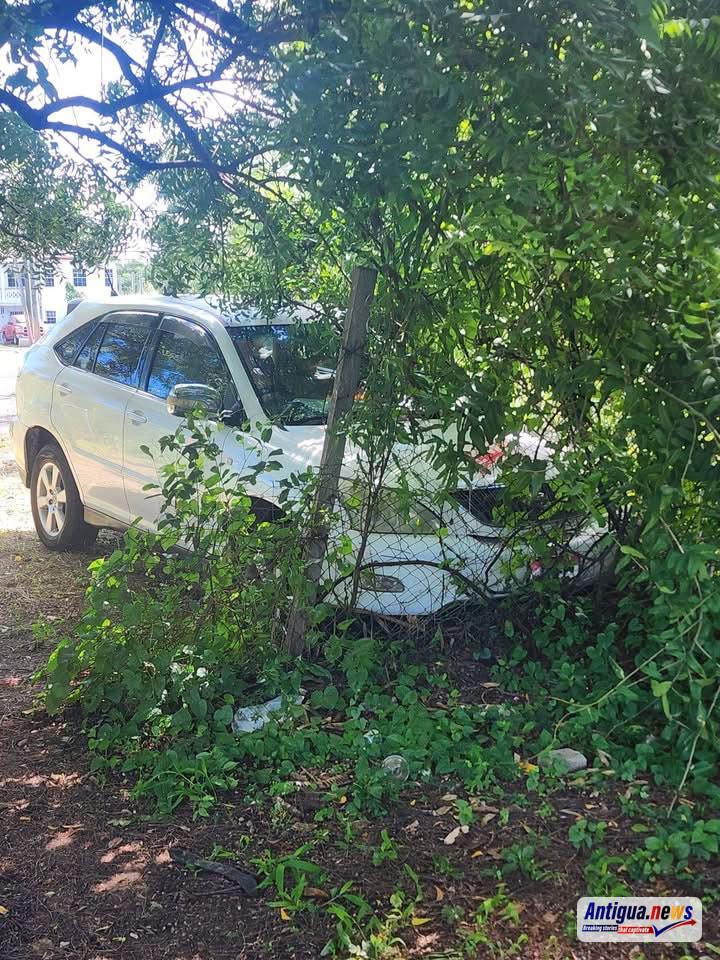
The vehicle was subsequently reported missing, with the owner indicating that it had been taken sometime between 7 p.m. and 8 p.m.
An urgent appeal was circulated on social media, asking members of the public to share the information and assist in locating the vehicle.
In a subsequent update, the owner confirmed that the vehicle had been found and expressed heartfelt thanks to everyone who shared the appeal and helped spread the word.
She credited the power of social media and the support of the public, expressing appreciation for the assistance received during the search.
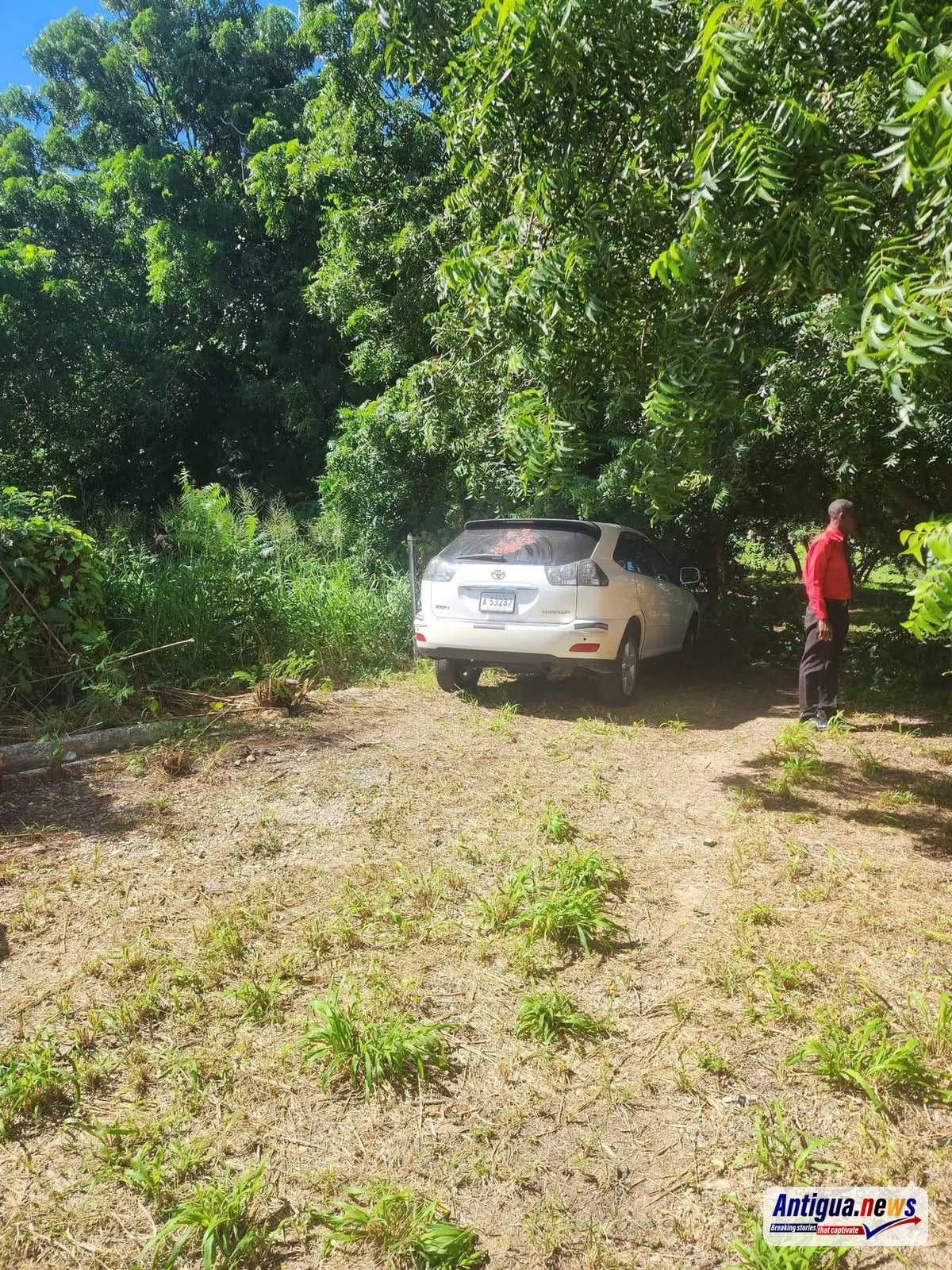
The owner also reported that there were no visible signs of damage to the vehicle at the time of its recovery and indicated that further updates would be provided.
Photographs shared following the update show the white Toyota Harrier parked in a grassy area surrounded by trees and vegetation.
The circumstances surrounding the vehicle’s disappearance and recovery have not been disclosed, and it remains unclear whether anyone has been identified in connection with the reported theft.
This story was first published by Antigua News on : antigua.news/2026/11/11/vehicle-reported-stolen-in-st-johnson-s-village-found-following-social-media-appeal. © 2026 Antigua News. Republication without permission is not allowed.

About the author
Cory Wayland is the Social Media Co-ordinator at Antigua.News, where he manages digital content strategy, audience engagement, and real-time news publications across social platforms. With a keen eye for trending topics and a commitment to factual storytelling, Cory plays a key role in shaping the online voice of Antigua.News.
Read our editorial standards and corrections policy. Spotted an error? Contact the newsroom.
More from Antigua and Barbuda
View section
Reuben Forde Remanded After Guilty Pleas in Firearm Case
Police say officers recovered a 9mm pistol and ten rounds of ammunition during a vehicle search in Ottos.
By Shermain Bique-Charles

PM Browne Seeks Climate Funding to Protect Homes, Coastlines and Key Infrastructure
The prime minister met with Green Climate Fund officials at COP31 to discuss financing for resilient housing, coastal protection and renewable energy.
By Shermain Bique-Charles

Antigua and Barbuda to Invest EC$17 Million in Community Sports Facilities
Sports Minister Dwayne George says each constituency will receive EC$1 million for upgrades as the ministry works to expand sports programmes for young people.
By Shermain Bique-Charles

COMMENTARY: Antigua and Barbuda’s Cuba Vote: Between Historic Friendship and Strategic Interests
Antigua and Barbuda’s absence from the UN embargo vote shows how US visa talks complicated its longstanding support for Cuba.
By Editorial Staff
Comments
Be the first to comment.