
Persaud resigns after controversial video

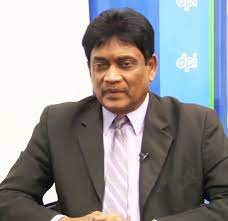
Guyana’s High Commissioner to India, Charrandass Persaud will return to Guyana following the controversy surrounding a video of him which has recently gone viral, verbally abusing a woman in New Delhi in August 2021.
This is according to President Irfaan Ali who announced via his Facebook page Wednesday morning.
Persaud is being allowed to vacate the position of his own volition.
The President said on Tuesday he held discussions with Persaud who explained that the video in circulation is incomplete adding that he had been cleared in an investigation into the incident.
The President stated that both men agreed that “in keeping with the interest of Guyana” Persaud would return to the country and accept full responsibility for his actions.
Questions are being raised as to who investigated since Persaud has immunity under the Vienna Convention on Diplomatic Relations of 1961.
Sources state that Persaud was recorded on August 1st, 2021 hurling profanities, and sexually abusive language at a woman who had been trying to feed homeless dogs.
The video and a criminal complaint filed against him by the 63-year-old woman only surfaced on Monday.
The main Opposition Parties chided Persaud, for his “vile” attack on the woman and had called on the Irfaan Ali administration to immediately recall and sack him on Monday.
“By now, Guyanese have seen a video clip circulating on social media showing Guyana’s High Commissioner to India, Charrandas Persaud, hurling vile remarks towards a female, at a location in India. The content of that video ought to fill all Guyanese with outrage and disgust,” Shadow Foreign Affairs Minister, Amanza Walton-Desir said in a statement.
He added that the Government must immediately recall Persaud to save “whatever modicum of respect for our diplomacy and foreign representation which might remain.”
This story was first published by Antigua News on : antigua.news/2022/10/26/persaud-resigns-after-controversial-video. © 2022 Antigua News. Republication without permission is not allowed.

About the author
Shermain Bique-Charles is an accomplished journalist with over 24 years of dynamic experience in the industry. Renowned for her exceptional storytelling and investigative skills, she has garnered numerous awards that highlight her commitment to journalistic integrity and excellence. Her work not only informs but also inspires, making her a respected voice in the field.
Read our editorial standards and corrections policy. Spotted an error? Contact the newsroom.
More from Caribbean
View section
BREAKING | Dominica Heads to the Polls on December 16
Nomination Day is November 30 as Prime Minister Roosevelt Skerrit seeks a fresh mandate for the Dominica Labour Party.
By Shermain Bique-Charles

DOMINICA: Relief as Three Missing Men Are Found Alive at Sea Near Aves Islands
Davel Baron, Ryan Royer and a third man were rescued by a cargo vessel after being found drifting at sea, bringing relief following days of uncertainty over their whereabouts.
By Cory Wayland

Two Men Vanish at Sea in Dominica, Sparking Growing Fears for Their Safety
Police issue missing-person alerts for Davel Baron and Ryan Royer as concerns grow over their whereabouts.
By Cory Wayland

Saint Lucia Makes Decision on Citizenship by Investment Programme Amid EU Pressure
Prime Minister Philip J. Pierre confirms his government has formally responded to the European Union but says the decision will remain confidential until Brussels acknowledges receipt of the correspondence.
By Cory Wayland
Comments
Be the first to comment.