
Barbados Independence Day name change halted

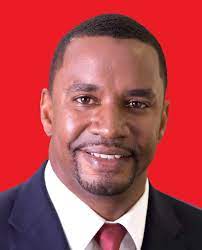
Following mounting public criticism and a planned protest by the Democratic Labour Party (DLP), over the proposed Independence Day name change to Barbados Day, the Mia Mottley-led government has decided to put a pause on that proposal.
Based on an online petition started by the DLP, a majority of Barbadians; over three thousand, were not in favor of the change.
Minister of Home Affairs Wilfred Abrahams said the government will pause the initiative and allow for greater consultation since it is “a government that listens.”
Abrahams said in an audio recording that “This Barbados Labour Party government is one that is committed to promoting a sense of patriotism and national pride during the month of November.
“At some point, we must come up with a suitable way to collectively craft a meaningful and celebratory way to honor these two most significant achievements in our nation’s history – the attainment of independence in 1966 and the transition to a parliamentary republic last year in 2021. But it is also clear, that now is not the time,” Abraham said.
Following the initial announcement of the proposed name change last Thursday, a number of Barbadians took to social media to express their dissatisfaction.
Abrahams says that on listening to the swift response of Bajans at home and abroad, the matter will be reviewed by the Cabinet.
“… I will take this matter to Cabinet once again with a recommendation that this particular initiative is paused, pending inclusive public discourse and consultation with the widest possible cross-section of the Barbadian public and with the social partnership. I will recommend that the status quo be preserved and that we celebrate November 30, 2022, as Independence Day,” he stated.
The DLP had planned a protest this weekend against the proposed name change.
This story was first published by Antigua News on : antigua.news/2022/11/04/barbados-independence-day-name-change-halted. © 2022 Antigua News. Republication without permission is not allowed.

About the author
Shermain Bique-Charles is an accomplished journalist with over 24 years of dynamic experience in the industry. Renowned for her exceptional storytelling and investigative skills, she has garnered numerous awards that highlight her commitment to journalistic integrity and excellence. Her work not only informs but also inspires, making her a respected voice in the field.
Read our editorial standards and corrections policy. Spotted an error? Contact the newsroom.
More from Caribbean
View section
VIDEO: Doctors at Dominica China Friendship Hospital Stage Protest Outside Medical Facility
Healthcare professionals at the Dominica China Friendship Hospital gather outside the medical facility in an apparent protest, raising concerns over issues yet to be officially confirmed.
By Cory Wayland

St. Kitts DPP Seeks Antigua’s Help in Outstanding Case Involving Former Resort Clerk
By Shermain Bique-Charles

Royal Caribbean in Talks to Buy Half of Sandals in Reported $3 Billion Deal
By Shermain Bique-Charles

Four Killed in Latest US Military Strike on Suspected Drug Vessel in Caribbean
By Shermain Bique-Charles
Comments
Be the first to comment.