
Jamaican police deploy more security for holidays

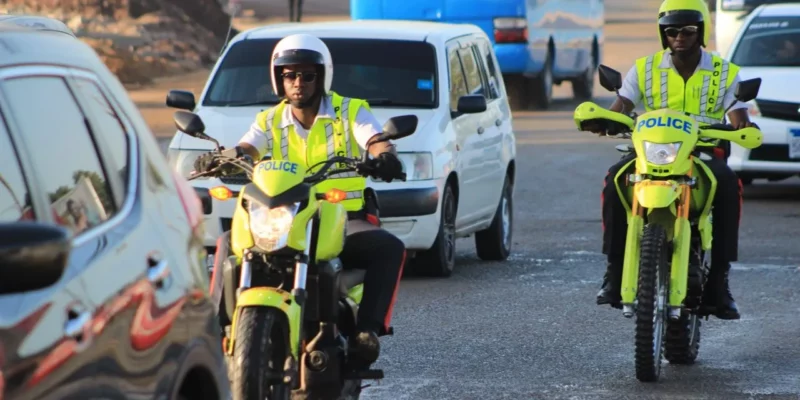
Head of the Corporate Communications Unit in the Jamaica Constabulary Force, JCF, says the organization has dispatched additional personnel to the streets islandwide, to safeguard Jamaicans and ease traffic congestion during the Christmas holiday period.
According to Senior Superintendent of Police, SSP Stephanie Lindsay, administrative duties for police officers have been scaled back to allow more personnel to be on patrol.
The CCU head also indicated that advanced police trainees are included in the deployment, pointing out that they are out to provide enhanced physical presence.
SSP Lindsay informed that dispatching additional security personnel provides some level of assurance to citizens regarding public safety.

Meanwhile SSP Lindsay urges motorists to carpool where possible, as part of efforts to reduce congestion on the streets.
She says because of additional traffic, persons tend to park either on the streets creating additional problems, or in areas that’s not properly secured so the police end up with another challenge, where they have vehicles being broken into because there is not adequate security in the areas they are parked.
SSP Lindsay advised that members of the Specialised Operations Team have been deployed to respond to armed robberies.
The senior officer pointed out that robbers tend to target business establishments that are heavy users of cash. These include supermarkets, wholesales and gambling houses.
She notes that for the past two years, because of Covid-19,there was not the usual buzz that’s associated with Christmas. But this year, they started the preparations very early, by putting in additional resources and persons in the public spaces. (Source Nation News)
This story was first published by Antigua News on : antigua.news/2022/12/25/jamaican-police-deploy-more-security-for-holidays. © 2022 Antigua News. Republication without permission is not allowed.

About the author
The Editorial Staff refers to all reporters employed by Antigua.news. When an article is not an original creation of Antigua.news—such as when it is based on a press release, other media articles, letters to the editor, or court decisions—one of our staff members is responsible for overseeing its publication.
Read our editorial standards and corrections policy. Spotted an error? Contact the newsroom.
More from Caribbean
View section
VIDEO: Doctors at Dominica China Friendship Hospital Stage Protest Outside Medical Facility
Healthcare professionals at the Dominica China Friendship Hospital gather outside the medical facility in an apparent protest, raising concerns over issues yet to be officially confirmed.
By Cory Wayland

St. Kitts DPP Seeks Antigua’s Help in Outstanding Case Involving Former Resort Clerk
By Shermain Bique-Charles

Royal Caribbean in Talks to Buy Half of Sandals in Reported $3 Billion Deal
By Shermain Bique-Charles

Four Killed in Latest US Military Strike on Suspected Drug Vessel in Caribbean
By Shermain Bique-Charles
Comments
Be the first to comment.