
Jamaican PM pledges to uncover the extent of fraud at investment firm

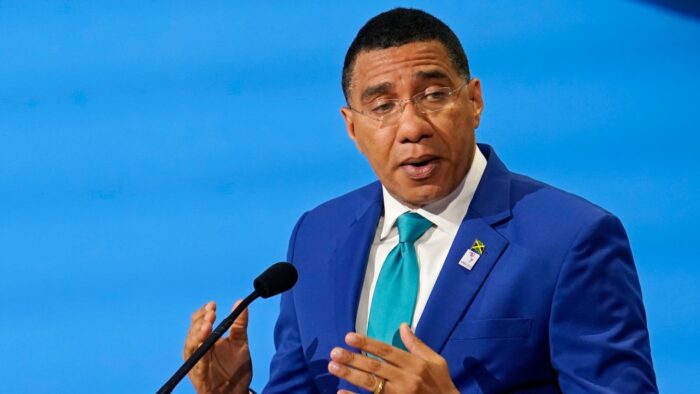
No stone will be left unturned as investigations into fraudulent activities at the investment firm Stocks and Securities Limited in Jamaica.
Prime Minister Andrew Holness, says no effort will be spared in uncovering the full extent of fraudulent activity and perpetrators will be brought to justice.
Holness said he was “upset and disgusted” at the revelations, saying that he is concerned yet still very sympathetic to the hard-working Jamaicans who are uncertain of the status of their funds invested with SSL.
“There is a dimension of a heightened public sense of betrayal, which I share, that a National Icon who has brought so much pride to all of us, is also a victim of the alleged fraud. The Government will ensure that the laws and systems in place work for the benefit of the general public good, accountability for those responsible, and justice for those negatively affected,” he emphasized.

Adding, “the affected investors and the public can be assured that the investigative and prosecutorial agencies have the necessary competencies and resources, and have already started to act decisively to gather information and evidence,” he added.
Meanwhile, Holness has told residents that they should not panic especially where the strength and soundness of the financial system are concerned.
“The public can rest assured that the Government will be proactive in ensuring that there is accountability and probity in the exercise of public functions and that our policy and administrative response is effective in continually strengthening the financial sector and protecting the investing public,” he said.
He also asked residents to be patient as investigations are ongoing.
This story was first published by Antigua News on : antigua.news/2023/01/21/jamaican-pm-pledges-to-uncover-the-extent-of-fraud-at-investment-firm. © 2023 Antigua News. Republication without permission is not allowed.

About the author
The Editorial Staff refers to all reporters employed by Antigua.news. When an article is not an original creation of Antigua.news—such as when it is based on a press release, other media articles, letters to the editor, or court decisions—one of our staff members is responsible for overseeing its publication.
Read our editorial standards and corrections policy. Spotted an error? Contact the newsroom.
More from Caribbean
View section
BREAKING | Dominica Heads to the Polls on December 16
Nomination Day is November 30 as Prime Minister Roosevelt Skerrit seeks a fresh mandate for the Dominica Labour Party.
By Shermain Bique-Charles

DOMINICA: Relief as Three Missing Men Are Found Alive at Sea Near Aves Islands
Davel Baron, Ryan Royer and a third man were rescued by a cargo vessel after being found drifting at sea, bringing relief following days of uncertainty over their whereabouts.
By Cory Wayland

Two Men Vanish at Sea in Dominica, Sparking Growing Fears for Their Safety
Police issue missing-person alerts for Davel Baron and Ryan Royer as concerns grow over their whereabouts.
By Cory Wayland

Saint Lucia Makes Decision on Citizenship by Investment Programme Amid EU Pressure
Prime Minister Philip J. Pierre confirms his government has formally responded to the European Union but says the decision will remain confidential until Brussels acknowledges receipt of the correspondence.
By Cory Wayland
Comments
Be the first to comment.