
One man fined and another to pay restitution for 11 stolen push-up windows

By Zaya Williams
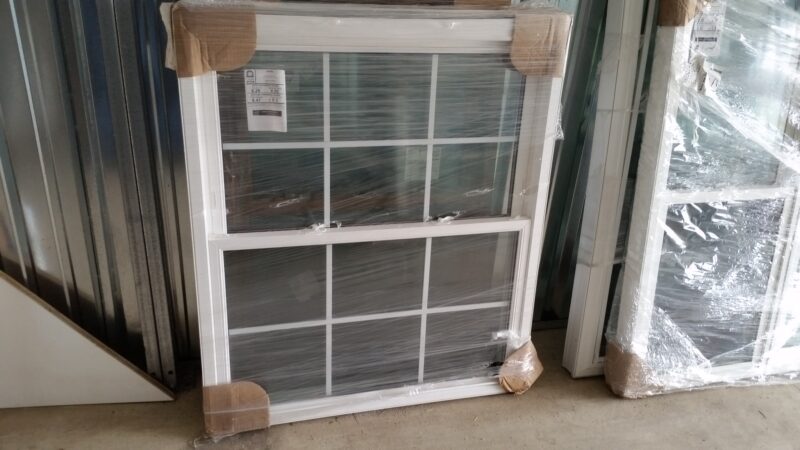
In a recent case, two men have been made to answer to charges in relation to the theft of 11 push-up windows valued at $4,500.
The incident came to light on the morning of September 9 when an officer on duty received a report from a homeowner who was in the midst of renovating his property. Upon inspection, he discovered 11 push-up windows had been stolen from the premises.
Based on the information provided, an investigator visited the residence of Malique Payne and took him into custody for questioning. During the interview, Payne confessed to receiving all 11 windows at 4:30 am on the day in question from another young person- Brandon Murphy.
Payne explained that Murphy had promised to pay him $700 to hold the windows temporarily. However, upon realizing that the items were stolen, Payne claimed that he returned six of them, while Murphy retained five.

As a result of Payne’s admission, the police executed a search warrant at Murphy’s residence and subsequently arrested him. Interestingly, during their encounter at the police station, Payne encouraged Murphy to tell the truth.
Following Payne’s lead, Murphy informed the police of his intention to reimburse the owner for the stolen windows. He later led the authorities to a nearby building where the missing windows were located.
In the legal proceedings that ensued, Payne was made to answer to a charge of receiving the stolen items, while his accomplice, Murphy, faced a larceny charge.
Payne received a fine of $400 for his involvement, whereas Murphy was ordered to pay $2,050 in restitution for the five windows that were recovered in a damaged condition.
This story was first published by Antigua News on : antigua.news/2023/09/22/one-man-fined-and-another-to-pay-restitution-for-11-stolen-push-up-windows. © 2023 Antigua News. Republication without permission is not allowed.

About the author
The Editorial Staff refers to all reporters employed by Antigua.news. When an article is not an original creation of Antigua.news—such as when it is based on a press release, other media articles, letters to the editor, or court decisions—one of our staff members is responsible for overseeing its publication.
Read our editorial standards and corrections policy. Spotted an error? Contact the newsroom.
More from Antigua and Barbuda
View section
Browne Proposes Fishing Restriction to Let Peace Beach Reef Mature
Prime minister says newly installed artificial reef modules need time to develop and promises continued public beach access.
By Shermain Bique-Charles

Cleo Lemonious and Latoya Pilliner Charged Over Alleged EC$4,405 Clothing Theft
The accused are expected before the St. John’s Magistrate’s Court on Monday following alleged thefts at a store on Market and Redcliffe Streets.
By Shermain Bique-Charles

Jeffers: Employers Must Give Workers Reasons to Be Loyal
The management consultant says job security, fair treatment and investment in employees are essential to building lasting workplace commitment.
By Shermain Bique-Charles

Browne Celebrates Sister’s Graduation: ‘She Has Corrected That Now’
Prime minister says Blondell Browne’s achievement reflects the opportunities now available to adults who once ended their education at secondary school.
By Shermain Bique-Charles
Comments
Be the first to comment.