
Visa-free entry agreement between Antigua and Barbuda and China now fully operational

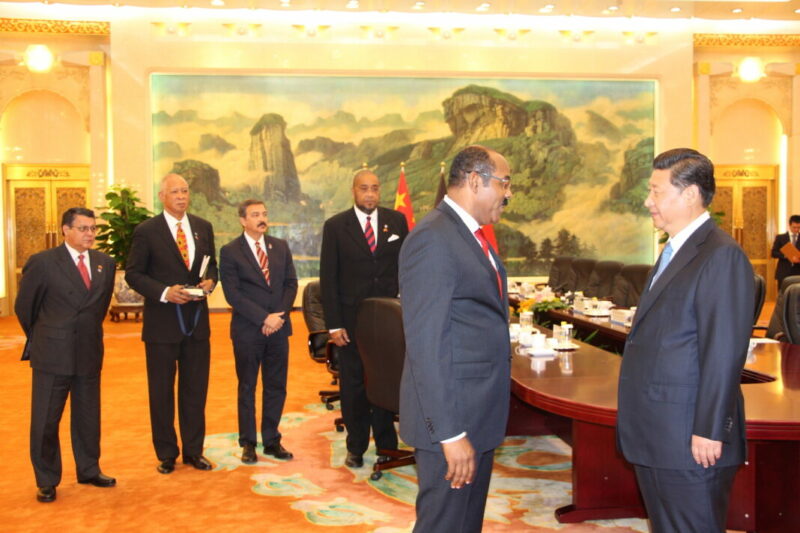

The recent agreement between Antigua and Barbuda and the People’s Republic of China now allows citizens of both nations to enjoy visa-free travel for stays of up to thirty 30 days within a period not exceeding ninety 90 days in any 180-day period, effective 11 May 2024.
This exciting development opens up new opportunities for travel and collaboration between the two countries.
The recent milestone follows the ratification of the Agreement on Mutual Visa Exemption between The Government of Antigua and Barbuda and The Government of the People’s Republic of China.
This visa exemption agreement signifies a significant stride in strengthening the amicable relations between Antigua and Barbuda and China, promoting increased people-to-people interactions, and fostering enhanced collaboration across various sectors.
The implementation of the agreement is anticipated to yield numerous benefits, privileges, and opportunities for citizens of both nations, particularly in the realms of tourism, business, and cultural exchanges.
While individuals holding valid diplomatic, official, or ordinary passports from both countries are now exempted from visa requirements for tourist visits, it is essential to note that those intending to partake in activities such as studying, residency, employment, media engagements, and other non-tourist endeavors are still required to obtain the relevant visa before traveling.
The People’s Republic of China stands as Antigua and Barbuda’s most significant development partner, with both countries enjoying mutually advantageous relations across various spheres.
China’s assistance has been pivotal in areas such as multilateral cooperation, infrastructure development, scholarships and training, technical aid, climate change mitigation, and strategic collaboration.
The Governments of Antigua and Barbuda and the People’s Republic of China remain dedicated to nurturing meaningful and deeper connections between their peoples, further promoting mutual development, and advancing progress as enduring and cherished partners.
This story was first published by Antigua News on May 17, 2024: antigua.news/2024/05/17/visa-free-entry-agreement-between-antigua-and-barbuda-and-china-now-fully-operational. © 2024 Antigua News. Republication without permission is not allowed.

About the author
The Editorial Staff refers to all reporters employed by Antigua.news. When an article is not an original creation of Antigua.news—such as when it is based on a press release, other media articles, letters to the editor, or court decisions—one of our staff members is responsible for overseeing its publication.
Read our editorial standards and corrections policy. Spotted an error? Contact the newsroom.
More from Antigua and Barbuda
View section
‘They Can’t Dictate That’: Freeland Rejects Player Pressure Over National Coach
Freeland defends the coaching staff and says players should demonstrate their value through training and performance.
By Shermain Bique-Charles

Search Ends as All Four Juveniles Who Escaped Bolans Police Station Return to Police Custody
Police apprehended three of the juveniles during a search operation in Liberta on Thursday morning, less than a day after the fourth surrendered to authorities.
By Cory Wayland

Farmers Given 90 Days to Plant as Government Launches 102-Acre Land-Clearing Programme
Antigua launches a 102-acre agricultural land-clearing programme requiring beneficiaries to establish viable crops within 90 days of land preparation.
By Cory Wayland

Freeland Blames Poor Player Commitment for Antigua and Barbuda’s Basketball Withdrawal
Basketball president acknowledges unpaid stipends but says repeated low practice attendance drove the decision to withdraw.
By Shermain Bique-Charles
Comments
Be the first to comment.