
WATCH: “Keep the Money but Return the Vehicle” Desperate Appeal for Return of Stolen Honda

Attention Law Pasture residents! Crystal Merchant is urgently seeking your help in finding her stolen blue Honda Fit.
Her home was burgled in the early hours of Wednesday, and the thieves made off with her vehicle, as well as approximately XCD$800.00 and US$300.00. Fortunately, no one was present at the time of the break-in.
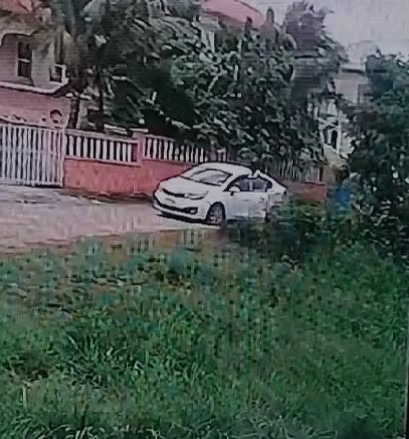
Surveillance footage from a neighbor reveals that a white vehicle, lacking license plates, was seen leaving the scene along with Merchant’s stolen car.
In an emotional plea, Crystal Merchant has a message for the culprits: “You can keep the money, but please return the vehicle.”
Any information or leads that you may have should be reported to the police, in the hopes of recovering the stolen vehicle.
You can contact the Criminal Investigations Department at 462-3913 or Crimestoppers at 800-8477. Your cooperation is crucial in resolving this matter.

This story was first published by Antigua News on June 20, 2024: antigua.news/2024/06/20/watch-keep-the-money-but-return-the-vehicle-desperate-appeal-for-return-of-stolen-honda. © 2024 Antigua News. Republication without permission is not allowed.

About the author
The Editorial Staff refers to all reporters employed by Antigua.news. When an article is not an original creation of Antigua.news—such as when it is based on a press release, other media articles, letters to the editor, or court decisions—one of our staff members is responsible for overseeing its publication.
Read our editorial standards and corrections policy. Spotted an error? Contact the newsroom.
More from Antigua and Barbuda
View section
Antigua and Barbuda Festivals Commission Launches Four-Day Songwriting Workshop to Develop Local Talent
Aspiring songwriters will receive hands-on training from renowned Caribbean music producers Kitwana Israel and Emmanuel Rudder during a four-day workshop in November.
By Cory Wayland

Antigua and Barbuda's Junior Minister of Tourism in Final Stages of Preparation Ahead of the 2026 CTO Regional Tourism Youth Congress
Antigua and Barbuda’s Junior Minister of Tourism Janica Adams is set to represent the nation at the 2026 CTO Regional Tourism Youth Congress in Guyana following weeks of intensive preparation and mentorship from industry professionals.
By Editorial Staff

Four Teenage Boys Still on the Run After Escape from Bolans Police Station
The juveniles were being held in police custody while repairs were carried out at the Denis Bowers Rehabilitation Centre.
By Shermain Bique-Charles

PM Browne Says Consumers Would Pay for Higher Fuel Margins as Operators Warn of Threat to Jobs
Hundreds of motorists faced difficulty buying gasoline on Wednesday as station operators defended their demand for a floating margin and warned that their businesses were becoming unsustainable.
By Shermain Bique-Charles
Comments
Be the first to comment.