
Foreign Minister hold bilateral meeting with EU and France

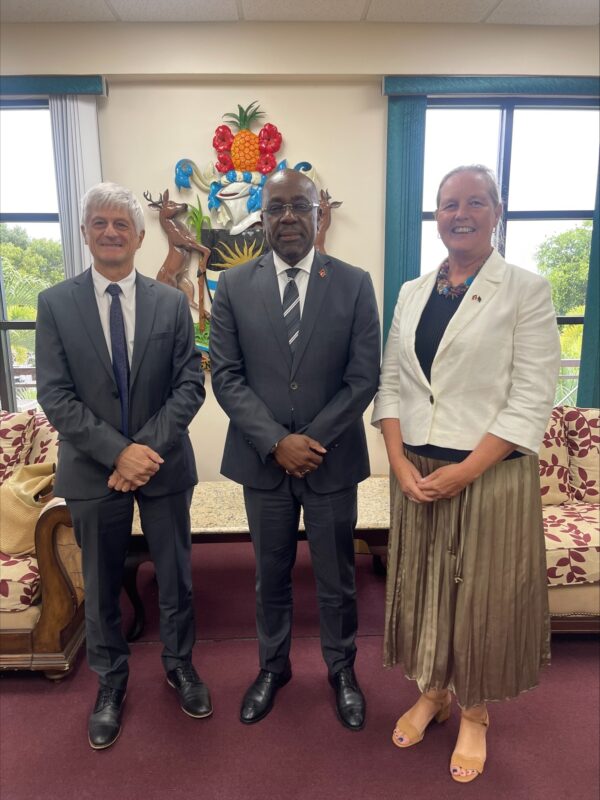
On Thursday 31st October, 2024 the Honourable E.P. Chet Greene, Minister of Foreign Affairs, Trade and Barbuda Affairs held bilateral discussions with Ms. Fenny Steenks, Deputy Head of Delegation of the Delegation of the European Union to Barbados and the Eastern Caribbean States; and Mr. Domenico Ditaranto, Deputy Head of Mission of the Embassy of France to the OECS and Barbados.
During their discussions the EU representative expressed delight that Antigua and Barbuda was removed from the EU list of non-cooperative jurisdictions for tax purposes on 8th October, 2024.
Minister Greene in response, welcome the decision, however, he advocated for more extensive dialogue between both sides in the future to avoid Antigua and Barbuda, and other CARICOM Member States being placed on such a list.
He stated that “the unfortunate reality of being placed on a blacklist causes a country, particularly a developing nation such as Antigua and Barbuda to lose investment opportunities, which is critical for our development and survival”.
The Minister reassured the visiting delegation that Antigua and Barbuda continues to speak out on matters related to money laundering and drug trafficking.
The Foreign Minister further charged the EU to utilize its voice as a partner of the twin island state to speak about the flow of small arms into the Caribbean region.
He remarked that the entry of illegal guns into the Region has resulted in an increase in violent gun crime, which could potentially destabilize our small societies.
Both parties also discussed training in digitalization, Artificial Intelligence (AI), security, and an upcoming UN Oceans Conference to be held in Nice, France in 2025.

This story was first published by Antigua News on : antigua.news/2024/10/31/foreign-minister-hold-bilateral-meeting-with-eu-and-france. © 2024 Antigua News. Republication without permission is not allowed.

About the author
The Editorial Staff refers to all reporters employed by Antigua.news. When an article is not an original creation of Antigua.news—such as when it is based on a press release, other media articles, letters to the editor, or court decisions—one of our staff members is responsible for overseeing its publication.
Read our editorial standards and corrections policy. Spotted an error? Contact the newsroom.
More from Antigua and Barbuda
View section
US$600 Appeal Launched to Save Dog Injured in All Saints Police Shooting
Animal welfare supporters are seeking financial assistance for urgent veterinary treatment after Helen reportedly suffered a gunshot wound to her face during a police operation that left another dog dead.
By Cory Wayland

Taxi Association Removes 40 Bags of Waste During Ffryes Beach Clean-up
Members and volunteers tackle litter at Big and Little Ffryes beaches ahead of the 2026/2027 cruise season.
By Cory Wayland

Police Express Regret After Dog Fatally Shot During All Saints Search
Police say officers initially used less-lethal measures before one dog allegedly continued advancing aggressively during an early-morning operation.
By Cory Wayland

Police Seek Public Assistance in Locating Family of Child Found Alone on Belmont Main Road
Authorities are appealing to the public for urgent assistance in identifying the child and locating her parents or guardians.
By Cory Wayland
Comments
Be the first to comment.