
Tiny Hope Support Group Concludes Week of Activities for World Prematurity Week

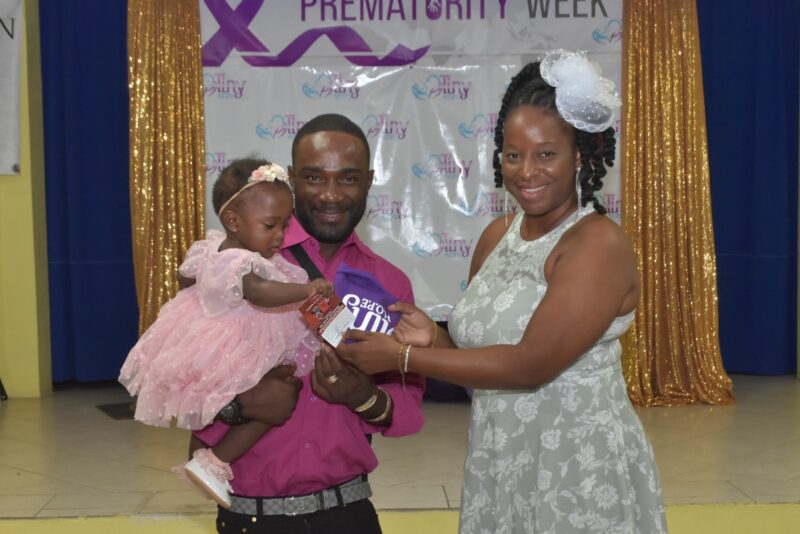
The Tiny Hope Support Group proudly wrapped up a successful week of activities aimed at raising awareness for World Prematurity Week from November 17 to 24. The week was filled with educational, celebratory, and community-driven events designed to shed light on the challenges faced by preterm infants and their families.
Highlights of the Week:
The week kicked off with an insightful webinar titled “Beyond Survival,” featuring esteemed doctors and nurses who shared their expertise on the medical advancements and emotional support available for preterm babies and their families. This pivotal event offered invaluable information to caregivers and fostered a sense of community among participants.
Following the webinar, a Media Day was organized, where the Executive Team of Tiny Hope, along with mothers of preterm babies, engaged with various media outlets to share personal stories and advocate for awareness on the issues surrounding prematurity.
In a gesture of gratitude, Appreciation Day celebrated the unwavering dedication of NICU staff, parents currently navigating their journeys, and volunteers. Gifts were generously sponsored by local businesses, highlighting the community’s support for families in need.
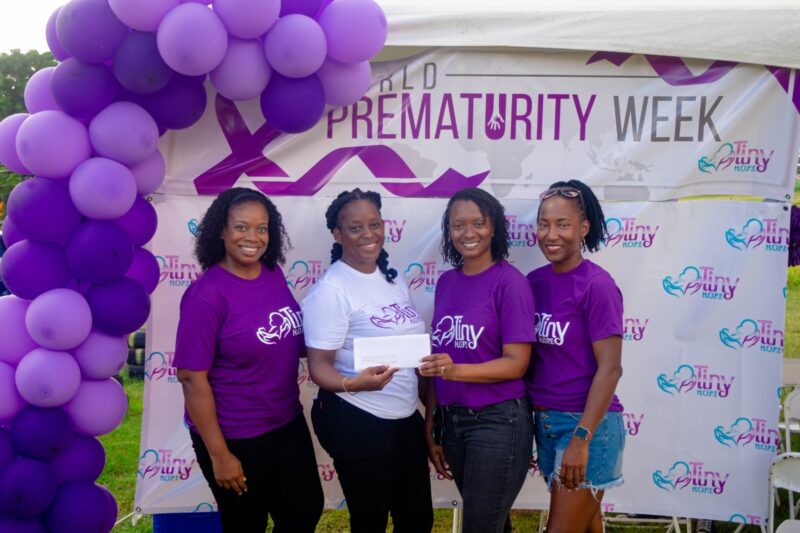
T-Shirt Day saw participants donning purple shirts to symbolize support and solidarity for premature infants, cultivating a sense of unity across the island.
The week culminated in a delightful Tea Party Fashion Show, where brave preterm individuals showcased their evening wear, radiating joy and resilience. This heartwarming event reminded attendees of the importance of celebration, even amidst challenges.
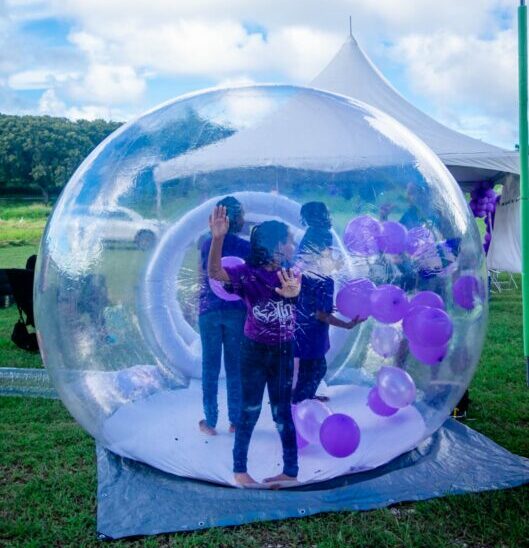
To close out the week, families came together for the “Shades of Purple Funday,” which saw children, parents, and supporters enjoying a day filled with games, activities, and a vibrant outpouring of support.
Jhavline Patrick, President of Tiny Hope Support Group, stated, “This week of activities has been transformative not only for our families but for the entire community. By raising awareness and sharing stories, we foster a deeper understanding of the journey of preterm infants. Our heartfelt thanks to every sponsor and participant for their unwavering support!”
Isher Alfred, Vice President, added, “The success of World Prematurity Week lies in our ability to come together as a community and advocate for those in need. Each event this week was a testament to the strength and courage of families touching the lives of preterm babies.”
Tiny Hope Support Group extends heartfelt gratitude to all our sponsors who made this week possible:
Cool and Smooth, Elias W.B. Jonas, Wellness Footprints, Shan Party Rental, Eula Cuisine, SLBMC, Timmy Time, Townhouse Mega Store, Signs & Impression, Baby Beans, South Coast Horizon, G Production Online, DJ Lexus, Divine Designs, Nurses Association, Initiate Spark, RCR Studio, AKHIMO Group, Caribbean Cinema Antigua, Carlisle Bay Resort, JCI Antigua, TMS Pharmacy, Epicurean, Anjo Wholesale, Johnson & Johnson, Sips & Tips, Dadli Designs, The Foxhouse Restaurant, RAMCO Pharmacy, Lets Dance Academy, Hidden Kingz, Sandals Grande Antigua Resort & Spa, Rising Sun Cricket Club, and Wadadli Events Services.
Tiny H.O.P.E is always looking to expand its network, and we encourage local businesses to consider sponsoring future events or providing resources for our families. Together, we can continue to raise awareness and support those affected by prematurity.
For more information on joining Tiny H.O.P.E or to inquire about sponsorship opportunities, please contact us at the following numbers: 728-8990, 721-0348, or 723-3828 and email address: [email protected]

This story was first published by Antigua News on : antigua.news/2024/11/29/tiny-hope-support-group-concludes-week-of-activities-for-world-prematurity-week. © 2024 Antigua News. Republication without permission is not allowed.

About the author
The Editorial Staff refers to all reporters employed by Antigua.news. When an article is not an original creation of Antigua.news—such as when it is based on a press release, other media articles, letters to the editor, or court decisions—one of our staff members is responsible for overseeing its publication.
Read our editorial standards and corrections policy. Spotted an error? Contact the newsroom.
More from Antigua and Barbuda
View section
LETTER: More Than a Number: What the Class of 2026 Tells Us
Professor C. Justin Robinson reflects on UWI Five Islands’ largest graduating class, its pioneering achievements and the need to bring more men into higher education.
By Shermain Bique-Charles

Idris Elba and Senator Jamilla Kirwan to Headline One Commonwealth Night as Hosts
Star-studded cultural celebration at Sir Vivian Richards Stadium will bring together international talent and local performers during CHOGM 2026.
By Cory Wayland

Regional Troops Arrive in Antigua and Barbuda to Strengthen CHOGM Security Preparations
Cayman Islands Regiment personnel join a regional military effort to support security, logistics and event operations ahead of the November summit.
By Cory Wayland

Police Outpost and Management Office Approved for Pelican Court
Cabinet establishes dedicated arrangements for security, maintenance and community concerns at the housing development.
By Shermain Bique-Charles
Comments
Be the first to comment.