
Halo Foundation Celebrates Youth Creativity for 10th Annual Christmas Art Competition Awards

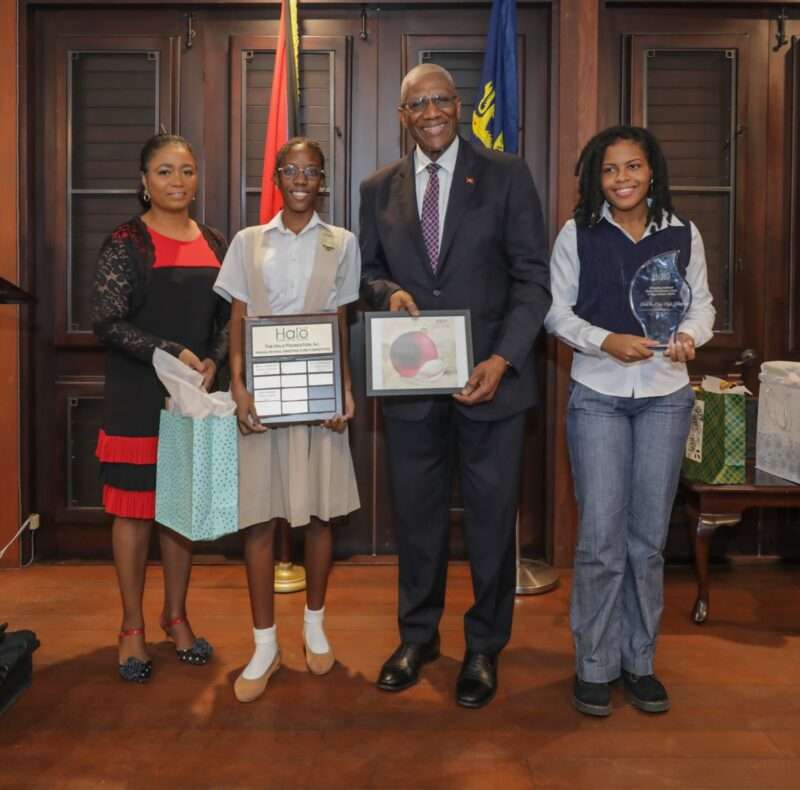
This year’s competition continued its tradition of encouraging students to explore their creativity while illustrating the cultural aspects of Christmas in the Caribbean through art. Gabrielle Grant of Christ the King High School emerged as the overall winner, standing out among a talented pool of participants.
In his welcome remarks, Patron of the Foundation, H.E. Sir Rodney Williams, Governor General of Antigua and Barbuda, lauded the students for their dedication to the arts. He also commended the teachers present for their commitment to nurturing the creativity and minds of the next generation of leaders. He further stated that their dedication to the arts is commendable and inspiring.


Cuthbert Forbes PRO of the Foundation said, “As The Halo Foundation celebrates its 10th anniversary this year, we remain resolute in our commitment to supporting initiatives focused on youth development through educational and artistic advancement. In addition to prizes and trophies for the overall winner and school, the winners will — as usual — also be given cash awards.”
The Christmas Art Competition continues to be a platform for young artists to showcase their talents and contribute to preserving Antigua and Barbuda’s cultural identity.
The Halo Foundation was founded by Her Excellency Lady WIlliams in 2014, and initiates and supports projects concerning arts and culture, community outreach, differently abled, education, the elderly, history and heritage, the environment, health, sports, uniformed bodies, women and girls, world peace and youth.
This story was first published by Antigua News on : antigua.news/2025/01/23/halo-foundation-celebrates-youth-creativity-for-10th-annual-christmas-art-competition-awards. © 2025 Antigua News. Republication without permission is not allowed.

About the author
The Editorial Staff refers to all reporters employed by Antigua.news. When an article is not an original creation of Antigua.news—such as when it is based on a press release, other media articles, letters to the editor, or court decisions—one of our staff members is responsible for overseeing its publication.
Read our editorial standards and corrections policy. Spotted an error? Contact the newsroom.
More from Antigua and Barbuda
View section
Browne Vows to Defend China Partnership Despite Threat of Consequences
Prime Minister says Antigua and Barbuda will stand by its largest development partner as Pelican Court demonstrates the relationship’s benefits.
By Shermain Bique-Charles

Former Booby Alley Homeowners to Receive EC$350,000 Condos Without Extra Payment
Browne outlines replacement-home arrangements and subsidised mortgages as Pelican Court prepares for occupancy.
By Shermain Bique-Charles

Chinese Ambassador to Take Perry Bay Housing Request to Beijing
Jiang Wei promises to convey Browne’s proposal for 300 homes while confirming preparations for another 100 units are underway.
By Shermain Bique-Charles

“Transformational Leadership”: Maria Browne Praises PM’s Pelican Court Vision
Housing Minister says the completed development reflects years of work and a commitment to improving the circumstances of vulnerable residents.
By Shermain Bique-Charles
Comments
Be the first to comment.