
Lynford Inverary, Guest Speaker FOR 2024 NATIONAL SPORTS AWARDS

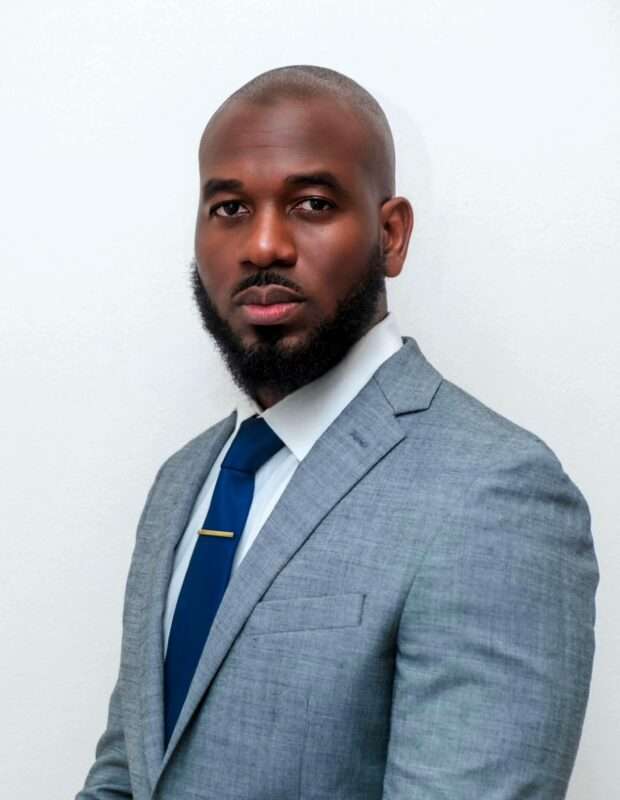
The Ministry of Education, Sports and Creative Industries, is pleased to announce prominent Antiguan sports administrator Mr. Lynford Inverary as the Guest Speaker of this year’s ceremony.
Mr. Inverary is currently the Chief Operations Officer at Cricket West Indies (CWI) and has had a stellar sports administrative career. In September 2024, he was appointed acting COO and CEO of Cricket West Indies, becoming the youngest to act in the role of CEO.
The confirmation of Mr. Inverary as the Guest Speaker this year adds to the growing list of trailblazers to address the august gathering at the nation’s highest sporting awards ceremony. Last year’s awards featured track and field champion and icon, Asafa Powell.
Slated for March 15, 2025, the grand awards ceremony will honour the best of the nation’s sporting exploits in 2024.
The reigning Sportswoman of the Year is Ambassador Kimberly Percival of the National Bodybuilding and Weighlifting Federation and the reigning Sportsman of the Year is kitesurfer, Tiger Tyson.
The Ministry of Education, Sports and Creative Industries takes this opportunity to congratulate all nominees and wishes them success in the 2024 National Sports Awards.

The categories and nominees are presented below for transparency and media publication:
Here are the norminees for Senior Sports Man of the Year
|
NAME |
DISCIPLINE |
|
Daren Benta |
Softball Cricket |
|
Cejhae Greene, |
Athletics |
|
Noah St. Clair |
Rifle |
|
Dante Browne |
Fencing |
|
Marlon George |
Golf |
|
Tony Phillip |
Bodybuilding |
|
Raheem Deterville |
Football |
|
Yashid Auguiste |
Volleyball |
|
Xavier Meade |
Basketball |
|
Alzarri Joseph, |
Cricket |
|
Jodon Wuilliez |
Swimming |
|
Rocco Falcone |
Sailing |
This story was first published by Antigua News on : antigua.news/2025/03/04/lynford-inverary-guest-speaker-for-2024-national-sports-awards. © 2025 Antigua News. Republication without permission is not allowed.

About the author
The Editorial Staff refers to all reporters employed by Antigua.news. When an article is not an original creation of Antigua.news—such as when it is based on a press release, other media articles, letters to the editor, or court decisions—one of our staff members is responsible for overseeing its publication.
Read our editorial standards and corrections policy. Spotted an error? Contact the newsroom.
More from Antigua and Barbuda
View section
Browne Outlines Storage, Abattoir and Water Projects to Strengthen Food Supply
Prime minister says government is combining support for farms with infrastructure needed to store, process and market local production.
By Shermain Bique-Charles

Minister Freeland Represents Antigua and Barbuda at Annapolis Sailboat Show
Minister of State in Tourism joins the international sailing gathering in Maryland, highlighting Antigua and Barbuda’s appeal as a yachting destination.
By Shermain Bique-Charles

CHOGM Outreach Reaches 297 Barbuda Students Ahead of Town Hall Meetings
Visits to two Barbuda schools highlight national inclusion as organisers prepare to take CHOGM discussions into communities.
By Shermain Bique-Charles

Nicholas Leads APUA Delegation to Regional Water Conference
Discussions in Grenada focus on water security, climate resilience and sustainable utility services across the Caribbean.
By Shermain Bique-Charles
Comments (2)
Luka Johnson March 4, 2025, 10:46 AM
Krayma March 4, 2025, 10:53 AM