
UWI Five Islands Campus Pays Tribute to Sir Aziz Hadeed’s Lasting Legacy

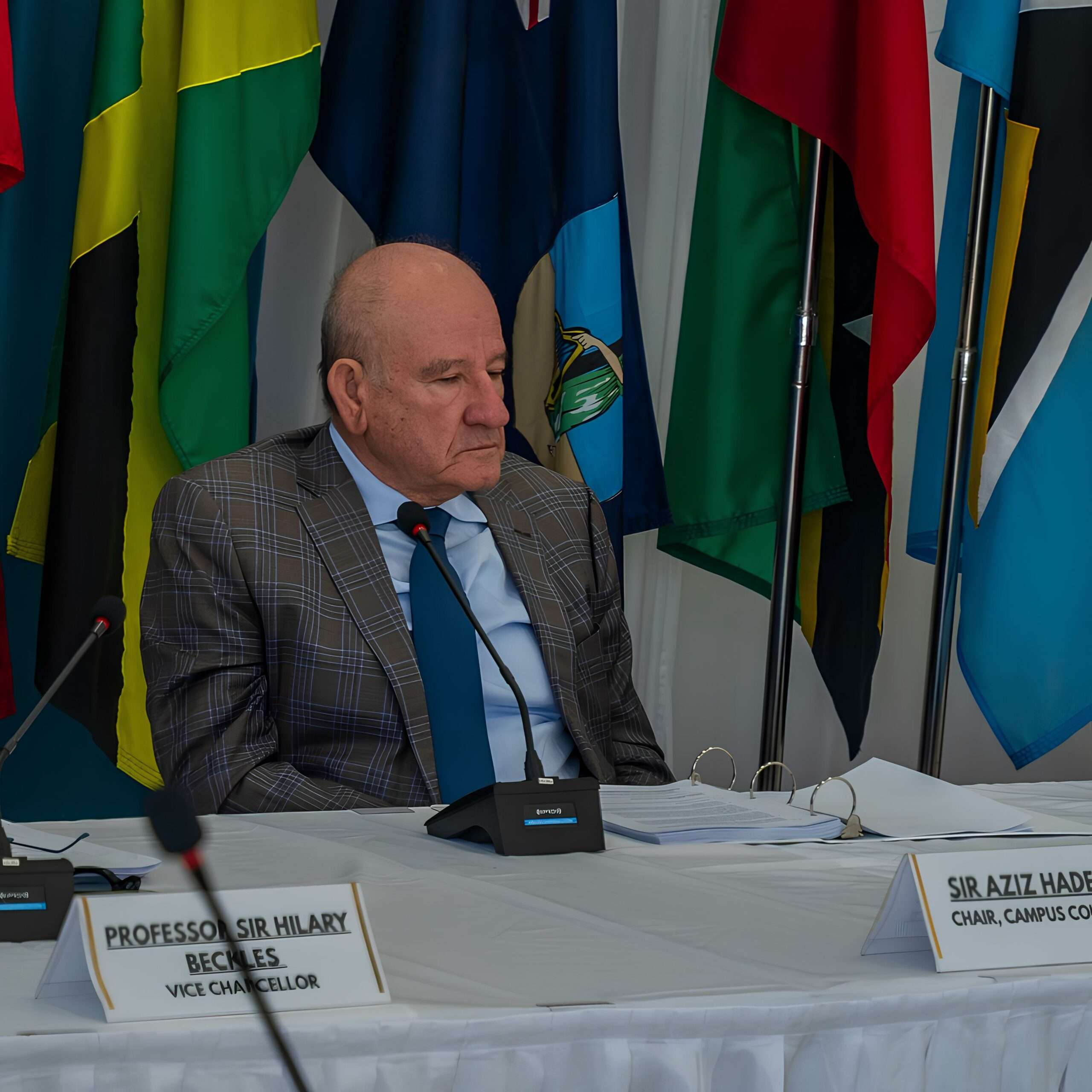
The University of the West Indies Five Islands Campus has joined the nation and wider Caribbean community in mourning the passing of Sir Aziz Hadeed, describing him as a visionary leader whose impact on education and national development will be felt for generations.
In a media statement issued Saturday, the university reflected on Sir Aziz’s years of service as Chairman of the Five Islands Campus Council, a role he first assumed in August 2019 at the establishment of the campus. He was later reappointed in 2024 for a second term.
The institution credited Sir Aziz with helping to guide the campus through some of its most critical moments, including its official launch, the disruptions caused by the COVID-19 pandemic, and the landmark US$80 million Saudi Fund for Development partnership secured in 2023.
During his tenure, student enrollment reportedly grew from just 173 students in the campus’s first year to more than 1,400 today.
Beyond his leadership role, the university highlighted Sir Aziz’s personal commitment to expanding access to higher education across Antigua and Barbuda and the wider OECS.
Through scholarships funded personally by him, many students who lacked financial means were able to pursue university studies.
Professor C. Justin Robinson, Pro Vice-Chancellor and Campus Principal, described Sir Aziz as “far more than a Chairman,” noting that he dedicated not only his resources, but also his “time, wisdom and heart” to the development of the campus and the advancement of higher education in the region.
The university said Sir Aziz leaves behind a stronger and more confident institution, while extending condolences to Lady Hadeed, the Hadeed family, and all those mourning his passing.
This story was first published by Antigua News on May 24, 2026: antigua.news/2026/05/24/uwi-five-islands-campus-pays-tribute-to-sir-aziz-hadeeds-lasting-legacy. © 2026 Antigua News. Republication without permission is not allowed.

About the author
Shermain Bique-Charles is an accomplished journalist with over 24 years of dynamic experience in the industry. Renowned for her exceptional storytelling and investigative skills, she has garnered numerous awards that highlight her commitment to journalistic integrity and excellence. Her work not only informs but also inspires, making her a respected voice in the field.
Read our editorial standards and corrections policy. Spotted an error? Contact the newsroom.
More from Antigua and Barbuda
View section
‘They Can’t Dictate That’: Freeland Rejects Player Pressure Over National Coach
Freeland defends the coaching staff and says players should demonstrate their value through training and performance.
By Shermain Bique-Charles

Search Ends as All Four Juveniles Who Escaped Bolans Police Station Return to Police Custody
Police apprehended three of the juveniles during a search operation in Liberta on Thursday morning, less than a day after the fourth surrendered to authorities.
By Cory Wayland

Farmers Given 90 Days to Plant as Government Launches 102-Acre Land-Clearing Programme
Antigua launches a 102-acre agricultural land-clearing programme requiring beneficiaries to establish viable crops within 90 days of land preparation.
By Cory Wayland

Freeland Blames Poor Player Commitment for Antigua and Barbuda’s Basketball Withdrawal
Basketball president acknowledges unpaid stipends but says repeated low practice attendance drove the decision to withdraw.
By Shermain Bique-Charles
Comments (2)
Sigh May 24, 2026, 2:34 PM
Apex Jones May 24, 2026, 6:30 PM