
Haitian babysitter jailed in the Turks and Caicos

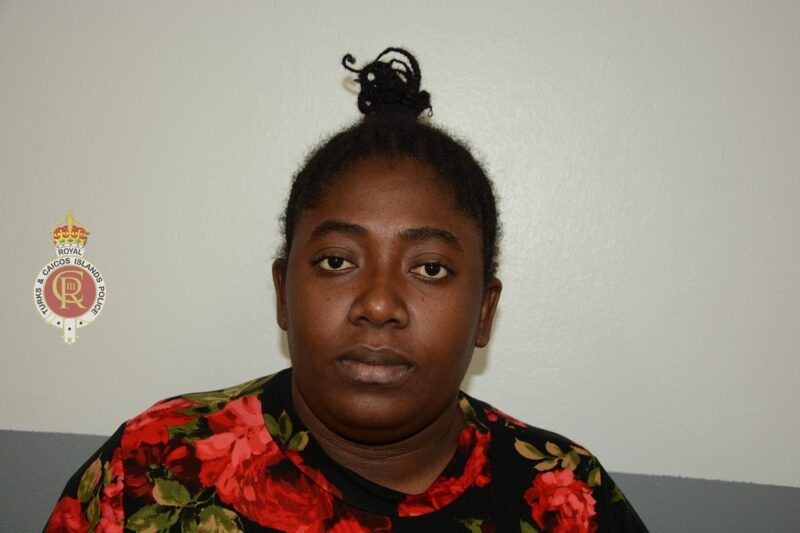
A 29-year-old babysitter from Haiti has been sentenced to serve one-year imprisonment after pleading guilty to unlawful entry along with two counts of a child in need of care protection
According to reports Ocianie Tibeau, was sentenced on Monday.
The woman was apparently hired as a babysitter for a four-year-old female child.
Evidence from the court pointed to reports that the child would be frightened and cry a lot, clinging to her mother, whenever she had to be left in the Haitian’s care.
The little girl, according to her mother lost drastic weight and would always be ill.
The mother secretly installed CCTV cameras within her home and based on the footage, they saw the babysitter striking and shaking the child violently.
The mother immediately contacted the police and officers

Assistant Superintendent of Police (Safeguarding & Public Protection Unit) Grantley Williams in a brief statement following the conviction said: “It is unacceptable that someone was entrusted to provide care to an infant resorted to using physical violence against a defenseless child. Physical violence against anyone is reprehensible, especially when the victim is a child. I would like to commend the mother for immediately contacting the police and reporting the crime perpetrated against the child.
Adding, “In the same breath, I am advising parents and other caregivers of children and other vulnerable persons, to be very careful when employing unknown individuals to care for their loved ones. It may be appealing to hire an inexpensive/cheap helper who is undocumented and where the necessary background checks are not conducted. This, can end up being very costly, as you can expose your child or other loved one to harm, by employing undocumented persons. Additionally, you are also breaking employment and immigration laws.”
This story was first published by Antigua News on : antigua.news/2023/03/08/haitian-babysitter-jailed-in-the-turks-and-caicos. © 2023 Antigua News. Republication without permission is not allowed.

About the author
The Editorial Staff refers to all reporters employed by Antigua.news. When an article is not an original creation of Antigua.news—such as when it is based on a press release, other media articles, letters to the editor, or court decisions—one of our staff members is responsible for overseeing its publication.
Read our editorial standards and corrections policy. Spotted an error? Contact the newsroom.
More from Caribbean
View section
BREAKING | Dominica Heads to the Polls on December 16
Nomination Day is November 30 as Prime Minister Roosevelt Skerrit seeks a fresh mandate for the Dominica Labour Party.
By Shermain Bique-Charles

DOMINICA: Relief as Three Missing Men Are Found Alive at Sea Near Aves Islands
Davel Baron, Ryan Royer and a third man were rescued by a cargo vessel after being found drifting at sea, bringing relief following days of uncertainty over their whereabouts.
By Cory Wayland

Two Men Vanish at Sea in Dominica, Sparking Growing Fears for Their Safety
Police issue missing-person alerts for Davel Baron and Ryan Royer as concerns grow over their whereabouts.
By Cory Wayland

Saint Lucia Makes Decision on Citizenship by Investment Programme Amid EU Pressure
Prime Minister Philip J. Pierre confirms his government has formally responded to the European Union but says the decision will remain confidential until Brussels acknowledges receipt of the correspondence.
By Cory Wayland
Comments
Be the first to comment.