
Unlock the Museum program set for May 18

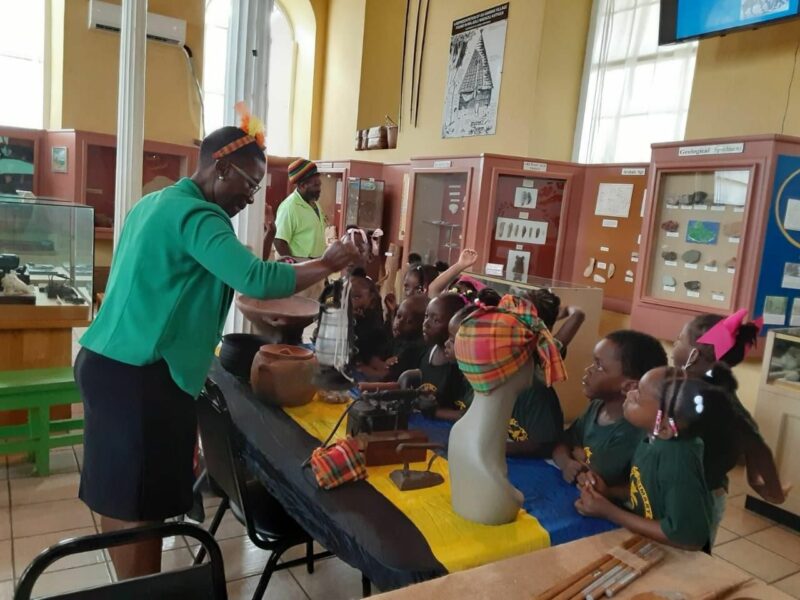
Preparations are underway to hold what officials at the museum said is expected to be a major initiative to unlock and share the heritage and history of Antigua and Barbuda
The society has launched a major initiative, called Unlock the Museum, which they said is aimed at “placing in the hands of members of the public the keys to unlocking some of the institution’s most intriguing artifacts, untold stories and the amazing heritage collection of Antigua and Barbuda”
The Unlock the Museum initiative will bring together archaeology and history to Antiguans and Barbudans using the educational resources of the Museum.
Curator of the Museum Michelle Henry once the program gets off the ground, it will result in new relationships with local, regional, and international visitors, schools, and organizations for educational outreach, research, and capacity-building initiatives whilst growing the Museum’s membership.
“The COVID-19 pandemic severely limited the interaction, educational outreach, and general visitation of the Museum. Now we are ready to share with you the best archaeological collections of artifacts and the most comprehensive research library in Antigua and Barbuda. Our expertise in all things historical, archeological, and cultural will expose you further to historical conservation,” she said
The program will be launched on May 18 which coincides with International Museum Day.
A historical talk will get the ball rolling on the activities on May 20. The talk will be hosted by Archaeologist Dr. Christopher Waters.
Public field trips and lectures will also form part of the activities.
“Throughout the summer, we are also throwing open our research library, which contains the largest and most intact collection of materials published on the history, culture, archaeology, and culture of Antigua and Barbuda. You also have a role to play, by contributing to our collective knowledge by sharing your own stories about your family and community,” Henry further urged.

This story was first published by Antigua News on : antigua.news/2023/05/08/unlock-the-museum-program-set-for-may-18. © 2023 Antigua News. Republication without permission is not allowed.

About the author
The Editorial Staff refers to all reporters employed by Antigua.news. When an article is not an original creation of Antigua.news—such as when it is based on a press release, other media articles, letters to the editor, or court decisions—one of our staff members is responsible for overseeing its publication.
Read our editorial standards and corrections policy. Spotted an error? Contact the newsroom.
More from Antigua and Barbuda
View section
Antigua and Barbuda Joins Regional Leaders in Signing Historic Water Security Declaration
By Cory Wayland

Cabinet Renews Invitation to Barbuda Council for Development Talks
An October 10 letter proposes discussions on pressing development issues and renewed cooperation between the government and the council.
By Shermain Bique-Charles

Governor General Urges Integrity as 20 Members Take Oaths for Public Bodies
Government House ceremonies see members sworn in to bodies overseeing midwifery, utilities, policing and public health.
By Shermain Bique-Charles

Pelican Court Housing Development Officially Opens Today
The Chinese-funded development provides 150 two-bedroom homes as part of the redevelopment of Booby Alley.
By Shermain Bique-Charles
Comments
Be the first to comment.