
Government Attorney says he is pleased with Privy Council ruling on Alfa Nero injunction

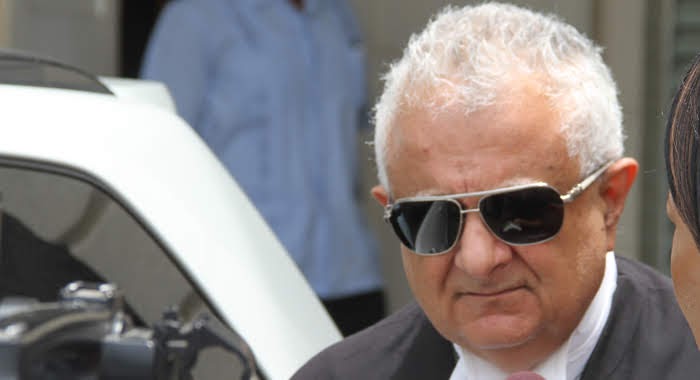
A prominent member of the government’s legal team is reacting to the recent decision of the court as it relates to the Alfa Nero Superyacht.
Senior Counsel Anthony Astaphan said he is pleased with the Privy Council’s ruling on one of two legal filings that seek to block the sale of the vessel.
Astaphan represented the government’s interest in the lawsuit. According to him, the team here in Antigua assisted in preparing the arguments that a King’s Counsel presented before the Judicial Committee of the Privy Council.
“We sent up the submissions we did at the hearing before the Judge to the King’s Counsel and he has his team did a good job in getting the case put forward in writing to the Privy Council.
“They refused to grant an injunction as well and they said in so far as that particular case is concerned the only issue for a breach to be established it would then be a question about damage or compensation,” Astaphan said on Pointe FM on Saturday.
He also added that the Privy Council’s ruling vindicates a local judge’s decision to deny the injunction which was being sought by lawyers representing the company that claims ownership of the vessel.
The senior council also explained that the High Court will deliver its judgment in a separate matter brought by the daughter of the Russian oligarch who is the reputed owner of the vessel.
“We argued that she not be given a hearing at all by the court because it has no propriety interest, recognizable by the people of Antigua and Barbuda, in the vessel, and a few other arguments we were able to raise in the time given to us to get ready for the hearing. The judge listened to the submissions and he indicated on Friday that he will give his ruling on the application for the injunction on Tuesday at 9 am,” Astaphan.
This story was first published by Antigua News on : antigua.news/2023/06/26/government-attorney-says-he-is-pleased-with-privy-council-ruling-on-alfa-nero-injunction. © 2023 Antigua News. Republication without permission is not allowed.

About the author
The Editorial Staff refers to all reporters employed by Antigua.news. When an article is not an original creation of Antigua.news—such as when it is based on a press release, other media articles, letters to the editor, or court decisions—one of our staff members is responsible for overseeing its publication.
Read our editorial standards and corrections policy. Spotted an error? Contact the newsroom.
More from Antigua and Barbuda
View section
Nicholas Leads APUA Delegation to Regional Water Conference
Discussions in Grenada focus on water security, climate resilience and sustainable utility services across the Caribbean.
By Shermain Bique-Charles

Antigua and Barbuda to Host Caribbean Tourism Conference in 2027
Regional tourism leaders will gather from October 4–8 as the destination prepares to host CTO’s flagship industry forum.
By Shermain Bique-Charles

National Health Insurance Could Become Reality by 2028 as Antigua and Barbuda Relaunches Universal Health Coverage Programme
Government advances plans for a National Health Insurance Programme aimed at making essential healthcare more accessible and affordable while reducing the financial burden on households.
By Cory Wayland

WATCH:Appeal for Information After Alleged Attempt to Snatch Necklace on All Saints Road
Circulating appeal says a man’s necklace broke and fell to the ground during the incident near the credit union.
By Shermain Bique-Charles
Comments (1)
Ras Smood June 26, 2023, 10:54 AM