
ABLP & UPP prepares for By-election

By Abigayle McIntosh
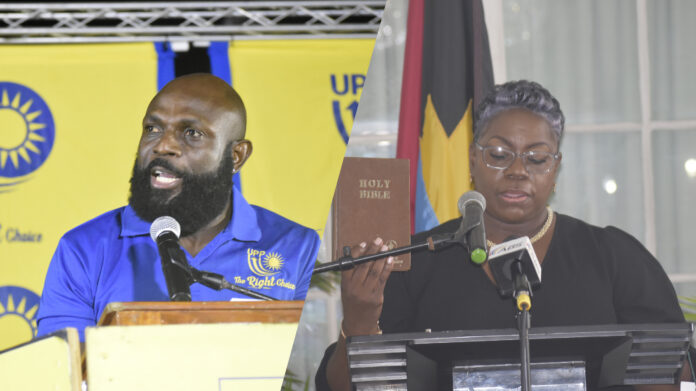
St Mary’s South Member of Parliamentary Representative Kelvin “Shugy” Simon and ABLP’s Senator Samantha Marshall may at some point face each other at the polls again, this time in a by-election.
This follows a declaration by Prime Minister Gaston Browne over the weekend that a by-election will be called if it is deemed necessary.
Questions were being asked about whether or not a by-election would have been called following the refusal of Speaker of the House Sir Gerald Watt KC to accept Simon’s resignation from the post.
Browne said that this will also depend on the outcome of the court case challenging Simon’s nomination as a candidate.
“The Labour Party is preparing for a by-election assuming that Shugy is correct and the court rules and the by-election are to be held in 120 days. I can assure you the party is preparing.
“I would have said on a previous program that the by-election would not be called within 90 days. We want to allow the court to continue,” Browne said.
The opposition party said it has been in preparation mode since the MP submitted his letter.
The court case to which the Prime Minister made reference was brought by Aaron Simon a member of the St Mary’s South Constituency who is challenging the MP’s eligibility as a candidate.
At the time of Simon’s nomination, he was still employed as a Guidance Counsellor within the Ministry of Sports. He, however, resigned a fourth night before the election.
As it relates to his post as an MP, he resigned weeks ago after indicating that the court case had the potential to be dragged on for months and it was unfair to his constituents.
Sir Gerald, whom the letter was submitted to said it was of no legal effect because it did not conform with certain provisions of the constitution.
Simon has submitted another letter asking the speaker to reconsider his position.
This story was first published by Antigua News on : antigua.news/2023/06/27/ablp-upp-prepares-for-by-election. © 2023 Antigua News. Republication without permission is not allowed.

About the author
The Editorial Staff refers to all reporters employed by Antigua.news. When an article is not an original creation of Antigua.news—such as when it is based on a press release, other media articles, letters to the editor, or court decisions—one of our staff members is responsible for overseeing its publication.
Read our editorial standards and corrections policy. Spotted an error? Contact the newsroom.
More from Antigua and Barbuda
View section
Nicholas Leads APUA Delegation to Regional Water Conference
Discussions in Grenada focus on water security, climate resilience and sustainable utility services across the Caribbean.
By Shermain Bique-Charles

Antigua and Barbuda to Host Caribbean Tourism Conference in 2027
Regional tourism leaders will gather from October 4–8 as the destination prepares to host CTO’s flagship industry forum.
By Shermain Bique-Charles

National Health Insurance Could Become Reality by 2028 as Antigua and Barbuda Relaunches Universal Health Coverage Programme
Government advances plans for a National Health Insurance Programme aimed at making essential healthcare more accessible and affordable while reducing the financial burden on households.
By Cory Wayland

WATCH:Appeal for Information After Alleged Attempt to Snatch Necklace on All Saints Road
Circulating appeal says a man’s necklace broke and fell to the ground during the incident near the credit union.
By Shermain Bique-Charles
Comments
Be the first to comment.