
Disbursement of Alfa Nero Funds Delayed Pending Court Decision

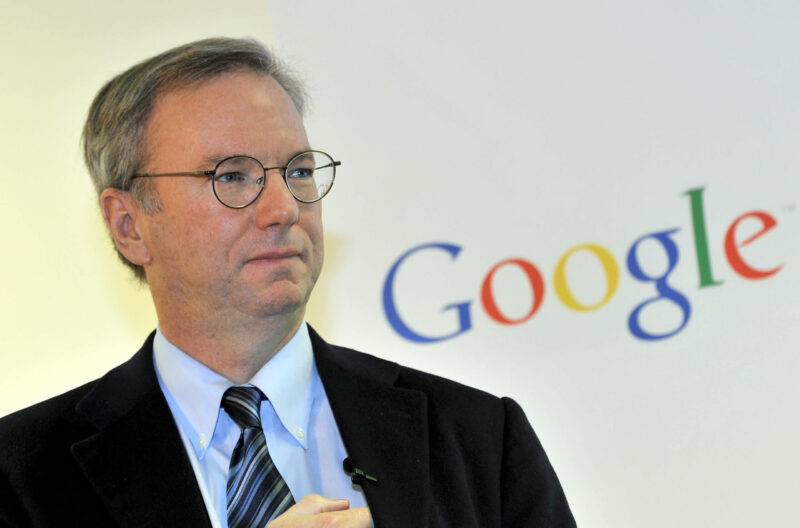
Attorneys representing United States Billionaire and Former Google Boss Eric Schmidt; the man who bought the Alfa Nero, have advised him to wait “a day or two” before he could pay the US$67.6 million to the Antiguan and Barbudan government.
On June 16, Schmidt 68, won the auction in Antigua to buy the luxurious superyacht previously owned by a Russian oligarch. It was expected to be paid seven days after the purchase.
But notes from the Cabinet said that while Schmidt has shown a willingness to dispatch the resources; “because a judicial decision is pending, he was advised by the lawyer, Cabinet was told, to wait a day or two until the Court has decided”
The court is expected to deliver a judgment within days on whether an injunction will be granted to a Russian citizen who is seeking to block the completion of the sale of the Alfa Nero
Two weeks ago, the court allowed two applicants to file for judicial review challenging the Port Authority’s decision to sell the Alfa Nero but that same judge allowed the boat to be sold.
According to court papers, on May 22, Flying Dutchman and Vita Felice applied to prevent the sale of the Alfa Nero. They claimed that the process was unfair, also claiming that the amendments to the Port Authority Act to allow the sale violated their rights under the constitution
An injunction was also filed to stop the auction of the boat but the judge did not grant it.
The government seized the yacht recently after it was abandoned in Falmouth Habour for over a year.
Built in 2007, the 267-foot vessel was initially listed for sale in 2009 for a titanic price tag of $190 million.

This story was first published by Antigua News on : antigua.news/2023/06/29/disbursement-of-alfa-nero-funds-delayed-pending-court-decision. © 2023 Antigua News. Republication without permission is not allowed.

About the author
The Editorial Staff refers to all reporters employed by Antigua.news. When an article is not an original creation of Antigua.news—such as when it is based on a press release, other media articles, letters to the editor, or court decisions—one of our staff members is responsible for overseeing its publication.
Read our editorial standards and corrections policy. Spotted an error? Contact the newsroom.
More from Antigua and Barbuda
View section
Nicholas Leads APUA Delegation to Regional Water Conference
Discussions in Grenada focus on water security, climate resilience and sustainable utility services across the Caribbean.
By Shermain Bique-Charles

Antigua and Barbuda to Host Caribbean Tourism Conference in 2027
Regional tourism leaders will gather from October 4–8 as the destination prepares to host CTO’s flagship industry forum.
By Shermain Bique-Charles

National Health Insurance Could Become Reality by 2028 as Antigua and Barbuda Relaunches Universal Health Coverage Programme
Government advances plans for a National Health Insurance Programme aimed at making essential healthcare more accessible and affordable while reducing the financial burden on households.
By Cory Wayland

WATCH:Appeal for Information After Alleged Attempt to Snatch Necklace on All Saints Road
Circulating appeal says a man’s necklace broke and fell to the ground during the incident near the credit union.
By Shermain Bique-Charles
Comments
Be the first to comment.