
Prime Minister and Government Statement on Passing of Tanny Rose

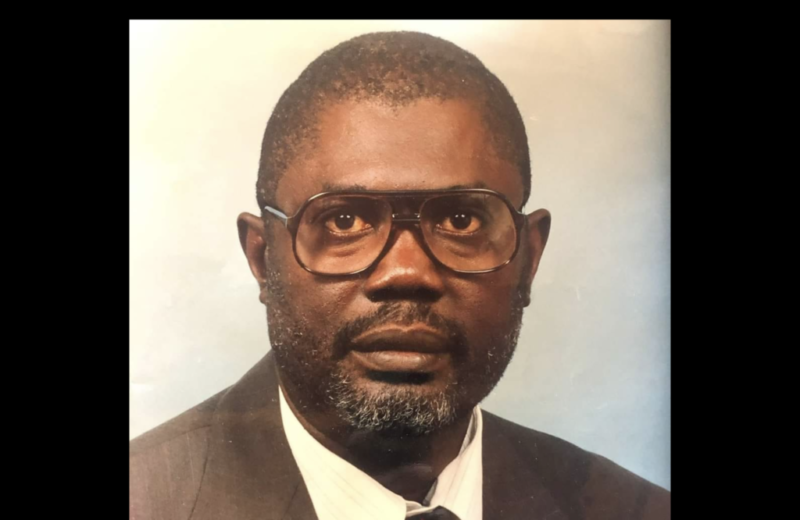
Press Statement
The Office of the Prime Minister has learned of the death of JAMES TANNY ROSE, aka the Voice of the Oppressed and Downtrodden, and expresses sincerest condolences to his family, friends and all those who regarded him highly for his political pronouncements.
JAMES TANNY ROSE set out to win hearts and minds by his almost daily presentations on several radio talk-shows, and succeeded brilliantly by his persistence and clarity.
He was considered dangerous by those whom he opposed, and loved by thousand others for the same reason. He could think and he could speak, and he was relentless in his ambitious
JAMES TANNY ROSE was clearly one of Antigua and Barbuda’s most effective Radio Talk-Show presenters on account of his keen intellect and incisive examination of issues that resonated with all.
He was a self-appointed activist who, for ten years, was unrelenting in his pursuit of the return of the Antigua and Barbuda Labour Party to electoral victory.
JAMES TANNY ROSE was fearless and un-deterred by criticisms. He believed that his cause was pure and his mission righteous.
He told Prime Minister Browne, with whom he enjoyed a mutual friendship, that he evidenced the leader’s genuine love for the people of Antigua and Barbuda, which ennobled his pursuit and defense of the Government which he helped to win re-election.

JAMES TANNY ROSE felt the tug of history and the ambition to play a role in it.
He has made history and has helped to shape an emerging Antigua and Barbuda, on the verge of its 42nd Anniversary of Independence. May his spirit live on, and may the legacy which he created be preserved.
May his soul rest in eternal peace.
This story was first published by Antigua News on : antigua.news/2023/10/30/prime-minister-and-government-statement-on-passing-of-tanny-rose. © 2023 Antigua News. Republication without permission is not allowed.

About the author
The Editorial Staff refers to all reporters employed by Antigua.news. When an article is not an original creation of Antigua.news—such as when it is based on a press release, other media articles, letters to the editor, or court decisions—one of our staff members is responsible for overseeing its publication.
Read our editorial standards and corrections policy. Spotted an error? Contact the newsroom.
More from Antigua and Barbuda
View section
Jam Bull and Art After Dark Among New Highlights for Antigua and Barbuda Art Week
The November 11–18 festival will feature evening gallery tours, cultural performances, fashion, public art and creative workshops.
By Shermain Bique-Charles

Senator Colin O’Neal Earns Political Science Degree at UWI Five Islands, Sets Sights on Law Degree
Senator Colin O’Neal graduates with a Bachelor’s Degree in Political Science from UWI Five Islands Campus and announces plans to pursue a law degree in 2027.
By Cory Wayland

Young Man Suffers Minor Scrapes After Leg Gets Trapped in St. John’s Sidewalk Grating
The incident raises fresh concerns about pedestrian safety following similar occurrences in the city.
By Cory Wayland

Mighty Sparrow’s National Funeral Set for October 16 as Trinidad and Tobago Prepares Grand Farewell
Two days of public viewing and a grand cultural procession will precede the October 16 Celebration of Life honouring the legendary entertainer whose music helped shape Caribbean culture.
By Cory Wayland
Comments
Be the first to comment.