
Port Manager Unveils Plans for Deep Water Harbour Expansion into Transshipment Hub

By: Aabigayle McIntosh
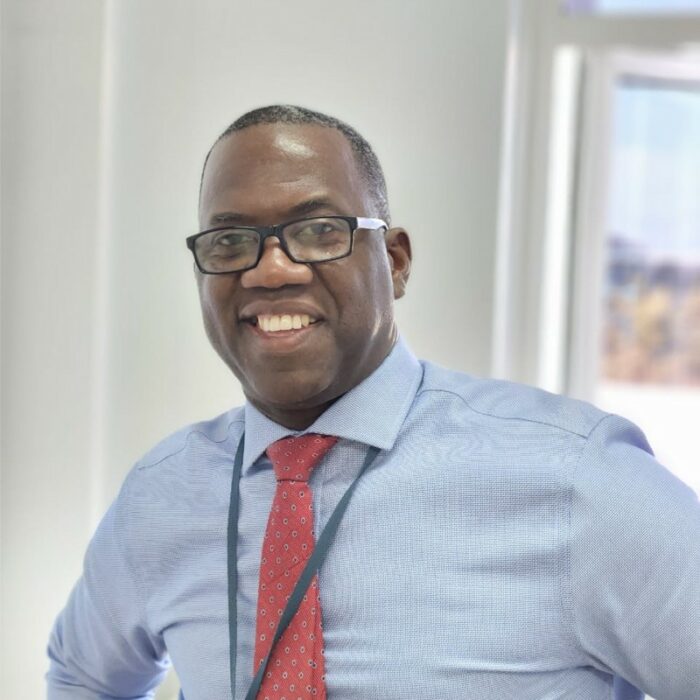
Port Manager Darwin Telemaque is providing additional insight into the expansion of the Port at Deep Water Harbour through the government’s strategy to convert it into a transshipment hub.
Thus far, the team has been focused on consolidating processes to centralize port services rather than operating from disparate locations.
Telemaque explained, “Activities that traditionally occurred outside the Warehouse are now being conducted within its confines. If external access is necessary, the Comptroller’s office is conveniently located nearby, with the Port Manager situated upstairs, ensuring everyone operates within the same vicinity.”
Telemaque also revealed that his team is collaborating with various bargaining agents representing Port Workers to define their functions and roles at the terminal, which functions independently from the warehouse.
“Distinct groups of workers engage in different tasks, each requiring specific access privileges. This is standard practice observed across global ports,” he emphasized.
The overarching objective is to have the terminal fully operational, providing 24-hour service to the public.

Telemaque emphasized the necessity of this expansion, stating, “As we transition into a transshipment hub, accommodating increased demand is imperative.
Currently serving Tropical Shipping, we anticipate doubling our transshipment capacity for them in May, with several other vessels expressing interest in similar arrangements.
This story was first published by Antigua News on April 16, 2024: antigua.news/2024/04/16/port-manager-unveils-plans-for-deep-water-harbour-expansion-into-transshipment-hub. © 2024 Antigua News. Republication without permission is not allowed.

About the author
The Editorial Staff refers to all reporters employed by Antigua.news. When an article is not an original creation of Antigua.news—such as when it is based on a press release, other media articles, letters to the editor, or court decisions—one of our staff members is responsible for overseeing its publication.
Read our editorial standards and corrections policy. Spotted an error? Contact the newsroom.
More from Antigua and Barbuda
View section
‘They Can’t Dictate That’: Freeland Rejects Player Pressure Over National Coach
Freeland defends the coaching staff and says players should demonstrate their value through training and performance.
By Shermain Bique-Charles

Search Ends as All Four Juveniles Who Escaped Bolans Police Station Return to Police Custody
Police apprehended three of the juveniles during a search operation in Liberta on Thursday morning, less than a day after the fourth surrendered to authorities.
By Cory Wayland

Farmers Given 90 Days to Plant as Government Launches 102-Acre Land-Clearing Programme
Antigua launches a 102-acre agricultural land-clearing programme requiring beneficiaries to establish viable crops within 90 days of land preparation.
By Cory Wayland

Freeland Blames Poor Player Commitment for Antigua and Barbuda’s Basketball Withdrawal
Basketball president acknowledges unpaid stipends but says repeated low practice attendance drove the decision to withdraw.
By Shermain Bique-Charles
Comments
Be the first to comment.