
Govt and Opposition unite to tackle ‘grey/black’ listing

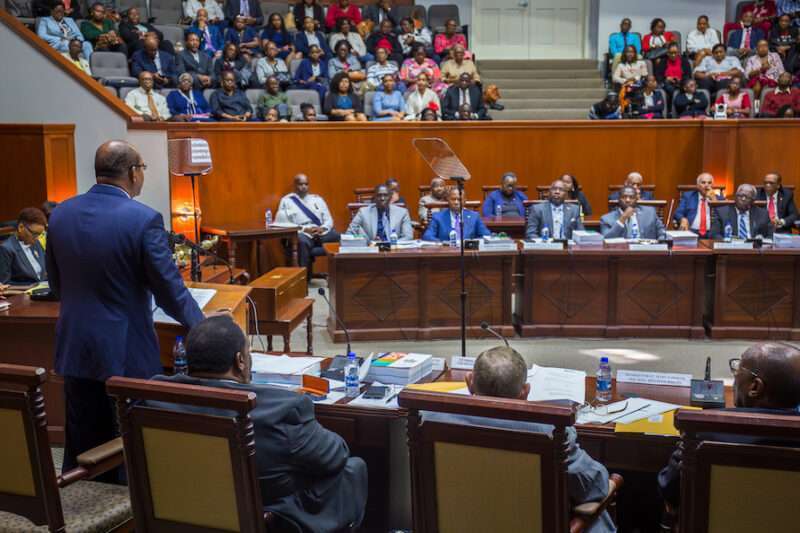
Members of both the government and opposition in the House of Representatives came together to pass legislation aimed at getting Antigua and Barbuda off the ‘grey-list’ of countries deemed to be ‘not fully’ compliant with the requirements of the international financial architecture.
Sir Steadroy Benjamin, the Attorney General, led the House through the debates on several bills necessary to update the country’s laws in order to be judged compliant and removed from the Grey-List.
During his presentation, Sir Steadroy made an impassioned appeal for support for the various measures, stating that they were not controversial but rather designed to improve Antigua and Barbuda’s compliance and eventually remove it from the ‘grey-list’ on which it appeared in February of this year.
He clarified that the amendments were intended to align Antigua and Barbuda’s laws with those of global partners, in the hope of getting the country off the ‘black-listing’.
The two primary drafters of the amendments were located in Jamaica and provided additional amendments suggested by the global partners.
According to the government’s chief legal officer, the country had no alternative but to go to parliament to update the relevant laws and meet the requirements of international bodies such as the European Union.
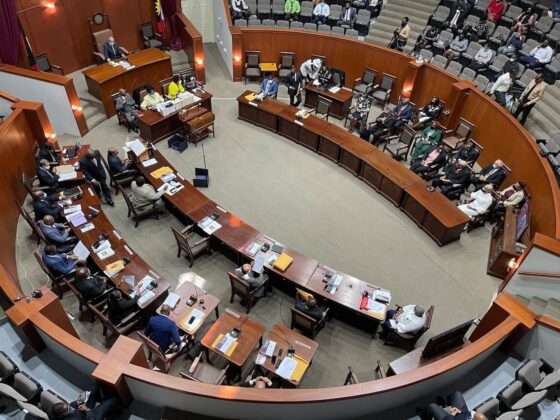
He urged the entire house to deal with the matter responsibly, without politics, in the best interest of Antigua and Barbuda.
Both the member for St. John’s Rural West, Richard Lewis, and the member for Barbuda, Trevor Walker, spoke in favour of working with the government to make the necessary changes and remove Antigua and Barbuda from the ‘grey-list.
The measures passed on Monday include; the Law (Miscellaneous Provisions) Bill, the Companies (Amendment) Bill and the mutual Assistance in Criminal Matters (Amendment) Bill, 2024.
The House also passed the Prevention of Terrorism (Amendment) Bill 2024, introduced by Foreign Affairs Minister, E.P Chet Greene.
This story was first published by Antigua News on May 13, 2024: antigua.news/2024/05/13/govt-and-opposition-unite-to-tackle-grey-black-listing. © 2024 Antigua News. Republication without permission is not allowed.

About the author
The Editorial Staff refers to all reporters employed by Antigua.news. When an article is not an original creation of Antigua.news—such as when it is based on a press release, other media articles, letters to the editor, or court decisions—one of our staff members is responsible for overseeing its publication.
Read our editorial standards and corrections policy. Spotted an error? Contact the newsroom.
More from Antigua and Barbuda
View section
‘They Can’t Dictate That’: Freeland Rejects Player Pressure Over National Coach
Freeland defends the coaching staff and says players should demonstrate their value through training and performance.
By Shermain Bique-Charles

Search Ends as All Four Juveniles Who Escaped Bolans Police Station Return to Police Custody
Police apprehended three of the juveniles during a search operation in Liberta on Thursday morning, less than a day after the fourth surrendered to authorities.
By Cory Wayland

Farmers Given 90 Days to Plant as Government Launches 102-Acre Land-Clearing Programme
Antigua launches a 102-acre agricultural land-clearing programme requiring beneficiaries to establish viable crops within 90 days of land preparation.
By Cory Wayland

Freeland Blames Poor Player Commitment for Antigua and Barbuda’s Basketball Withdrawal
Basketball president acknowledges unpaid stipends but says repeated low practice attendance drove the decision to withdraw.
By Shermain Bique-Charles
Comments
Be the first to comment.