
Antigua Celebrated at International Archaeology Congress for Contributions to Caribbean Heritage

Antigua and Barbuda has received international praise for its pioneering contributions to archaeology during the 30th Congress of the International Association for Caribbean Archaeology (IACA).
The prestigious event, held from August 15 to 17 in Nevis, brought together leading experts and organizations dedicated to preserving and studying the Caribbean’s rich archaeological history.
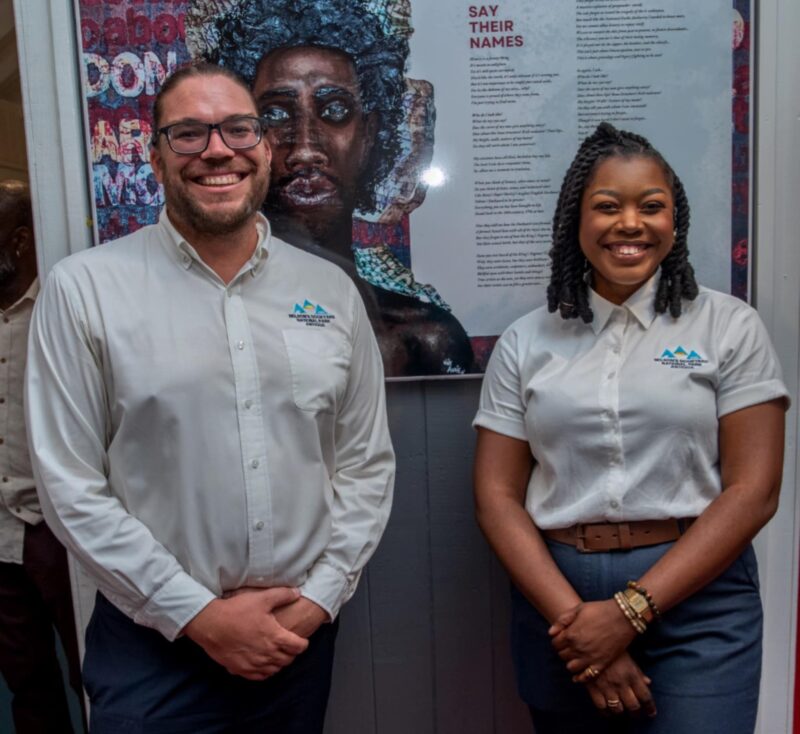
Representing Antigua and Barbuda at the congress were Dr. Christopher Waters and Ms. Desley Gardner of the National Parks Authority. The duo presented three groundbreaking papers highlighting the nation’s dedication to archaeological research and heritage protection within Nelson’s Dockyard National Park, a UNESCO World Heritage Site.
Minister of Foreign Affairs MP “Chet” Greene, expressed pride in the National Parks Authority’s achievements, stating, “The work showcased at the IACA Congress demonstrates our unwavering commitment to preserving Antigua and Barbuda’s rich heritage. These projects are not only about protecting our past but also about ensuring that future generations can understand and appreciate the significance of our cultural landscapes.
The National Parks Authority continues to advance its mission to protect and promote Antigua and Barbuda’s rich cultural heritage.
Participation in international forums like the IACA Congress not only highlights the significance of the nation’s archaeological efforts but also strengthens partnerships and knowledge sharing across the Caribbean.
Through these collaborations, Antigua and Barbuda remains at the forefront of preserving and celebrating the region’s diverse history for generations to come.

This story was first published by Antigua News on : antigua.news/2024/08/27/antigua-celebrated-at-international-archaeology-congress-for-contributions-to-caribbean-heritage. © 2024 Antigua News. Republication without permission is not allowed.

About the author
The Editorial Staff refers to all reporters employed by Antigua.news. When an article is not an original creation of Antigua.news—such as when it is based on a press release, other media articles, letters to the editor, or court decisions—one of our staff members is responsible for overseeing its publication.
Read our editorial standards and corrections policy. Spotted an error? Contact the newsroom.
More from Antigua and Barbuda
View section
Kiz Johnson in Panama to Represent Antigua and Barbuda at Regional Development Forum
Minister of State will join regional counterparts for discussions on inclusive development, reducing inequality and building resilience.
By Shermain Bique-Charles

80 Yachts Set for Antigua as Salty Dogs Rally Returns in November
Most participating vessels are expected to make Antigua their winter base, creating opportunities for businesses across the yachting sector.
By Shermain Bique-Charles

No Lockdown’ of St. John’s for CHOGM, Greene Assures Businesses and Commuters
Temporary security restrictions will affect selected areas, with East Bus Station disruptions expected to end by 1:30 p.m. on November 3.
By Shermain Bique-Charles

Like-a-Latte Announces Temporary Closure, Staff to Be Laid Off
Management cites economic pressures, declining sales and internal challenges as business closes from October 19.
By Shermain Bique-Charles
Comments (2)
JOE August 28, 2024, 6:49 AM
Jamie August 28, 2024, 9:43 AM