
Top medical practitioner to be remembered at Candlelight Vigil

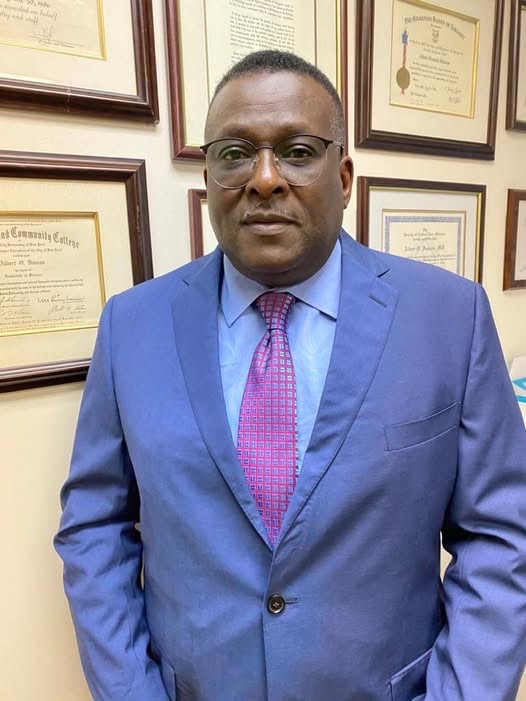
Dozens from the medical community, family, friends,and other well-wishers will gather on Sunday afternoon for a memorial service and candlelight vigil for Dr. Albert Duncan.
He passed away last November in a hospital overseas where he had been receiving treatment.
The memorial service and candlelight vigil will be held at the Sir Lester Bird Medical Centre’s South Patio starting at 4 p.m.
The dress code attire is semi-formal.
Dr. Duncan was the Medical Director at the SLBMC since 2015.
Duncan was a General and Acute Care Surgeon with a special interest in Diseases of the breast. He was a Clinical Associate Professor and Chief of General surgery at the State University of New York (SUNY) Down State Medical Centre.
Prior to that, he was the Chairman of Surgery at the Brooklyn Hospital from 1997 -2001.

Dr. Duncan received his BSc. Biology undergraduate degree from Hunter College NY in 1977. In 1980 he graduated from the Medical College of Ohio at Toledo (Toledo University) and completed his residency training in General Surgery and fellowship in Trauma critical Care at SUNY and Kings County Medical Centre.
Dr. Duncan was the author or co-author of numerous surgical publications and Book Chapters. He wasalso the recipient of numerous awards and citations along with many teaching awards. In 1992 he became a fellow of the American College of surgeons and several other surgical societies.
Dr. Duncan has dedicated most of his general surgery practice to the care of patients with breast disease. He was one of the early members of the society of Breast surgeons (Certificate #494).
He has been hailed as a titan of the medical field and was a highly respected surgeon.
His face was one of several many residents found comfort in during the covid pandemic.
This story was first published by Antigua News on : antigua.news/2025/01/02/top-medical-practitioner-to-be-remembered-at-candlelight-vigil. © 2025 Antigua News. Republication without permission is not allowed.

About the author
The Editorial Staff refers to all reporters employed by Antigua.news. When an article is not an original creation of Antigua.news—such as when it is based on a press release, other media articles, letters to the editor, or court decisions—one of our staff members is responsible for overseeing its publication.
Read our editorial standards and corrections policy. Spotted an error? Contact the newsroom.
More from Antigua and Barbuda
View section
Idris Elba and Senator Jamilla Kirwan to Headline One Commonwealth Night as Hosts
Star-studded cultural celebration at Sir Vivian Richards Stadium will bring together international talent and local performers during CHOGM 2026.
By Cory Wayland

Regional Troops Arrive in Antigua and Barbuda to Strengthen CHOGM Security Preparations
Cayman Islands Regiment personnel join a regional military effort to support security, logistics and event operations ahead of the November summit.
By Cory Wayland

Police Outpost and Management Office Approved for Pelican Court
Cabinet establishes dedicated arrangements for security, maintenance and community concerns at the housing development.
By Shermain Bique-Charles

Local Musicians and Cultural Performers Could Feature in Tomlinson Film
Cabinet welcomes opportunities for steelpan, Carnival traditions and local production talent in the proposed international project.
By Shermain Bique-Charles
Comments
Be the first to comment.