
Antigua and Barbuda to Host Group C of 2025 CONCACAF Series

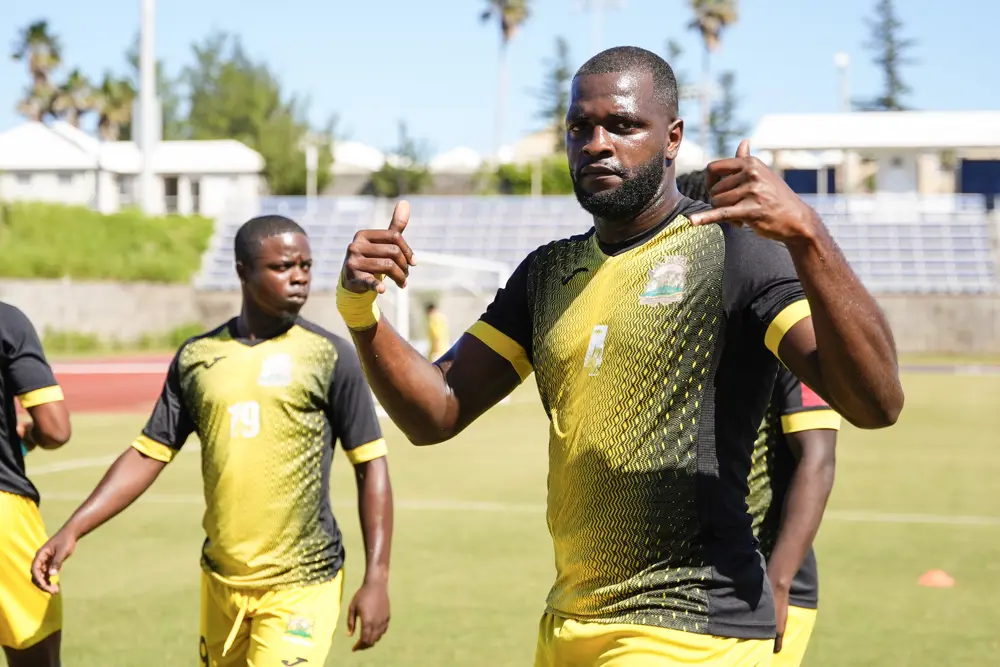
The Antigua and Barbuda Football Association (ABFA) has announced that the country will proudly host Group C of the upcoming 2025 CONCACAF Series, a premier regional football competition that promises excitement and high-level play.
The announcement marks a significant moment for local football, as Antigua and Barbuda prepares to welcome the men’s national teams of Guyana, Barbados, Aruba, and Bonaire for an action-packed series of matches in November.
All games will be played at the Sir Vivian Richards Stadium — the island’s largest sporting arena — renowned for its world-class facilities and vibrant crowd atmosphere. The tournament format will feature three double-header match days, giving fans the chance to witness multiple matches filled with skill, rivalry, and Caribbean pride.
Match Schedule for Group C:
Wednesday, November 12, 2025
4:00 PM – Barbados vs Bonaire
7:00 PM – Antigua and Barbuda vs Aruba
Saturday, November 15, 2025
4:00 PM – Barbados vs Aruba
7:00 PM – Guyana vs Bonaire
Tuesday, November 18, 2025
7:00 PM – Antigua and Barbuda vs Guyana
The CONCACAF Series serves as an important developmental platform for national teams across the region, providing valuable experience ahead of major international tournaments.
ABFA officials have expressed enthusiasm over hosting duties, noting that the tournament will not only bring world-class football to local fans but also boost tourism and national pride.
Football supporters across the nation are encouraged to come out in full force, don their national colours, and support the “Benna Boys” as they compete on home soil.
Fans can stay updated on ticket sales, promotions, and matchday activities by following the official ABFA social media pages and website.
This story was first published by Antigua News on October 30, 2025: antigua.news/2025/10/30/antigua-and-barbuda-to-host-group-c-of-2025-concacaf-series. © 2025 Antigua News. Republication without permission is not allowed.

About the author
The Editorial Staff refers to all reporters employed by Antigua.news. When an article is not an original creation of Antigua.news—such as when it is based on a press release, other media articles, letters to the editor, or court decisions—one of our staff members is responsible for overseeing its publication.
Read our editorial standards and corrections policy. Spotted an error? Contact the newsroom.
More from Antigua and Barbuda
View section
Antigua and Barbuda Ranked Seventh in Condé Nast Traveler’s Regional Island Awards
Readers place the twin-island destination among their favourites in the Caribbean and Atlantic in the 2026 Readers’ Choice Awards.
By Shermain Bique-Charles

Electric Vehicle Fleet En Route to Antigua for CHOGM Under Octopus Energy Partnership
Vehicles will transport Commonwealth leaders and delegates, marking the first practical delivery under the country’s clean-energy agreement.
By Shermain Bique-Charles

BREAKING:Fernandez Elected CTO Chairman as Antigua and Barbuda Returns to Regional Tourism Leadership
Antigua and Barbuda takes the chairmanship for the first time in more than 15 years, with connectivity, climate resilience and leadership opportunities among Fernandez’s priorities
By Shermain Bique-Charles

Hundreds Join CIBC Walk for the Cure as Participation Hits Record High
The 15th annual event brought together cancer survivors, families and supporters to raise awareness and funds for cancer care.
By Shermain Bique-Charles
Comments (3)
Apex Jones October 30, 2025, 1:33 PM
Tromos October 30, 2025, 4:43 PM
Informed citizen October 30, 2025, 9:52 PM