
CARICOM Chairman Heap Praises on PM Browne for Rescuing LIAT

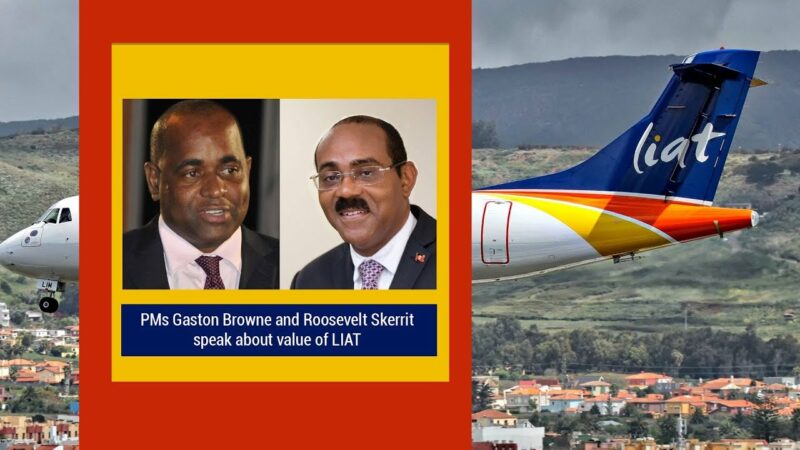
Caribbean Community (CARICOM) Chairman and Prime Minister of Dominica, Roosevelt Skerritt, has praised the Gaston Browne administration for its efforts in keeping LIAT operational.
In an interview with State Media, PM Skerritt expressed his appreciation while returning from the first-ever Saudi-CARICOM Summit
He commended Browne for holding the fort, where LIAT is concerned, and emphasized the need for collective efforts from all shareholder governments to support the airline.
A few months ago, it seemed like Antigua and Barbuda Prime Minister Gaston Browne was going it alone in the quest to revive LIAT, without receiving support from other shareholder governments.
Skerritt admits that “this is where we went wrong with LIAT, too few of us were engaged in LIAT.”
Skerritt recognized the importance of LIAT to the Caribbean region, saying, “We have always said that if we allowed LIAT to go under, we would have a problem in the Caribbean, and it is manifesting itself now…it is important for us to engage ourselves and play our part in financing a strategy.”

Skerritt believes that with the support of regional governments, the new LIAT 2020 will be successful, although it will not be an easy task.
He expressed his optimism that the new entity will provide a long-term solution to air travel in the region.
Skerritt also confirmed that Dominica is ready to play its part to ensure the success of LIAT 2020 and is confident that other governments will do the same.
The Antigua and Barbuda government took the lead in appointing a court-appointed administrator to save LIAT from liquidation, and Air Peace, Nigeria’s largest private carrier, has invested in LIAT 2020 to help get the airline back in operation.
LIAT 2020 and Air Peace have just signed a deal that gives the Nigerian airline a 75% stake in the new entity.
This story was first published by Antigua News on : antigua.news/2023/11/21/caricom-chairman-heap-praises-on-pm-browne-for-rescuing-liat. © 2023 Antigua News. Republication without permission is not allowed.

About the author
The Editorial Staff refers to all reporters employed by Antigua.news. When an article is not an original creation of Antigua.news—such as when it is based on a press release, other media articles, letters to the editor, or court decisions—one of our staff members is responsible for overseeing its publication.
Read our editorial standards and corrections policy. Spotted an error? Contact the newsroom.
More from Antigua and Barbuda
View section
Senator Colin O’Neal Earns Political Science Degree at UWI Five Islands, Sets Sights on Law Degree
Senator Colin O’Neal graduates with a Bachelor’s Degree in Political Science from UWI Five Islands Campus and announces plans to pursue a law degree in 2027.
By Cory Wayland

Young Man Suffers Minor Scrapes After Leg Gets Trapped in St. John’s Sidewalk Grating
The incident raises fresh concerns about pedestrian safety following similar occurrences in the city.
By Cory Wayland

Mighty Sparrow’s National Funeral Set for October 16 as Trinidad and Tobago Prepares Grand Farewell
Two days of public viewing and a grand cultural procession will precede the October 16 Celebration of Life honouring the legendary entertainer whose music helped shape Caribbean culture.
By Cory Wayland

Antigua and Barbuda Art Week 2026 to Bring Folklore and Creativity to Life with Exciting New Experiences
From the legendary Jam Bull to evening gallery tours, live painting battles and interactive workshops, this year's Art Week promises an immersive celebration of Antigua and Barbuda's artistic and cultural heritage.
By Cory Wayland
Comments
Be the first to comment.